Quick Start
Functions
notify
notify
Display a notification to the player.Parameters:
data(table) - Notification configuration object (see Options)
Configuration
Options
string
Unique identifier - when provided will only show once when spammed or update the same notification
string
Notification title (supports markdown)
Either
title or message is requiredstring
Notification message (supports markdown)
Either
title or message is required. Can also use description as an aliasstring
default:"info"
Notification typeAvailable options:
'info', 'success', 'warning', 'error'number
default:"5000"
Duration in milliseconds
string
default:"top-right"
Notification positionAvailable options:
'top-left', 'top', 'top-right', 'center-left', 'center-right', 'bottom-left', 'bottom', 'bottom-right''top' is an alias for 'top-center'string
default:"md"
Notification width preset:
'sm', 'md', 'lg'string
FontAwesome icon class
string
Icon color (hex or CSS color name)
Automatically determined by notification type if not specified
string
Icon animation typeAvailable options:
'spin', 'spinPulse', 'spinReverse', 'pulse', 'beat', 'fade', 'beatFade', 'bounce', 'shake'string
Background color (hex or CSS color name)
Automatically determined by notification type if not specified
string
Text color (hex or CSS color name)
Automatically determined by notification type if not specified
string
Title text color (hex or CSS color name)
Automatically determined by notification type if not specified
table
Sound configuration (see Sound Options)
Sound Options
string
Name of audio bank that contains the soundset
string
required
Soundset the soundname is a member of
string
required
Sound name to play
Server-Side Usage
To send notifications from the server, use the client event:source(number) - The player’s server IDdata(table) - Notification data table (see Options)
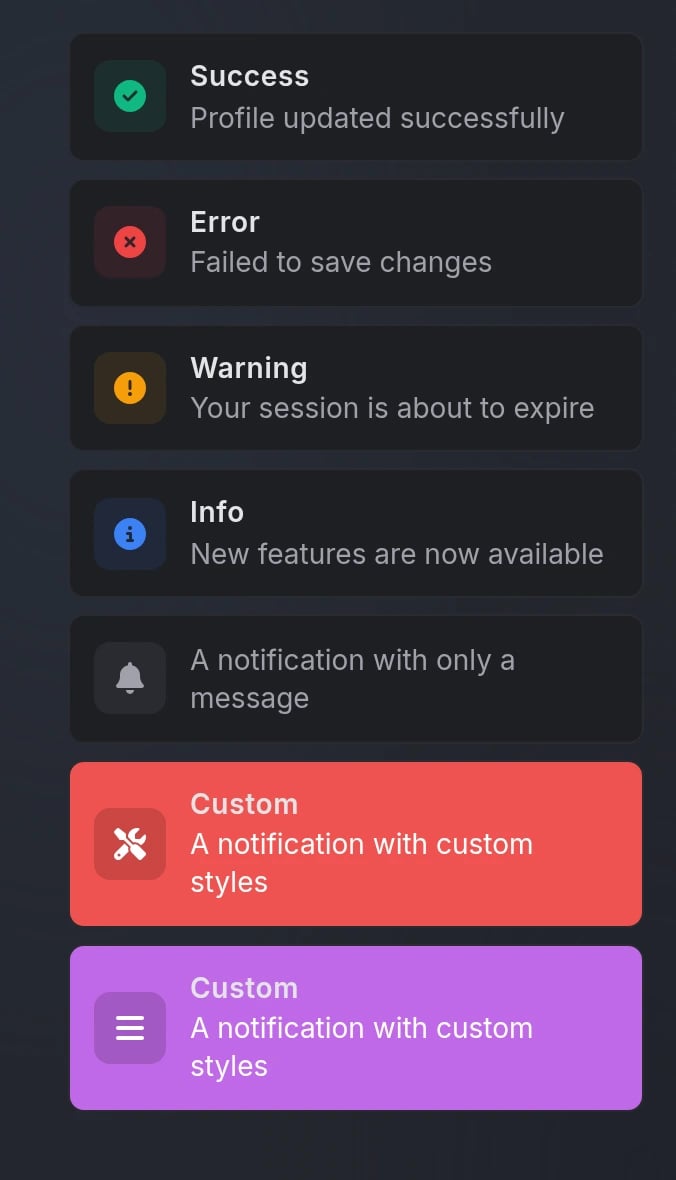
Preview