
Quick Start
Functions
skillCheck
skillCheck
Start an interactive skill check mini-game.Parameters:
title(string, required) - Title for the skill checkdifficulty(string | table, required) - Difficulty level or array of difficulties (see Difficulty Levels)inputs(string | table, optional) - Single input key or array of input keys (default:'E')size(string, optional) - Size variant:'normal'or'compact'(default:'normal')
success(boolean) -trueif all skill checks completed successfully,falseif failed or cancelled
cancelSkillCheck
cancelSkillCheck
Cancel the currently active skill check.
skillCheckActive
skillCheckActive
Check if a skill check is currently active.Returns:
isActive(boolean) -trueif a skill check is active,falseotherwise
Configuration
Options
string
required
Title displayed for the skill check
string | table
required
Difficulty level or array of difficulty levelsSee Difficulty Levels for available options
string | table
default:"E"
Single input key or array of input keysCan be a single key (e.g.,
'E') or multiple keys for sequential checks (e.g., {'W', 'A', 'S', 'D'})string
default:"normal"
Size variant of the skill check UIAvailable options:
'normal'- Full UI with instructions'compact'- Minimal UI (just circle and key)
Difficulty Levels
- Preset Difficulties
- Custom Difficulty
Preview
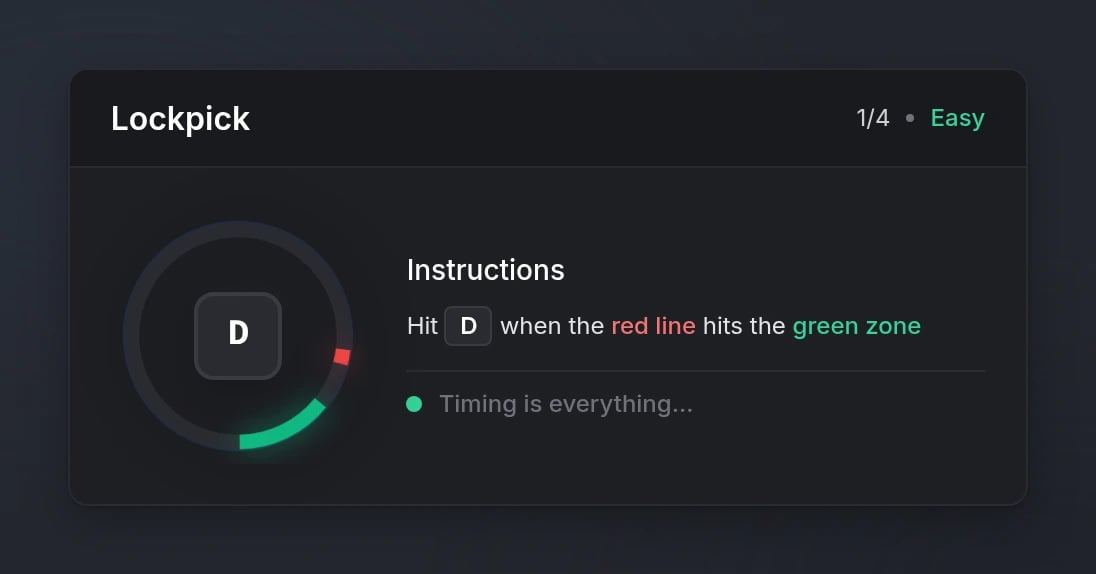
Normal size
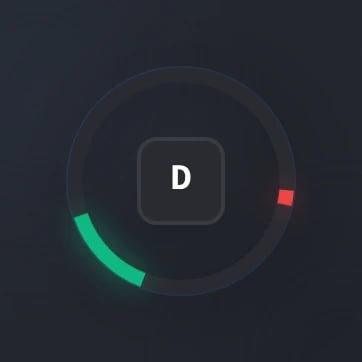
Compact size