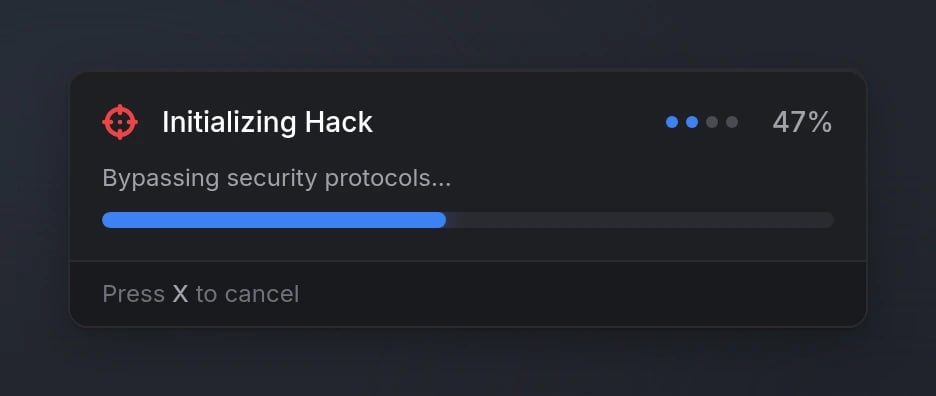
Quick Start
Functions
progressBar
progressBar
Show a progress bar to the player.Parameters:
data(table) - Progress bar configuration object (see Options)
success(boolean) -trueif completed,falseif cancelled/failed
progressActive
progressActive
Check if a progress bar is currently active.Returns:
isActive(boolean) -trueif progress is active,falseotherwise
cancelProgress
cancelProgress
Cancel the currently active progress bar.
Configuration
Options
string
required
Progress bar label text
string
Progress description text
Overridden by steps if multi-step feature is used
number
required
Duration in milliseconds
string
FontAwesome icon class
string
default:"#71717A"
Icon color (hex or CSS color name)
string
Icon animation typeAvailable options:
'spin', 'spinPulse', 'spinReverse', 'pulse', 'beat', 'fade', 'beatFade', 'bounce', 'shake'string
default:"#3B82F6"
Progress bar color (hex or CSS color name)
boolean
default:"true"
Whether progress can be cancelled with X key
boolean
default:"false"
Allow progress while player is dead
boolean
default:"false"
Allow progress while player is ragdolled
boolean
default:"false"
Allow progress while player is cuffed
boolean
default:"false"
Allow progress while player is falling
boolean
default:"false"
Allow progress while player is swimming
table
Animation configuration (see Animations)
Steps
Each step object in thesteps array supports:
string
required
Description text for this step
Animations
string
Animation dictionary
Either
dict or scenario is required if using animationsstring
required
Animation clip name
number
default:"49"
Animation flags
number
default:"3.0"
Blend in speed
number
default:"1.0"
Blend out speed
number
default:"-1"
Animation duration (-1 for loop)
number
default:"0"
Playback rate
boolean
default:"false"
Lock X axis
boolean
default:"false"
Lock Y axis
boolean
default:"false"
Lock Z axis
string
Scenario name (alternative to dict/clip)
Either
dict or scenario is required if using animationsboolean
default:"true"
Play enter animation for scenarios
Props
string
required
Prop model hash
number
default:"60309"
Bone index to attach prop to
table
required
Position offset as table:
{x, y, z}table
required
Rotation offset as table:
{x, y, z}number
default:"0"
Rotation order
Disable
boolean
default:"false"
Disable player movement
boolean
default:"false"
Disable sprinting only
boolean
default:"false"
Disable vehicle controls
boolean
default:"false"
Disable combat actions
boolean
default:"false"
Disable mouse look
Preview