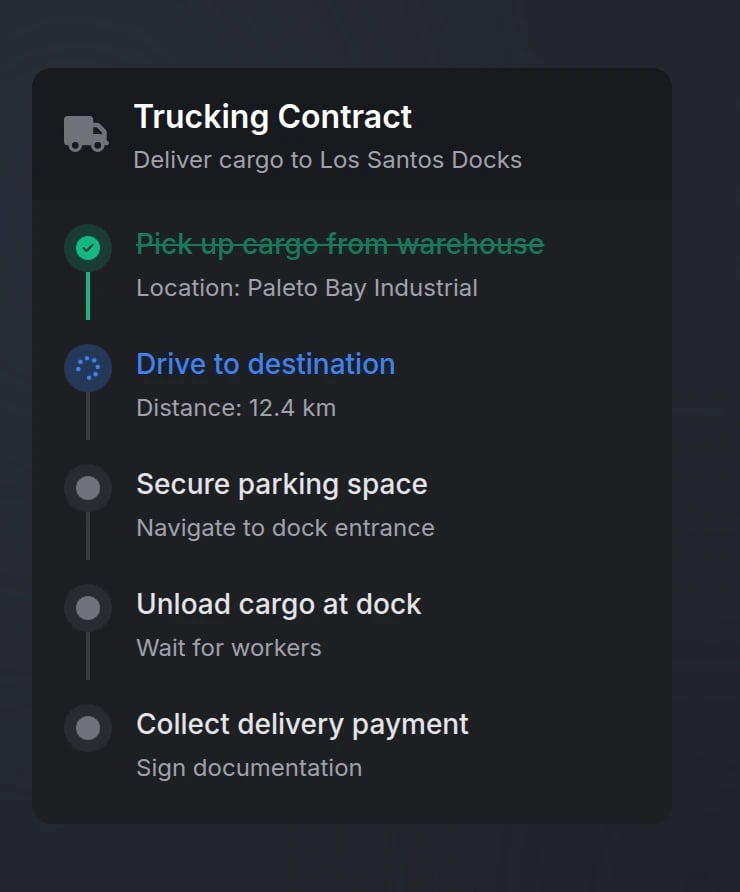
Quick Start
Functions
showTimeline
showTimeline
Display a timeline with tasks to the player.Parameters:
data(table) - Timeline configuration object (see Options)
hideTimeline
hideTimeline
Hide a specific timeline.Parameters:
id(string) - Unique identifier of the timeline to hide
Timeline state is not preserved when hidden. You must pass the full configuration when showing again.
updateTimelineTask
updateTimelineTask
Update one or multiple task statuses.Parameters (Single Task):
timelineId(string) - Unique identifier of the timelinetaskId(string) - Unique identifier of the task to updatestatus(string) - New status:'pending','active','completed','failed'
timelineId(string) - Unique identifier of the timelinetasksArray(table) - Array of task objects withidandstatusproperties
addTimelineTask
addTimelineTask
Add a new task to an existing timeline.Parameters:
timelineId(string) - Unique identifier of the timelinetask(table) - Task object (see Tasks)
updateTimeline
updateTimeline
Update timeline properties (title, description, icon, etc.).Parameters:
timelineId(string) - Unique identifier of the timelineupdates(table) - Object containing properties to update (see Options)
getActiveTimeline
getActiveTimeline
Get the ID of the currently active timeline.Returns:
timelineId(string | nil) - The ID of the active timeline, or nil if none is active
Configuration
Options
string
required
Unique timeline identifier
string
required
Timeline title (supports markdown)
string
Timeline description (supports markdown)
string
default:"right-center"
Timeline position on screenAvailable options:
'top-left', 'top-center', 'top-right', 'left-center', 'center', 'right-center', 'bottom-left', 'bottom-center', 'bottom-right'string
FontAwesome icon class
string
default:"#71717A"
Icon color (hex or CSS color name)
string
Icon animation typeAvailable options:
'spin', 'spinPulse', 'spinReverse', 'pulse', 'beat', 'fade', 'beatFade', 'bounce', 'shake'number
default:"1.0"
Background opacity (0.0-1.0)
Tasks
Each task object in thetasks array supports:
string
required
Unique task identifier
string
required
Task display text (supports markdown)
string
Task description (supports markdown)
string
required
Task statusAvailable options:
'pending', 'active', 'completed', 'failed'string
FontAwesome icon class
Overrides default status icon
string
Icon color (hex or CSS color name)
Automatically determined by task status if not specified
string
Icon animation type
Examples
Preview