Quick Start
Functions
alert(data) → string
alert(data) → string
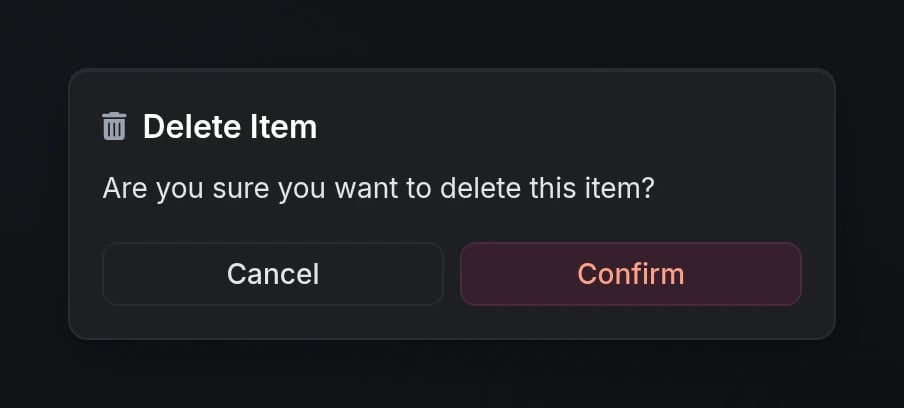
Opens an alert dialog and waits for user interaction.Returns:
'confirm'- User clicked the confirm button'cancel'- User clicked cancel or closed the dialog
closeAlert()
closeAlert()
Programmatically closes any currently open alert dialog.
Configuration
Dialog Options
string
The dialog header text. Supports markdown formatting.
Either
header or content must be provided.string
The main content text displayed in the dialog. Supports markdown formatting.
Either
header or content must be provided.string
FontAwesome icon class (e.g.,
'fas fa-trash', 'fas fa-info-circle').string
default:"#71717A"
Icon color using hex code or CSS color name.
string
default:"default"
Dialog type that affects the overall styling.Options:
'default', 'info', 'success', 'warning', 'error'string
default:"md"
Dialog size for responsive layouts.Options:
'xs', 'sm', 'md', 'lg', 'xl'boolean
default:"true"
Whether to show the cancel button.
table
default:"{ cancel = 'Cancel', confirm = 'Confirm' }"
Custom button labels for custom text.
table
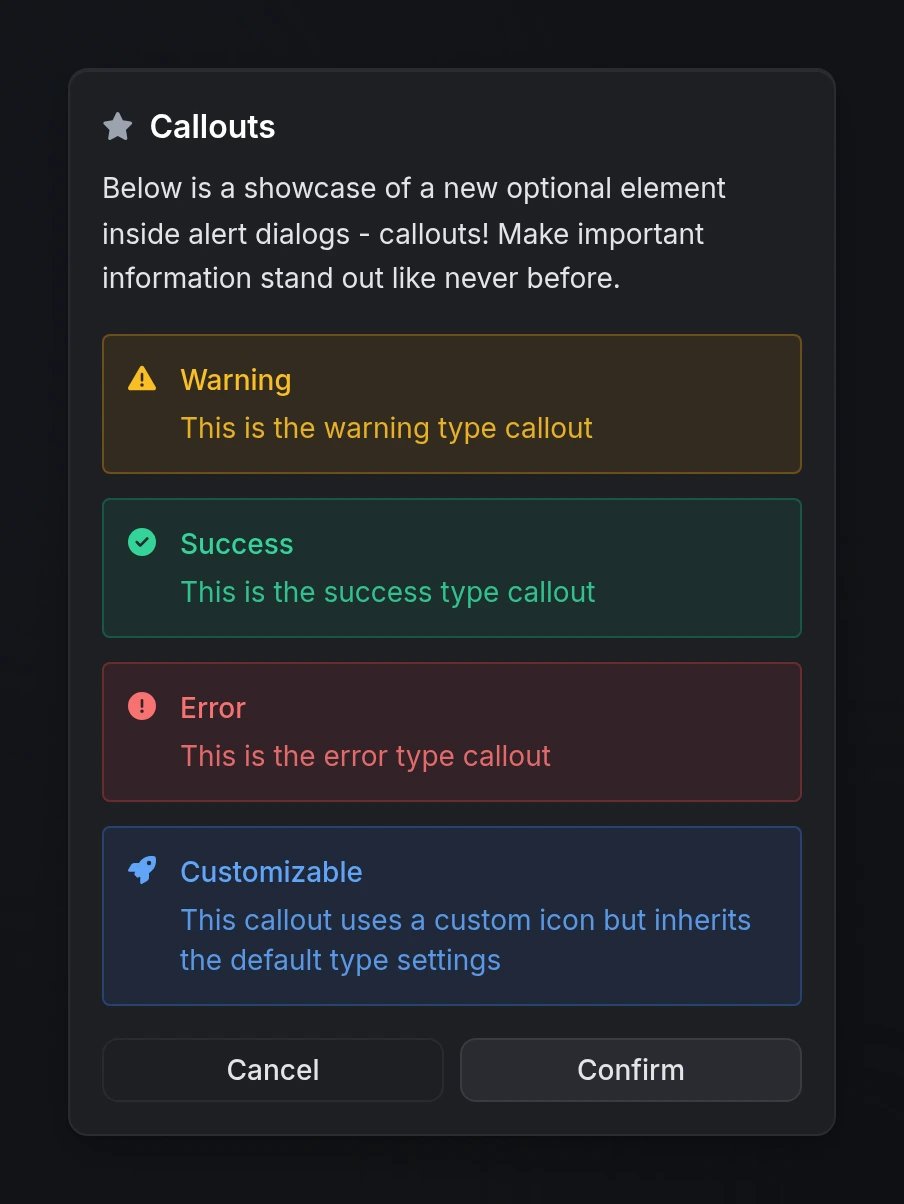
Array of callout objects to highlight important information within the dialog.See Callouts section below for detailed options.
Callouts
Callouts are styled information boxes that can be added to alert dialogs to emphasize critical information.string
required
The callout content text. Supports markdown formatting.
string
The callout title/header. Supports markdown formatting.
string
default:"info"
Callout styling type.Options:
'info', 'success', 'warning', 'error'string
Custom FontAwesome icon. Inherits the color from the callout type.
Preview