Notifications
Show, update and style lation ui notifications from client or server scripts with the notify export and the lation_ui:notify event.
Notifications are short messages that stack in a corner of the screen and leave on their own. They never take focus, so the player keeps playing.
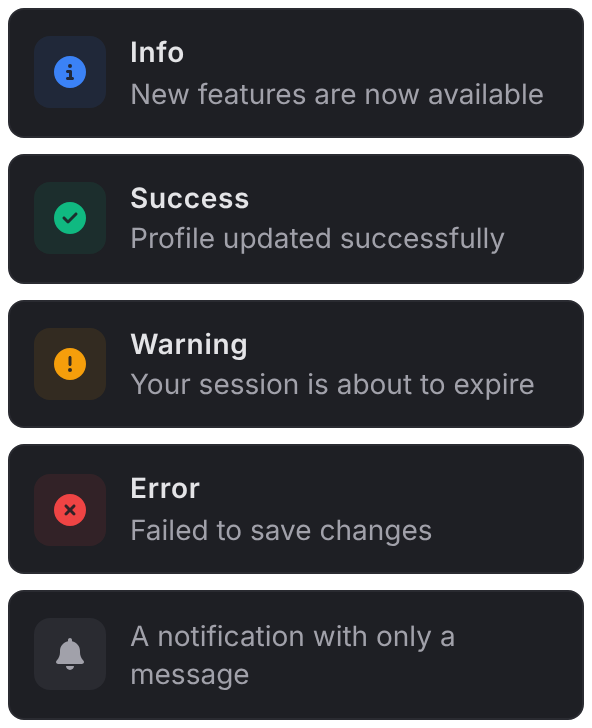
notify
Client export
exports.lation_ui:notify(data)Parameters
data.titlestringoptional- The bold first line
data.messagestringoptional- The text under it
data.descriptionstringoptional- The same as
message, for ox_lib-style data data.typestringoptional'info','success','warning'or'error': sets the icon and its color.'inform'is the same as'info'. Without a type, a neutral bell icon is used.data.idstring | numberoptional- Pass the same
idagain to update the notification in place and restart its timer, instead of showing a new one data.durationnumberoptionaldefault3000- Time on screen in milliseconds
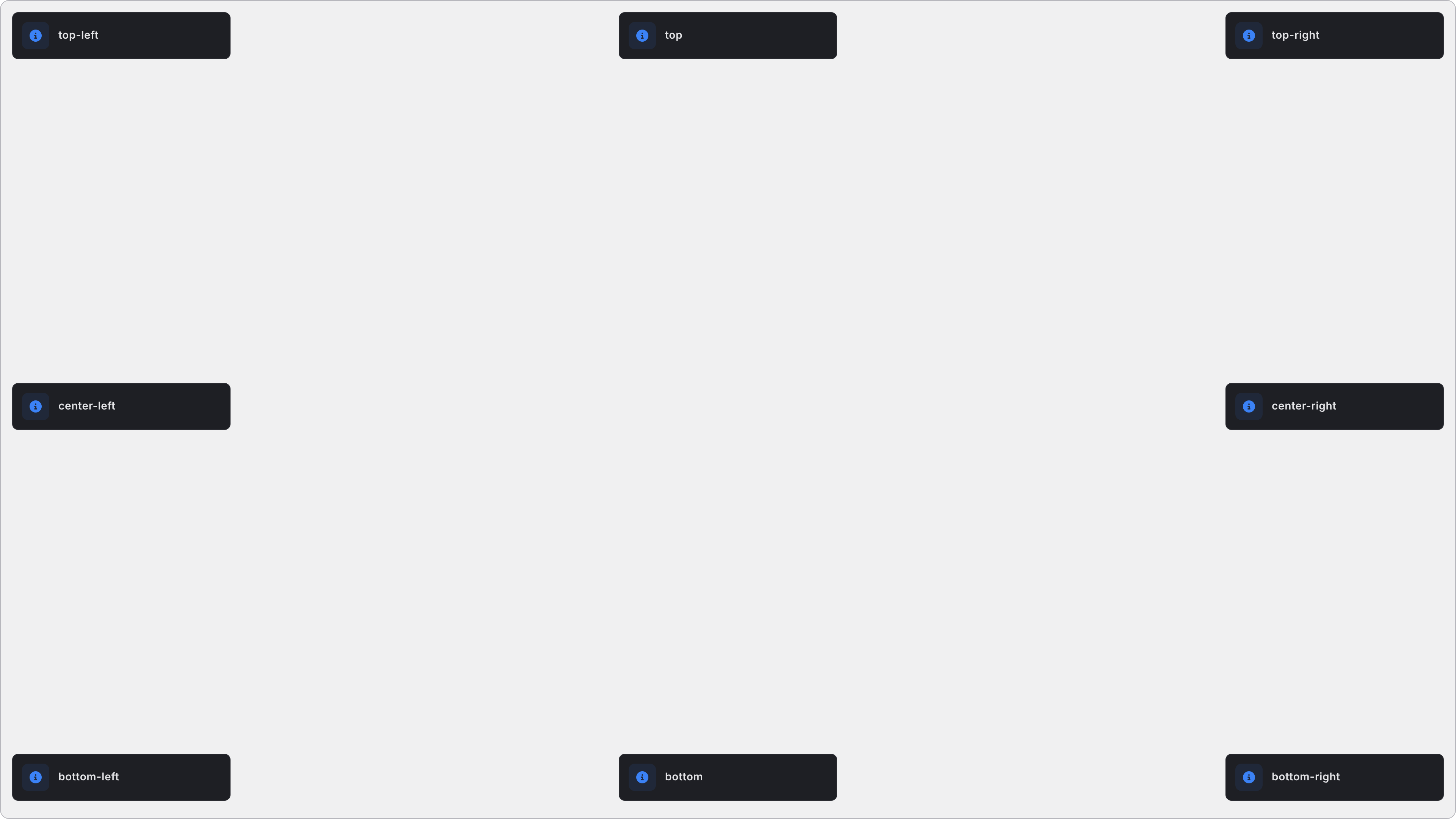
data.positionstringoptionaldefault'top-right'- Where it appears. See positions.
data.sizestringoptionaldefault'md'- The width:
'sm','md'or'lg' data.iconstringoptional- Replaces the type's icon. See icons.
data.iconColorstringoptional- The icon's color. The type's color by default.
data.iconAnimationstringoptional- See icon animations
data.bgColorstringoptional- The background, six-digit hex only (
#RRGGBB). The theme's surface by default. data.titleColorstringoptional- The title's color, six-digit hex only. The theme's text color by default.
data.txtColorstringoptional- The message's color, six-digit hex only. The theme's secondary text color by default.
data.soundtableoptional- A frontend sound to play:
{ set = '...', name = '...' }, plus an optionalbankto load first. See sounds.
A notification needs a title, message or description; without one, nothing is shown. title and message take text formatting.
exports.lation_ui:notify({
    title = 'Vehicle stored',
    message = 'Your **Sultan RS** is in the garage.',
    type = 'success'
})
Update the same notification as something progresses:
for percent = 0, 100, 25 do
    exports.lation_ui:notify({
        id = 'download',
        title = 'Downloading files',
        message = ('%d%% complete'):format(percent),
        icon = 'fas fa-download',
        duration = 5000
    })
    Wait(1000)
end
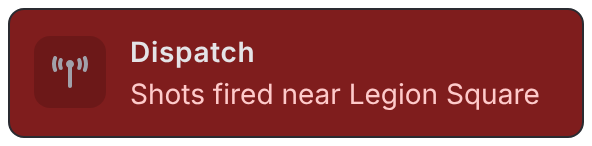
Custom colors and a sound:
exports.lation_ui:notify({
    title = 'Dispatch',
    message = 'Shots fired near Legion Square',
    icon = 'fas fa-tower-broadcast',
    iconAnimation = 'beat',
    bgColor = '#7F1D1D',
    txtColor = '#FECACA',
    position = 'top',
    sound = { set = 'HUD_FRONTEND_DEFAULT_SOUNDSET', name = 'SELECT' }
})
Sounds
A notification plays a sound when:
- it passes its own
sound, or Config.notify.play_soundistrueand itstypehas an entry inConfig.notify.default_sound.
A notification's own sound always wins. See config.lua.
From the server
Client event
TriggerClientEvent('lation_ui:notify', target, data)Parameters
targetnumber- A player's server id, or
-1for every player datatable- The same table as
notify
lation_ui:notify is a client event, so the server can send it to one player or to everyone, and a client script can trigger it locally:
TriggerClientEvent('lation_ui:notify', source, {
    title = 'Paycheck',
    message = 'You received $250',
    type = 'success'
})
Still stuck? Ask in our Discord: the people who write the scripts answer.
Last updated
Shared options
The icon, icon animation, color, text formatting and position values that every lation ui component accepts, and how its exports are called.
Progress bar
Run a lation ui progress bar with an animation, props other players see, steps, blocked controls and cancel handling, and check or cancel it from your script.