Minigames
Run lation ui's skill check, signal breach and pattern lock minigames with preset or custom difficulty, and cancel or check them from your script.
lation ui has three minigames. Each export waits until the game ends and returns true on success or false on failure, so run it from a thread, command or event handler. One of each can run at a time: calling one while it's already running returns false at once.
Skill check
A ring with a green zone and a moving line. The player presses the shown key while the line is in the zone.
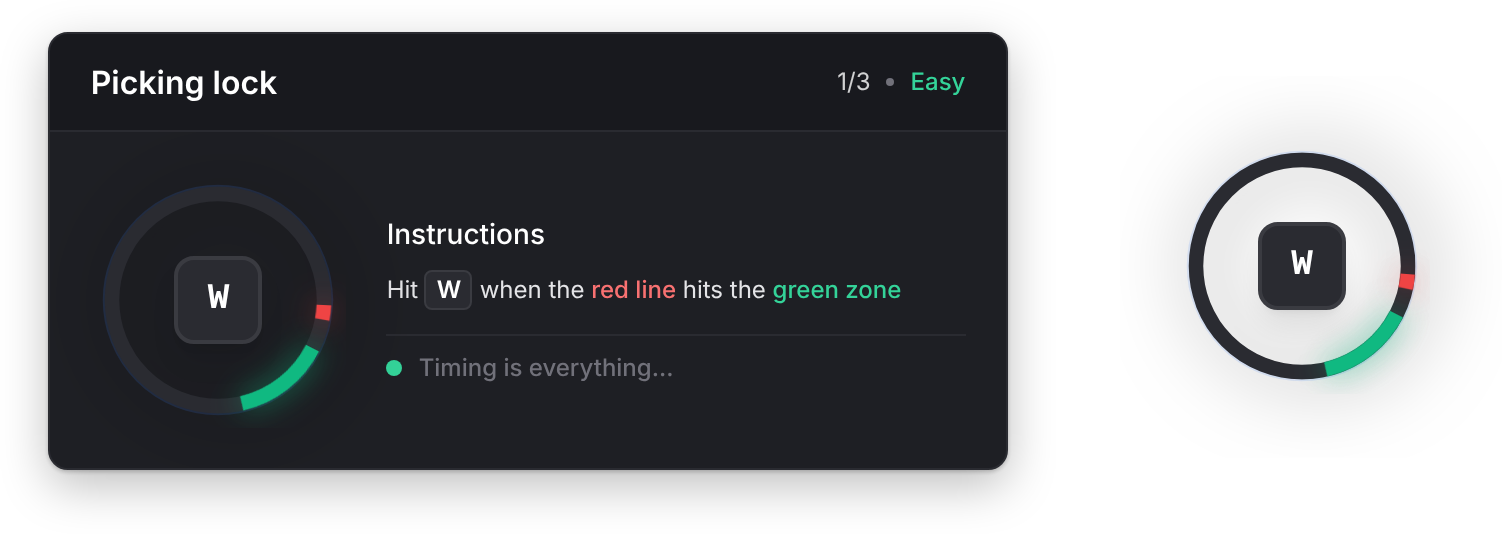
skillCheck
Client export
local success = exports.lation_ui:skillCheck(title, difficulty, inputs, size)Parameters
titlestringoptionaldefault'Skill Check'- The panel's title
difficultystring | table'easy','medium','hard'or a custom table, or a list of these to play several rounds in a rowinputsstring | tableoptionaldefault{ 'E' }- A key, or a list of keys. Each round shows one of them at random.
sizestringoptionaldefaultConfig.skillcheck.default_size'normal'shows the panel with instructions and a round counter;'compact'shows only the ring
Returns
booleantrueif every round was hit
| Preset | Zone size | Speed |
|---|---|---|
easy | 50° | 1x |
medium | 40° | 1.5x |
hard | 25° | 1.75x |
A custom difficulty is { areaSize = 30, speedMultiplier = 2.0 }: the zone's size in degrees, and the speed against easy.
A round fails when the player presses the shown key outside the zone, presses another key from inputs, or lets the line go all the way round. Keys that aren't in inputs are ignored. With a list of difficulties, the first failed round ends the game.
local success = exports.lation_ui:skillCheck('Picking lock', { 'easy', 'easy', 'medium' }, { 'W', 'A', 'S', 'D' })cancelSkillCheck
Client export
local cancelled = exports.lation_ui:cancelSkillCheck()Returns
booleantrueif a skill check was running
Ends the running skill check as a failure: its skillCheck call returns false.
skillCheckActive
Client export
local active = exports.lation_ui:skillCheckActive()Returns
booleantruewhile a skill check runs
Signal breach
A row of nodes and a dial that moves along a bar. For each node the player presses the shown key while the dial is inside the window. Hitting every node wins; one miss fails.
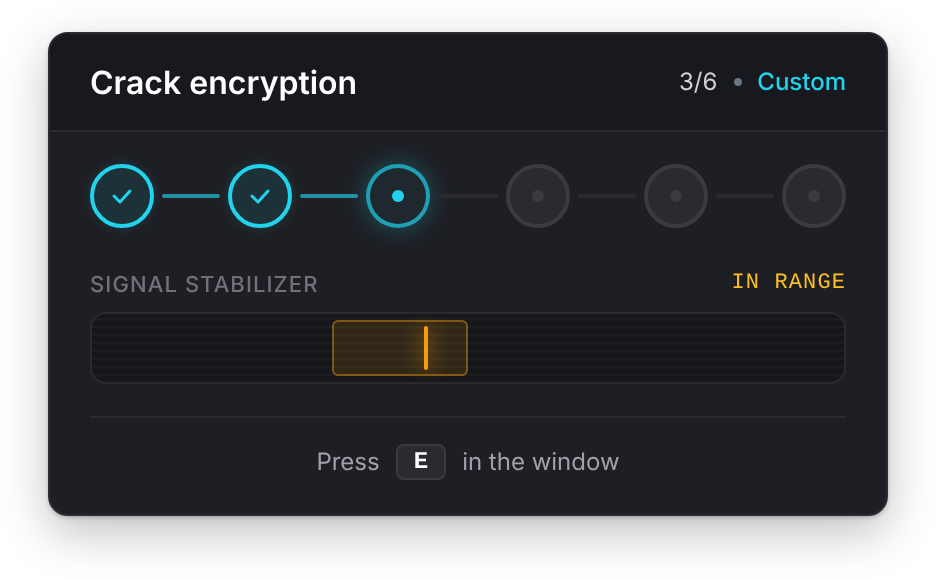
signalBreach
Client export
local success = exports.lation_ui:signalBreach(title, difficulty, inputs, options)Parameters
titlestringoptionaldefault'Signal Breach'- The panel's title
difficultystring | tableoptionaldefault'medium''easy','medium','hard'or a custom table. In a list, only the first entry is used.inputsstring | tableoptionaldefault'E'- A key, or a list of keys. Each node asks for one of them at random.
options.speedIncreasenumberoptionaldefault0- Speed added after each node, 0 to 1
options.windowDecreasenumberoptionaldefault0- How much the window shrinks after each node, 0 to 30. It never gets smaller than 3%.
options.failOnWrongKeybooleanoptionaldefaulttrue- Pressing another key from
inputsfails the breach. Whenfalse, wrong keys are ignored. options.onNodefunctionoptional- Runs after each node. See onNode.
Returns
booleantrueif every node was hit
| Preset | Nodes | Window | Speed |
|---|---|---|---|
easy | 3 | 28% | 0.35 |
medium | 4 | 18% | 0.55 |
hard | 5 | 11% | 0.80 |
A custom difficulty is { nodes = 6, windowSize = 22, speed = 0.40 }. nodes is held to 1 to 20, windowSize (percent of the bar) to 3 to 80, and speed to 0.05 to 2, on the same scale as the presets.
Escape or Backspace gives up, which counts as a failure, unless those keys are in inputs. The breach also fails if the minigame doesn't open within 3 seconds, or if the player loses focus on it for about a second and a half, so a stuck screen never leaves your script waiting.
local success = exports.lation_ui:signalBreach('Crack encryption', {
    nodes = 6,
    windowSize = 22,
    speed = 0.40
}, 'E', {
    speedIncrease = 0.06,
    windowDecrease = 2,
    onNode = function(node, hit)
        print(('Node %d: %s'):format(node, hit and 'hit' or 'miss'))
    end
})
onNode
Callback
onNode = function(node, success) endParameters
nodenumber- The node the player answered, starting at 1
successboolean- Whether it was hit
Runs each time the player presses the node's key or, with failOnWrongKey, a wrong one. Giving up with Escape doesn't run it.
cancelSignalBreach
Client export
local cancelled = exports.lation_ui:cancelSignalBreach()Returns
booleantrueif a breach was running
Ends the running breach as a failure: its signalBreach call returns false.
signalBreachActive
Client export
local active = exports.lation_ui:signalBreachActive()Returns
booleantruewhile a breach runs
Pattern lock
A grid of dots lights up in sequence. The player then clicks the dots in the same order before the timer runs out.
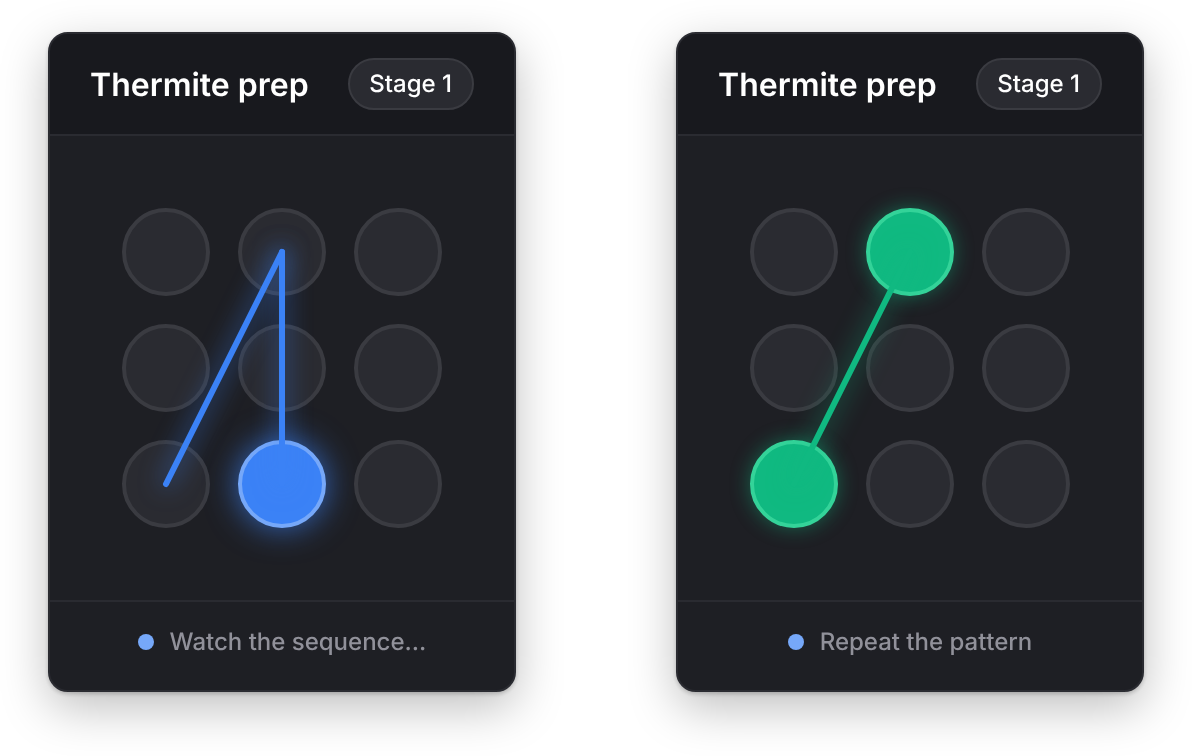
patternLock
Client export
local success = exports.lation_ui:patternLock(title, difficulty)Parameters
titlestringoptionaldefault'Pattern Lock'- The panel's title
difficultystring | tableoptionaldefault'medium''easy','medium','hard'or a custom table, or a list of these to play several rounds in a row
Returns
booleantrueif every round was matched
| Preset | Grid | Sequence | Each dot shows for | Time to answer |
|---|---|---|---|---|
easy | 3 x 3 | 3 dots | 700 ms | 10 s |
medium | 3 x 3 | 5 dots | 500 ms | 12 s |
hard | 4 x 4 | 7 dots | 350 ms | 14 s |
A custom difficulty is { gridSize = 4, sequenceLength = 6, showSpeed = 400, inputTimeout = 15 }. gridSize is held to 3 to 5, sequenceLength to 2 to 12, showSpeed (milliseconds) to 150 to 1500, and inputTimeout (seconds) to 5 to 30.
A wrong dot, running out of time or pressing Escape fails the round. With a list of difficulties, the first failed round ends the game.
local success = exports.lation_ui:patternLock('Thermite prep', { 'easy', 'medium', 'hard' })cancelPatternLock
Client export
local cancelled = exports.lation_ui:cancelPatternLock()Returns
booleantrueif a pattern lock was running
Ends the running pattern lock as a failure: its patternLock call returns false.
patternLockActive
Client export
local active = exports.lation_ui:patternLockActive()Returns
booleantruewhile a pattern lock runs
-- The alarm went off: stop whichever minigame the player is in
RegisterNetEvent('my_heist:alarm', function()
    if exports.lation_ui:skillCheckActive() then exports.lation_ui:cancelSkillCheck() end
    if exports.lation_ui:signalBreachActive() then exports.lation_ui:cancelSignalBreach() end
    if exports.lation_ui:patternLockActive() then exports.lation_ui:cancelPatternLock() end
end)
Still stuck? Ask in our Discord: the people who write the scripts answer.
Last updated
Drawer
Slide a lation ui drawer in from the side or bottom of the screen with text, callouts, key-value rows, images and action buttons, then update or close it.
lation interact
lation interact shows the options for whatever a player looks at once it is in reach, and answers the ox_target, qb-target and qtarget exports so the scripts written for them keep working.