Alert dialog
Ask the player to confirm or cancel with a lation ui alert dialog, with optional callouts, button text, sizes and styles, and close it from your script.
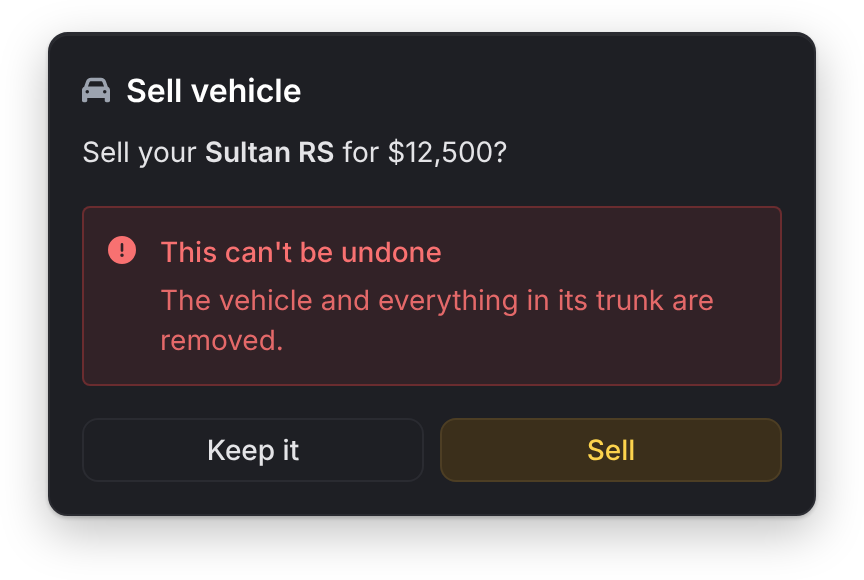
An alert dialog shows a message in the middle of the screen with a confirm button and, by default, a cancel button. The call waits for the player's choice.
alert
Client export
local result = exports.lation_ui:alert(data)Parameters
data.headerstringoptionaldefault'Alert'- The title line
data.contentstringoptionaldefault'Are you sure?'- The message
data.iconstringoptional- The icon beside the header, in class form such as
'fas fa-trash'. An info circle by default. data.iconColorstringoptional- The header icon's color. The theme's icon color by default.
data.typestringoptionaldefault'default'- The confirm button's style:
'default','success','warning','error','info'or'destructive' data.sizestringoptionaldefault'sm'- The dialog's width:
'xs','sm','md','lg'or'xl' data.cancelbooleanoptionaldefaulttrue- Show the cancel button
data.labelstableoptional- The button text:
{ confirm = '...', cancel = '...' } data.confirmTextstringoptionaldefault'Confirm'- The confirm button's text when
labels.confirmisn't set data.cancelTextstringoptionaldefault'Cancel'- The cancel button's text when
labels.cancelisn't set data.calloutstableoptional- Highlighted notes under the message. See callouts.
Returns
string'confirm'or'cancel'
The call waits for the player, so run it from a thread, command or event handler. If data has neither header nor content, it returns 'cancel' without showing anything. header, content and callouts take text formatting.
Enter confirms and Escape cancels. Escape returns 'cancel' even when the cancel button is hidden.
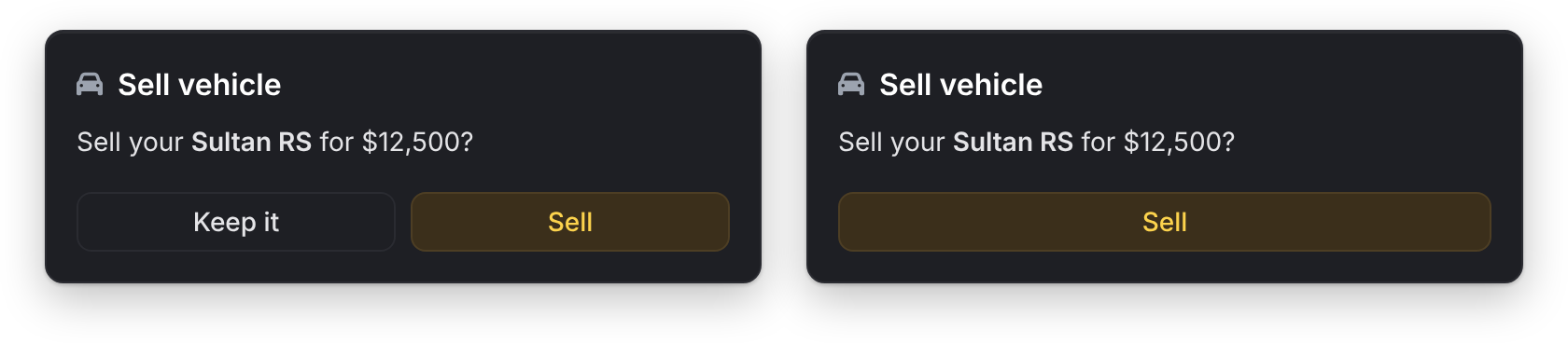
local result = exports.lation_ui:alert({
    header = 'Sell vehicle',
    content = 'Sell your **Sultan RS** for $12,500?',
    icon = 'fas fa-car',
    type = 'warning',
    labels = { confirm = 'Sell', cancel = 'Keep it' },
    callouts = {
        {
            label = 'This can\'t be undone',
            description = 'The vehicle and everything in its trunk are removed.',
            type = 'error'
        }
    }
})

if result == 'confirm' then
    TriggerServerEvent('my_script:sellVehicle')
end
Callouts
| Field | Type | Default | Description |
|---|---|---|---|
description | string | Required. The callout's text. | |
label | string | A bold first line. | |
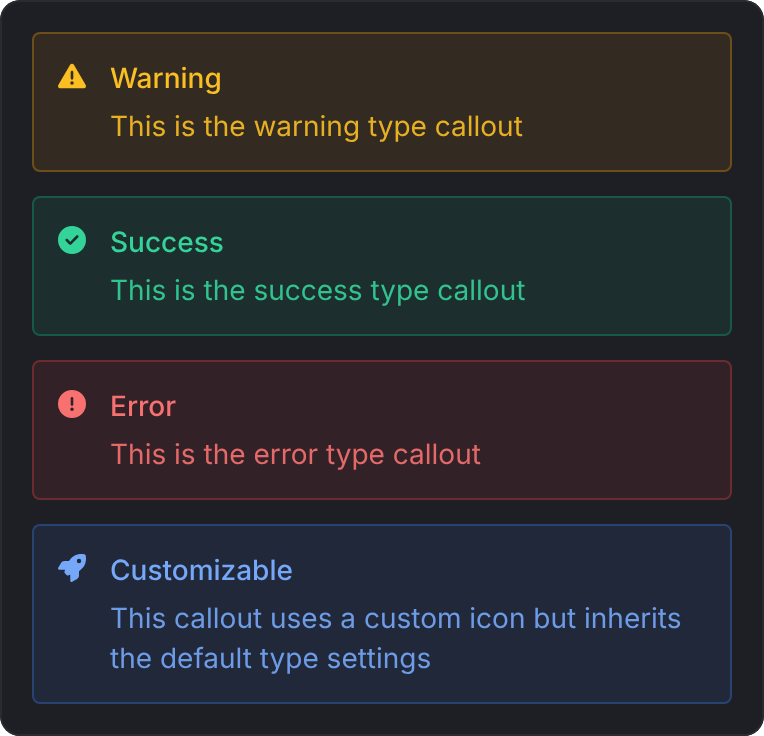
type | string | 'info' | 'info', 'success', 'warning' or 'error'. Sets the color and icon. |
icon | string | The type's icon | Replaces the type's icon. |
closeAlert
Client export
exports.lation_ui:closeAlert()Closes the open alert from your script. A waiting alert call returns 'cancel'.
-- Close the prompt if the buyer walks away
if #(GetEntityCoords(PlayerPedId()) - shopCoords) > 5.0 then
    exports.lation_ui:closeAlert()
end
Still stuck? Ask in our Discord: the people who write the scripts answer.
Last updated
Progress bar
Run a lation ui progress bar with an animation, props other players see, steps, blocked controls and cancel handling, and check or cancel it from your script.
Input dialog
Collect values from the player with a lation ui input dialog, with text, number, toggle, select, slider, color, date and date range fields and checks on submit.