Storefront
What players see at a lation shops shop (buying with a cart, selling items back, purchase history, sales, a shop for sale) and what the server checks at checkout.
The storefront is what players get at a shop: a screen to buy from, to sell to, or both as two tabs. Prices, stock and totals always come from the server, so the screen shows what checkout will charge.
Opening a shop
A player opens a shop from its prompt: Open with the shop's name for a shop that sells (or does both), Sell to for a shop that only buys. The prompt shows within Config > General > Interaction distance of the point, the ped or the prop.
Before the screen opens, the shop's opening hours, job requirement and item requirement are checked, and the player is told which one they missed. The server also checks that they stand within 10 metres of one of the shop's locations (a shop with a Model location, or with none, skips this). While a shop is open, the player's inventory stays closed.
The header shows the shop's name and subtitle. For a player-owned shop it also reads Owned by and the owner's name, while Config > Ownership > Show owner name to customers is on (the default).
Buying
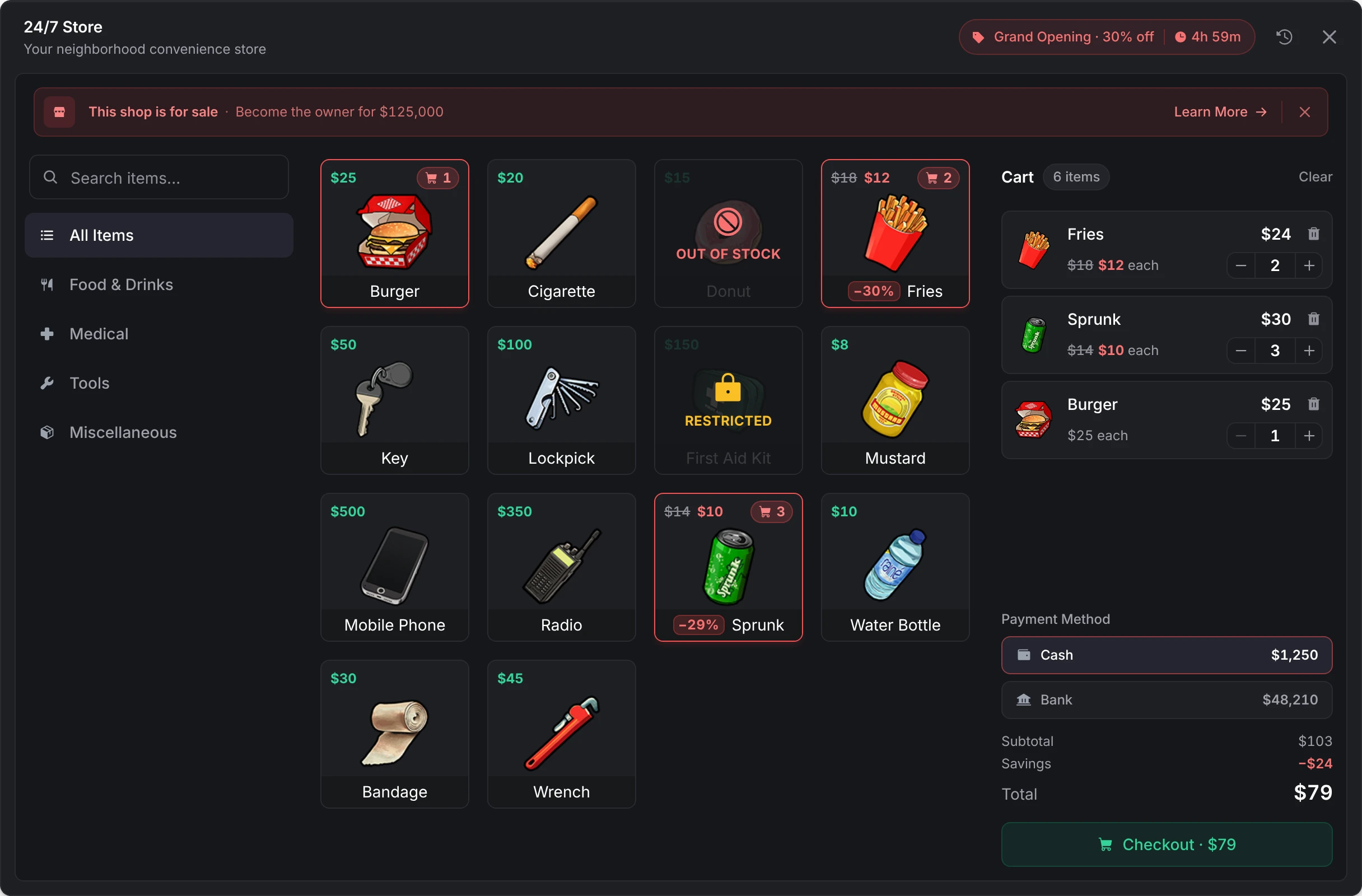
- Categories down the side, with All Items first unless the shop hides it, and a search.
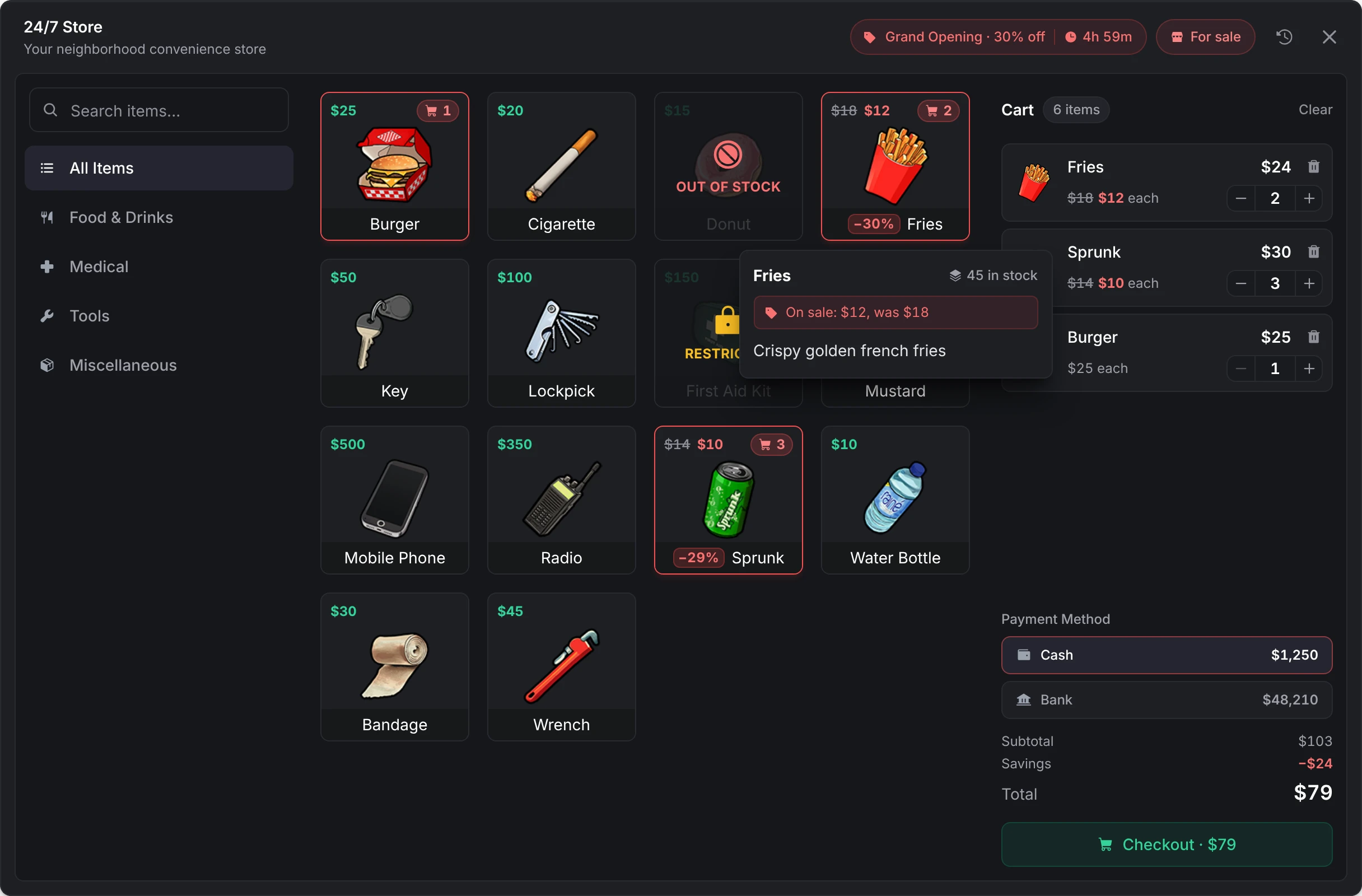
- Item cards with the price, FREE for free items, the old and new price during a sale, and Out of Stock when a limited listing is empty. An item locked to other jobs is marked Restricted and can't be added. Hovering an item shows how many are left, its sale price, the license it needs (Requires one of these licenses when any of several will do) or the job, and its description.
- The Cart: a quantity per line, up to the stock left; Clear; the payment methods this player may use, each with their balance in it; the subtotal, the savings during a sale and the total.
Checkout waits for the server, which works the total out again and checks the session, the hours, the distance, the job, every item's job lock and license, that the player can carry it all, and the stock, before it charges anything. A line that no longer fits is marked in the cart instead of failing silently:
| The cart says | Because |
|---|---|
| Out of stock, or Only N left · lowered from M | Someone else bought it first; the line is lowered to what is left |
| Price changed (was X), with Accept | The price went up since the item was added (a sale ended, the owner repriced, prices rolled). Checkout never charges more than the player agreed to. |
| Not enough Cash · X short | The chosen payment method can't cover the total |
| The line is marked with the reason | The player lacks the job or the license, can't carry it, or a hook refused it |
After a purchase the cart clears and the shop stays open, with the balances updated. While the shop is open, its stock follows other players' purchases, sell-backs and deliveries live. A shop left open for 10 minutes without a checkout has to be reopened, and one an admin deletes closes with This shop is no longer available.
Selling
A shop that buys from players lists what it takes, each with what it pays and how many the player holds (You have N). In a Buy & Sell shop, items set to Buy only stay off the Sell tab and items set to Sell only off the Buy tab. An item set to hide its identity shows blurred as Unidentified. The player adds what they have to the sell cart and selects Sell, which carries the payout (Sell · $294); the Payout is paid in cash, bank or an item, as the shop is set up.
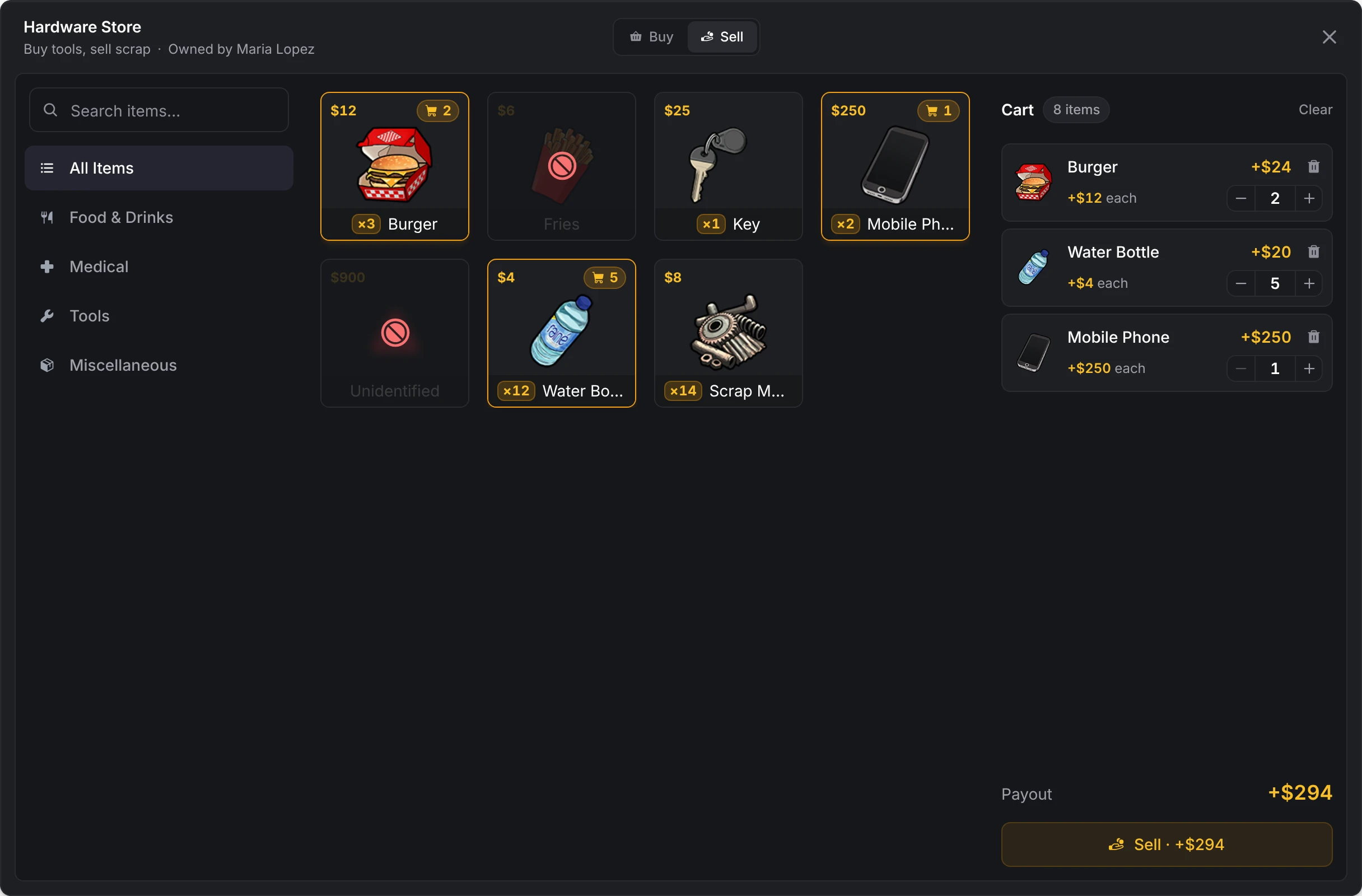
The server checks that the player still holds the items and takes the payout from the shop's funding source first, then takes the items and pays the player, so a payout the source can't cover costs the player nothing. Items sold to a shop go back into its stock when the listing tracks stock. A shop with Buy & Sell shows Buy and Sell as two tabs in one screen.
Purchase history
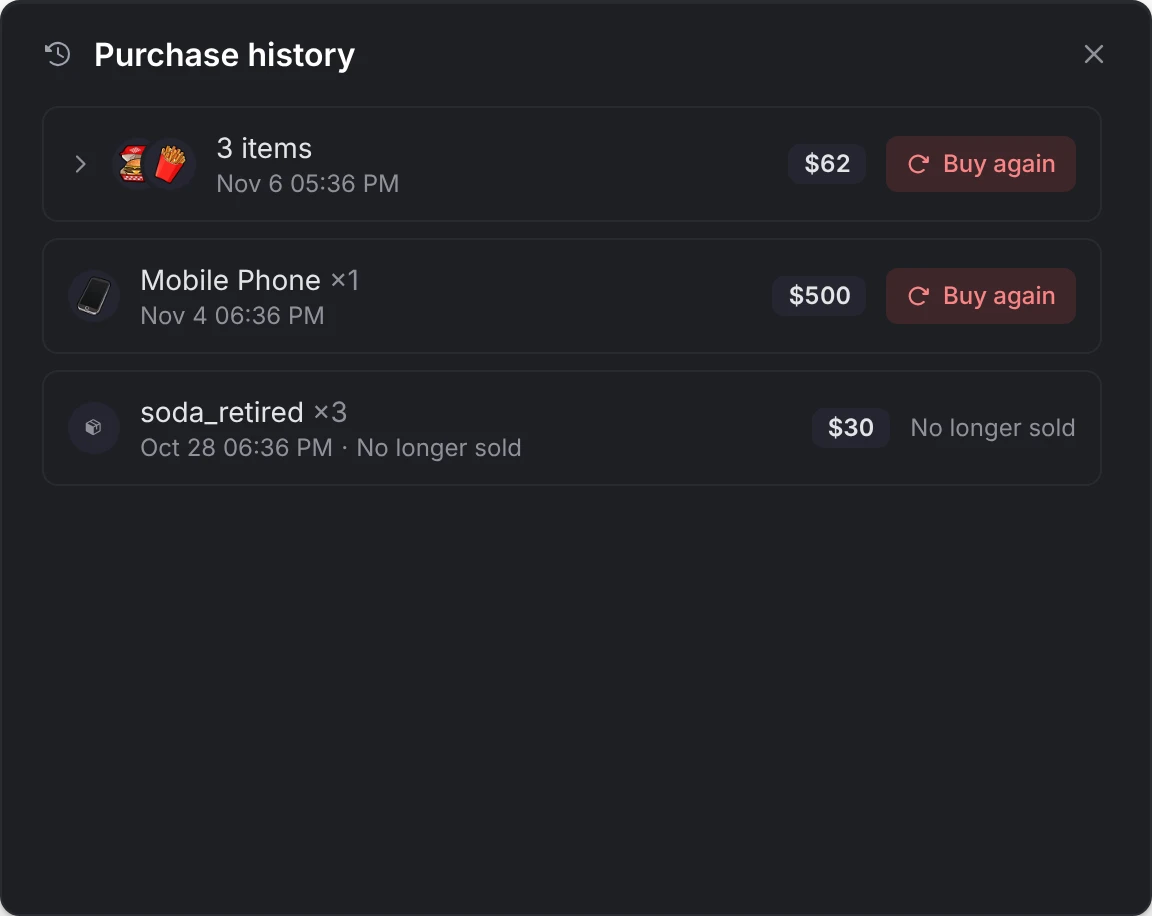
The history button in the header lists the player's last 20 checkouts at that shop, each with its items, total and date. Buy again puts a checkout's items back in the cart at today's prices; an item the shop no longer sells, has run out of, or keeps from this player is marked and left out.
Sales
While an owner runs a sale, the header shows its name, discount and a countdown, and the discounted items show their old and new price. A sale an owner limited to some jobs shows only to players with one of them; everyone else sees the usual prices.
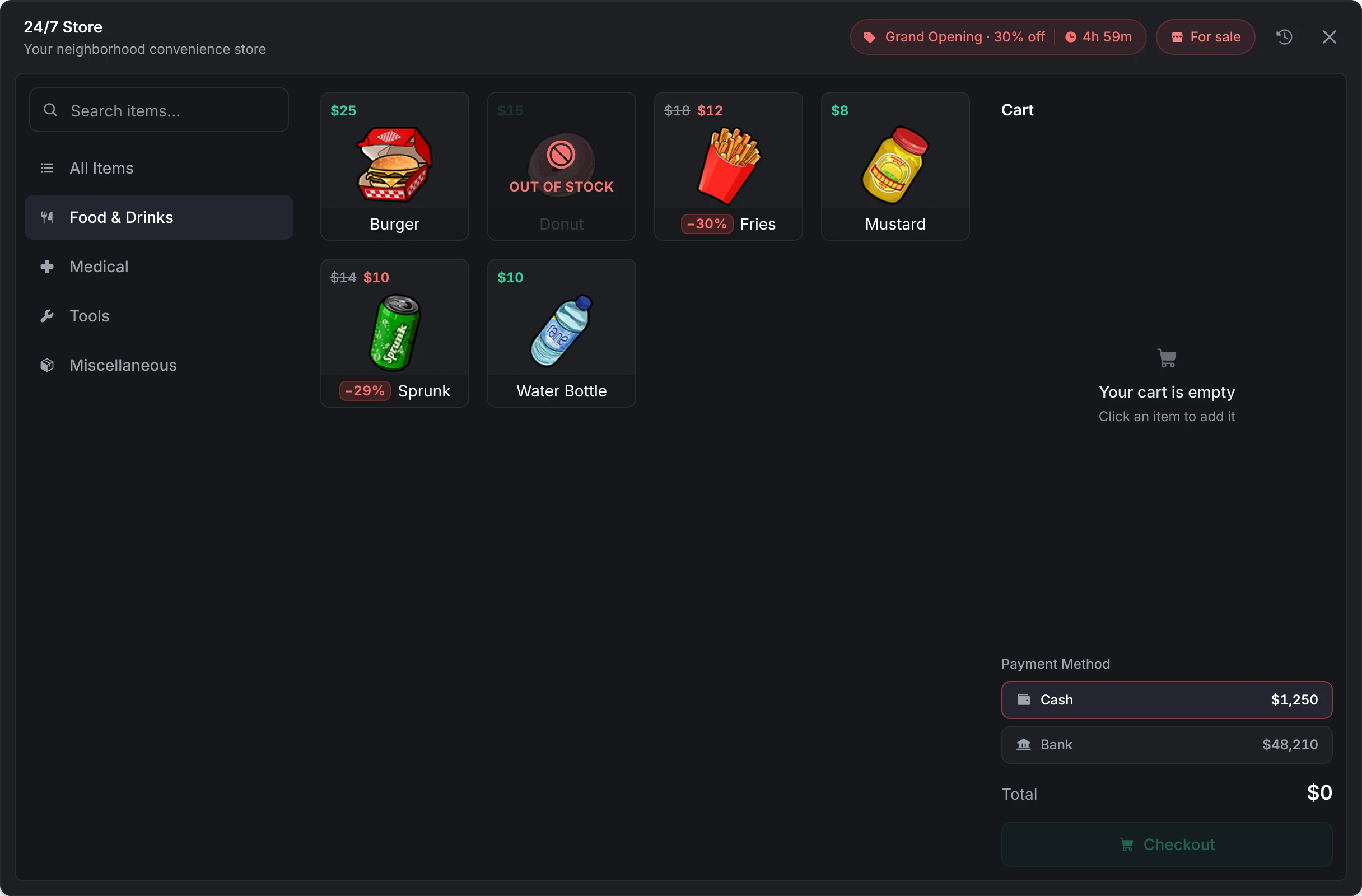
A shop for sale
At a shop for sale, a banner offers it: This shop is for sale, its price and Learn More, which opens the purchase card. Dismissing the banner folds it into a For sale chip in the header. See buying a shop. The banner goes away for everyone browsing the moment somebody buys the shop.

Looks
Every screen follows the player's lation ui theme while lation_ui runs, and the built-in look matches lation ui's defaults without it. See theme.
Still stuck? Ask in our Discord: the people who write the scripts answer.
Last updated
Management menu
What the owner and staff of a player-owned shop do in the lation shops management menu, from prices, stock orders and deliveries to sales, staff and money, and which permission opens each tab.
Configuration
Every server-wide lation shops option with its default and range, edited live under /shopadmin > Config since the resource has no config file, plus language, theme, commands and open files.