Creating shops
How to build a shop in the lation shops admin panel (/shopadmin), from locations and items to payment methods, revenue shares, selling, access rules, catalogs and analytics.
Every shop is built in the admin panel. Changes save on their own a moment after you stop typing and reach every player at once, with no restart.
The admin panel
Run /shopadmin. It opens for players with the ACE permission lation_shops.admin:
add_ace group.admin lation_shops.admin allowThe check lives in server/utils/perms.lua, which ships open, so you can swap it for framework groups, Discord roles or your own export:
local function IsAdmin(source)
    return IsPlayerAceAllowed(tostring(source), 'lation_shops.admin')
end
The rail has four pages: Shops, Catalogs, Analytics and Config. Shops shows a card per shop with who runs it (Run by the server, For sale at, or Owned by), its locations, items and balance, a search and Create Shop. Every card has Duplicate.
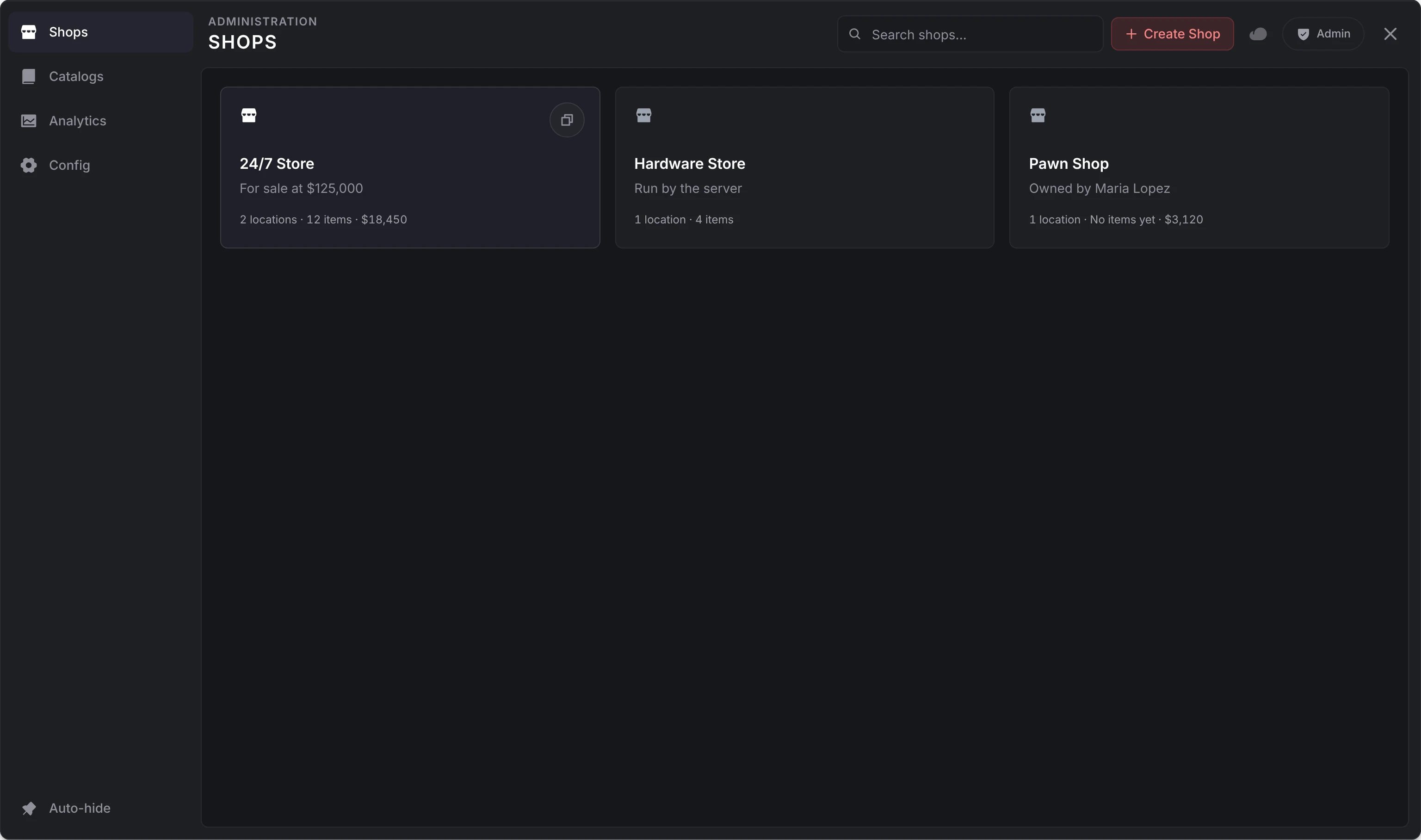
Other admins with the panel open see your edits as they save. Config is covered on the configuration page.
Create a shop
Select Create Shop. The new shop opens on Setup.
Fill in the shop's identity:
| Field | What it is |
|---|---|
| Shop ID | The shop's unique id, lowercase with underscores: 24_7_store. Exports and hooks refer to the shop by it. An id another shop has is refused. |
| Shop Name | What players see. |
| Subtitle | An optional line under the name. |
| Currency Symbol | Shown with every price. $ by default. |
| Symbol after value | Shows 100zł instead of $100. |
Select Create. It needs the id and the name. From now on every page saves as you edit.
A new shop takes cash as its only payment method and is run by the server. It opens as a card per section, each with a line on where the shop stands in it:
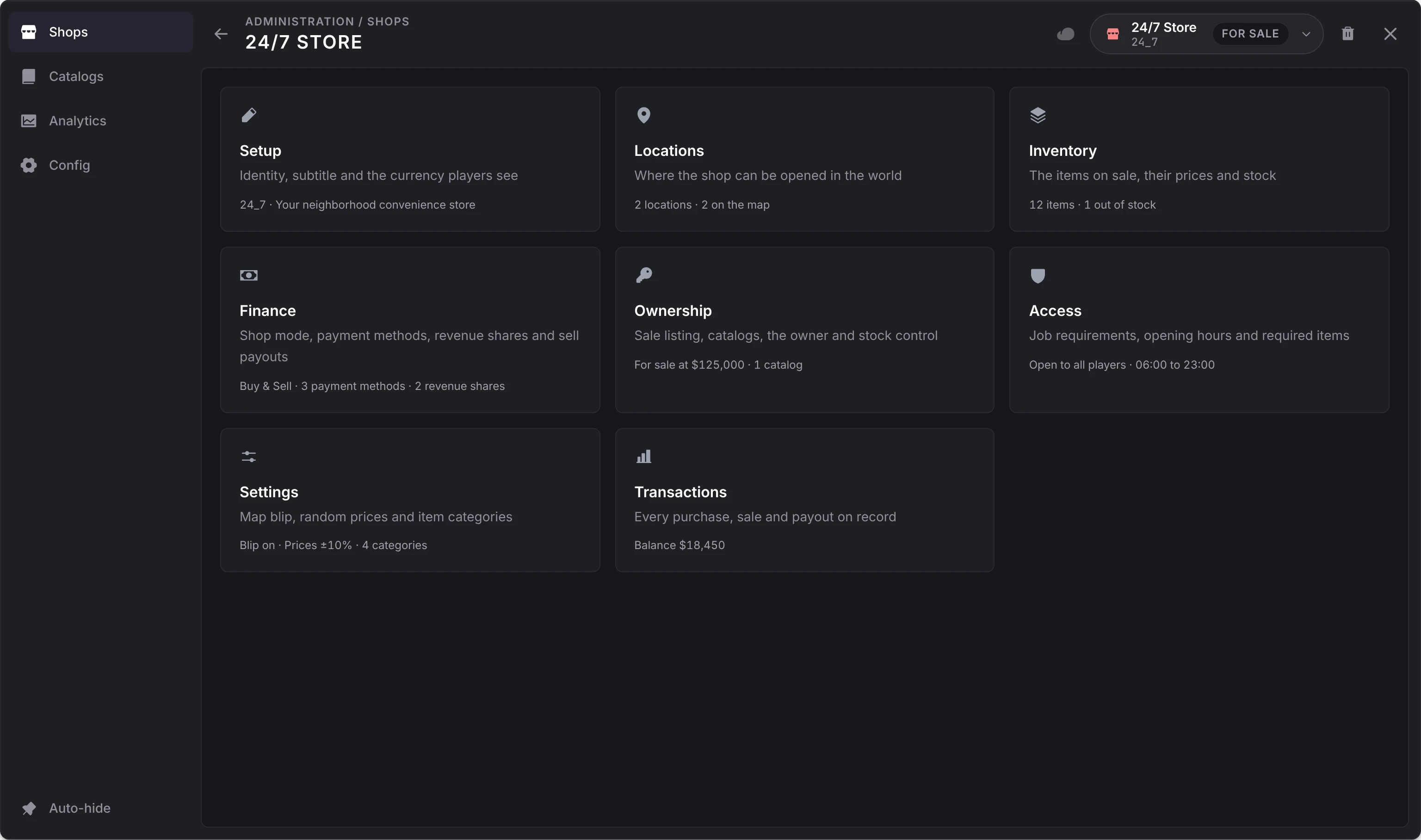
Once the shop is saved, its Shop ID is locked: its stock, staff and history are kept under it. To use another id, duplicate the shop.
To start from an existing shop, use Duplicate: the copy opens unsaved, with -copy added to the id and (Copy) to the name, and becomes a shop when you select Create. A copy has no owner, staff or balance.
Locations
A shop can have any number of locations, each a place players open it from:
| Type | Players open it at | You set |
|---|---|---|
| Coords | A point in the world | The point |
| Ped | A ped standing at the spot | The point and heading, a ped model and an optional scenario |
| Model | Every prop of the models you list, anywhere on the map | Prop model names, comma separated: prop_vend_snak_01, prop_vend_soda_01 |
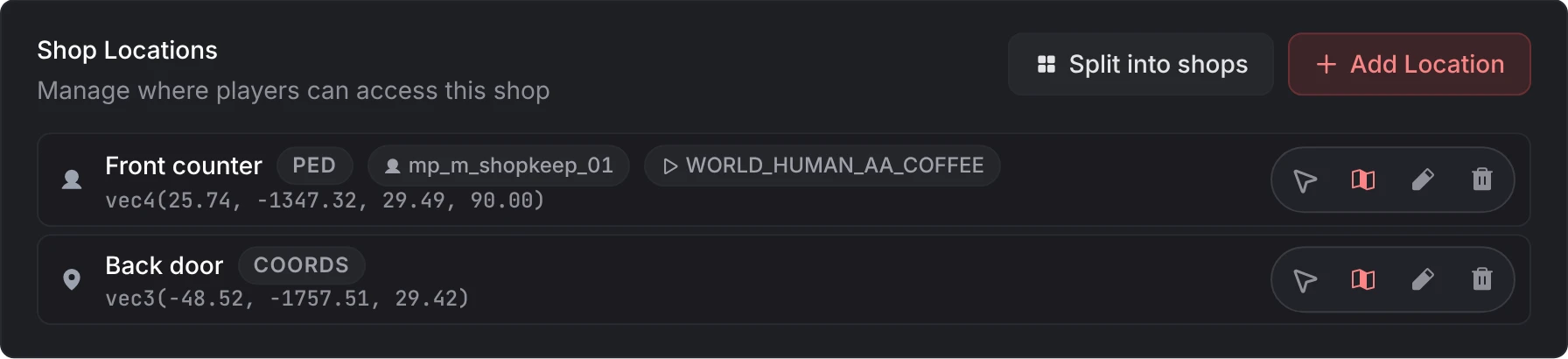
For a point, Use my position takes where you stand (and face, for a ped), and Place with cursor hides the panel so you can aim at a counter or a doorway:
| Input | Does |
|---|---|
| Left click | Take the spot. A ped faces the camera, so aim from the customer's side. |
| Right click | Give up |
| Mouse wheel | Raise or lower the spot by 5 cm |
You can also paste a vec3(...) or vec4(...) into the X field and every axis fills in.
Each location also has:
- a Location Label, shown only in the admin panel
- its own blip switch (Blip On / Blip Off); the blip itself is set under Settings
- an optional Delivery drop-off, where a truck unloads orders placed at this location (see delivery)
From the list you can also Teleport to a location, edit it or delete it. Peds spawn when a player comes within 75 metres, frozen and invincible.
A shop with several locations is one shop: one stock, one balance and, once sold, one owner. Split into shops keeps the first location and turns each other one into a new shop named after the shop and that location's label, with the same settings, listings and catalogs but no owner, staff, balance, management location or delivery drop-off, so each can be sold on its own.
A shop with no locations can still be opened by another script through the exports, from anywhere.
Inventory
The Inventory page lists what the shop sells. Select Import Items to pick from your server's item list with the inventory's images, tick what the shop sells, give it a price and a category, and add it. Drag items to change their order.
Open an item to edit it:
| Group | Field | What it does |
|---|---|---|
| Item | Item ID | The item name: water_bottle. Fixed. |
| Label, Description | What players see. | |
| Customers can | In a Buy & Sell shop: Buy and sell, Buy only or Sell only. See one way only. | |
| Price | The buy price, in whole units. 0 makes it free. Not asked for a Sell only item. | |
| Category | One of the shop's categories, or none. | |
| Image URL | Overrides the image: nui://ox_inventory/web/images/water_bottle.png. | |
| Stock | Limit stock, Stock Quantity | Off, stock is unlimited. On, it is tracked and goes down with each purchase, and the quantity you set is its cap (below). |
| Player-driven | Stock comes only from players selling the item to the shop. | |
| Selling | Sellable, Sell Price, Hide item identity | In a shop that buys: whether (Sellable, in a Sell Only shop) and for what it buys the item back. See selling. |
| Access | License Requirement | One or more licenses; the buyer needs any one of them. See licenses. |
| Job Restriction | Jobs and minimum grades allowed to buy it. Others see it as Restricted. | |
| Advanced | Item Metadata (JSON) | Metadata passed when the item is given: {"durability": 100} |
What each kind of stock does:
| Stock | At a server-run shop | At a player-owned shop |
|---|---|---|
| Unlimited | Never runs out | Never runs out |
| Limited | Goes down with each purchase. Refills to its cap (below) on every server start. | Kept across restarts; restocked by orders |
| Player-driven | Grows with every item players sell; kept across restarts | The same |
A limited listing's cap is the Stock Quantity you last set, in its editor or with Set Stock Limit, including on a listing you imported with unlimited stock. A server-run shop refills it to that on every start, and items players sell back are added up to it. On a player-owned shop the catalog's Max Stock sets the cap, and a quantity you set above it raises the cap. Saving a listing's other fields leaves its stock as customers left it.
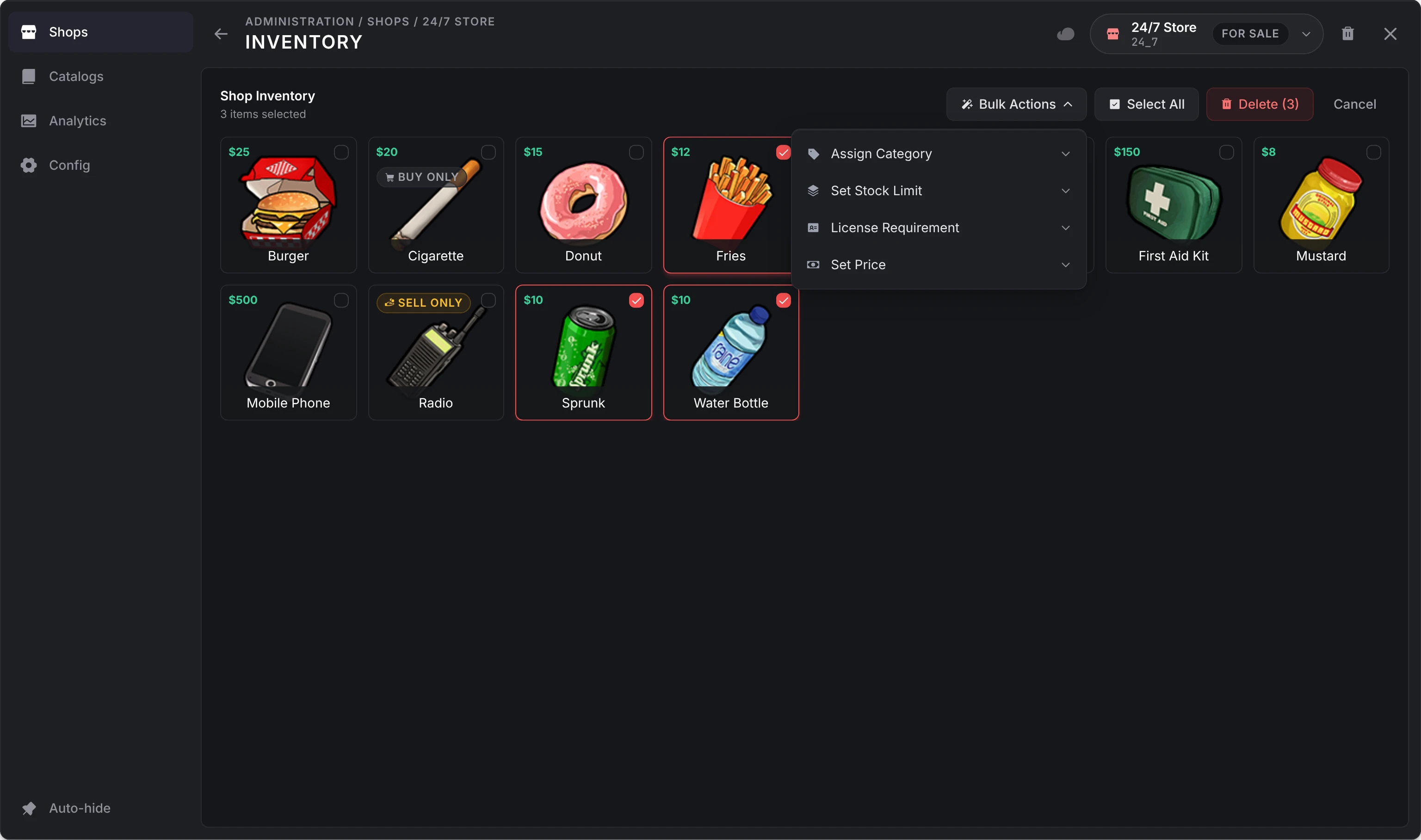
Select several items to Assign Category, Set Stock Limit, set a License Requirement or Set Price (or make them free) for all of them at once, or to delete them.
Finance
| Setting | What it does |
|---|---|
| Shop Balance | What the shop has taken, read only here. An owner withdraws it from the management menu. |
| Shop Mode | Buy Only, Sell Only, or Buy & Sell (two tabs in one screen). See kinds of shop. |
| Payment Methods | How customers pay. |
| Revenue Sharing | A share of every sale sent to job accounts. |
| Selling | Sell-back prices and who pays them, when the shop buys from players. |
Payment methods
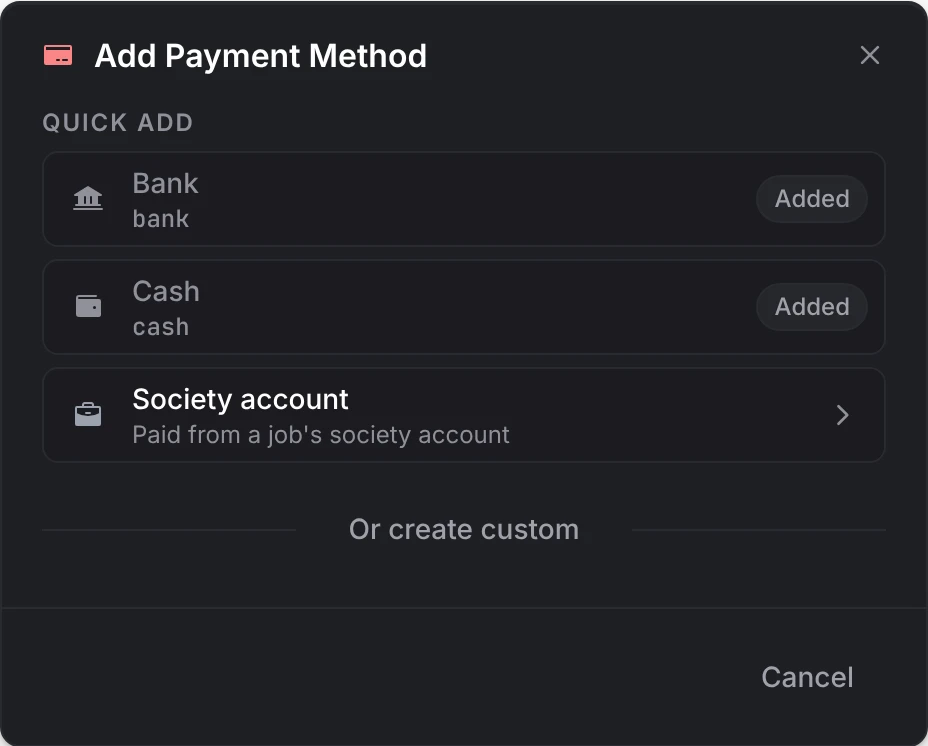
Add offers three kinds:
| Kind | Who sees it | Charged to |
|---|---|---|
| Cash, Bank (Quick Add) | Everyone | The player's own money |
| Society account | Members of the job at or above its Minimum Grade | The job's account at your bank. An optional Display Label replaces the job's name. |
| Custom (Or create custom) | Everyone | By default, an item named by its Payment Method ID: a method with the id black_money is paid in black_money items. |
The cart shows each method with the player's balance in it. How a custom method is charged lives in server/utils/banking.lua, which ships open: change GetCustomBalance and RemoveCustomMoney there to charge an account of your own instead of an item.
Revenue sharing
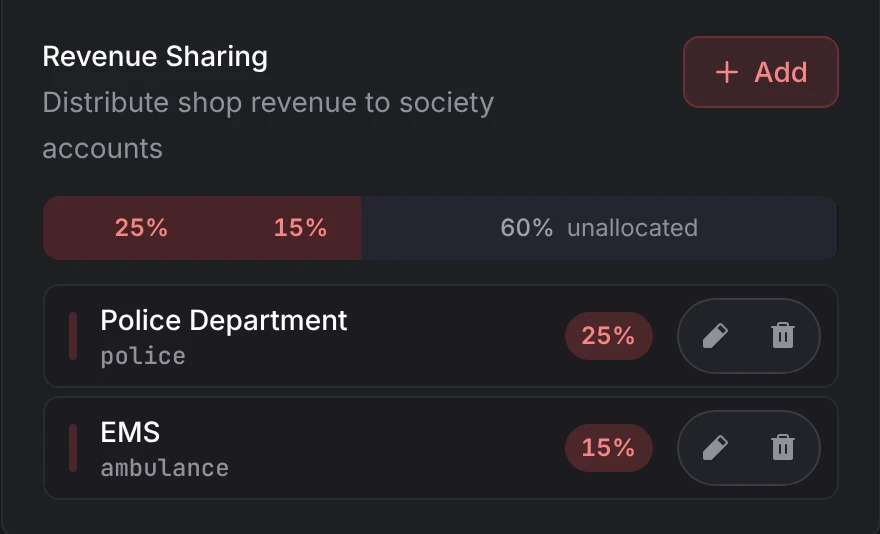
Add a job and a percentage. On every purchase, that share of the total goes to the job's account, and the rest goes to the shop (less staff commission, once the shop is player-owned). The bar shows how much is allocated, and the shares can total at most 100%. If a job's account can't be credited, its share stays with the shop. A buyer of the shop sees its shares before buying, and the owner sees them under Finances.
Selling
These settings show when the shop mode is Sell Only or Buy & Sell. An item's sell-back price is the first of:
- its own Sell Price
- the shop's Default Sell Price (%) of its price
- Config > Selling > Fallback sell-back price (50% unless changed)
An item set not Sellable (in a Sell Only shop) or Buy only (in a Buy & Sell shop) never shows on the sell tab, and Hide item identity blurs it and names it Unidentified, so the player can't tell what it is.
| Setting | Options |
|---|---|
| Funding Source | Server: the payout comes out of no account. Society: paid from the job's account you pick, and refused when it can't cover the payout. Shop Balance: paid from the shop's balance, and refused when it can't cover the payout. |
| Payout Source | Cash, Bank, or Custom Item: a Payment Item such as black_money handed over instead of money, with an optional label. |
The payout is taken from its source before the items leave the player, so a refused payout never costs them anything.
One way only
In a Buy & Sell shop, each item's editor asks what Customers can do with it:
| Choice | On the Buy tab | On the Sell tab |
|---|---|---|
| Buy and sell | Yes | Yes, at its sell-back price |
| Buy only | Yes | Never |
| Sell only | Never | Yes |
The server holds to it at checkout, whatever the cart says. A Sell only item has no price, license or job restriction to set, since nobody buys it, and the Inventory page marks one-way items with a Buy only or Sell only chip. A Sell Only shop sells nothing, whatever opens it.
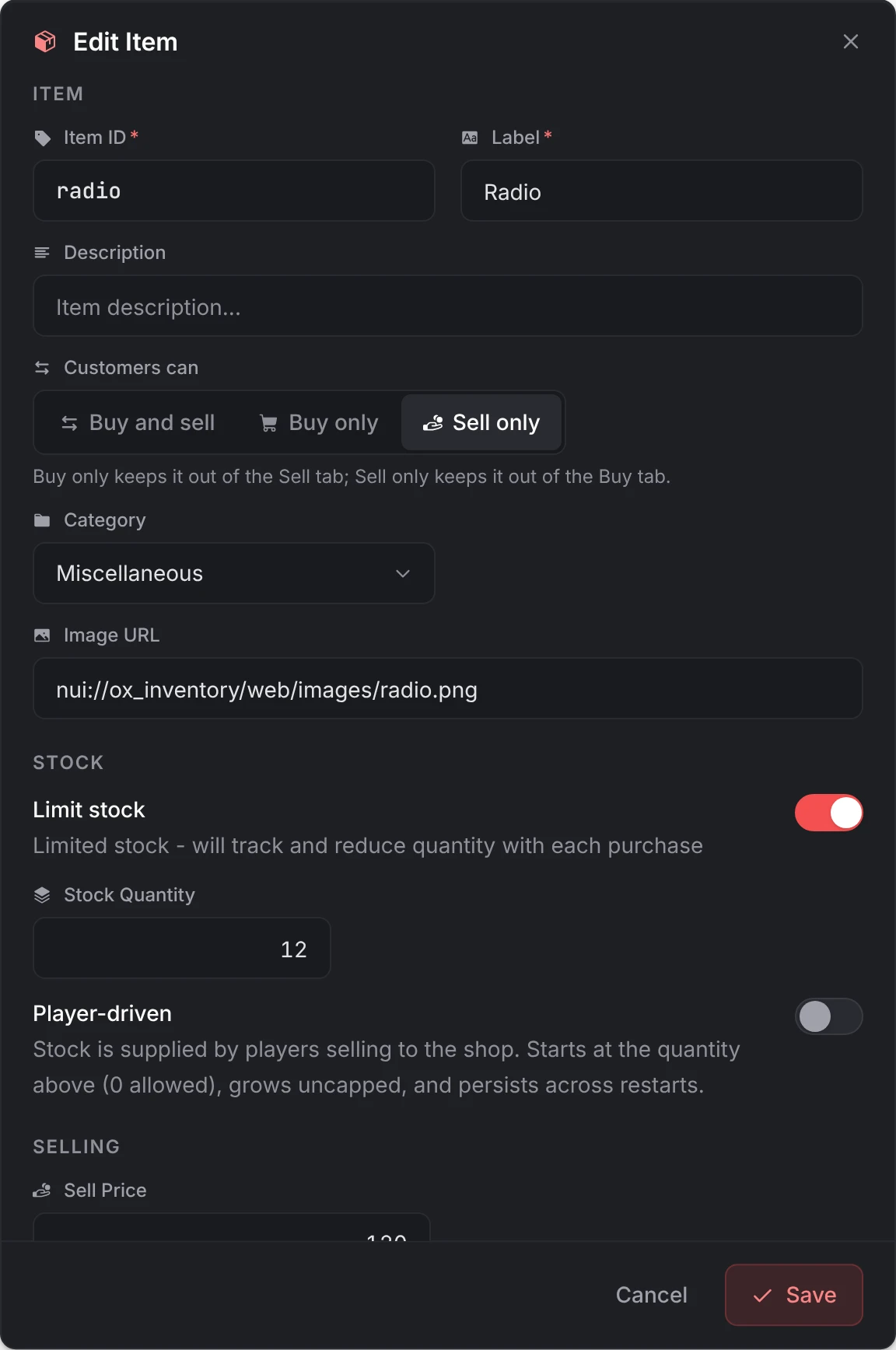
Switch a Buy & Sell shop to Buy Only and its Sell only items are not listed: their cards keep the Sell only chip, and their editor still shows Customers can, so picking Buy and sell or Buy only lists them again. Owners make the same choice in their Inventory tab, within what the catalog allows.
Ownership
Whether the shop is for sale and at what price, the catalogs an owner may stock from, Stock from catalogs, the current owner, stock deposits and withdrawals, the management location and the delivery drop-off. Each is on player ownership. Stock from catalogs is below.
Access
| Setting | What it does |
|---|---|
| Job Requirements | One or more jobs, each with a minimum grade. A player with any of them at that grade or higher gets in. Blips show only to them. |
| Operating Hours | Opens At and Closes At, in in-game hours. Overnight hours such as 22 to 6 work. While closed, points and peds are removed and opening is refused. |
| Item Requirement | One or more items a player must carry to open the shop: any one, or all with Require all items. Remove item when opening shop takes one of that item on open, at most once per shop every 10 minutes. |
The server checks all three when a shop opens, and the job requirement and the hours again on every purchase and sale. For a rule these can't express, such as a gang, use the OnBeforeShopOpen hook. Examples are on kinds of shop.
Settings
| Setting | What it does |
|---|---|
| Map Blip Settings | Turns the shop's blip on, with Blip Label, Sprite, Color and Scale (1.0 is standard). Switched on, it starts with the shop's name, sprite 52, color 2 and scale 1.0. It shows at every coords and ped location whose own blip is on. |
| Random Prices | Moves every price up or down from its set price by up to the Percentage Range (20% when first turned on), never below 1. |
| Price Rotation Interval | When prices roll again while the server runs: every 15 or 30 minutes, every 1, 3, 6, 12 or 24 hours, or Disabled (server restart only). They also roll on every server start and every save of the shop. |
| Hide "All Items" Category | Shows only your categories and opens on the first one. |
| Item Categories | A Category ID, a Label, an icon and its color. Drag to reorder. |
Transactions
Every purchase, sale and payout on record for the shop, with a search (player, item or note), a type filter, a date range, and the gross revenue, expenses and net of the results. Admins see the shop's whole history across owners; an owner sees only their own time with it.
| Type | Recorded when |
|---|---|
| Income | A customer buys |
| Sell-Back | A customer sells to the shop |
| Expense | A revenue share is paid to a job |
| Commission, Bonus, Earnings Claim | Staff earn commission, get a bonus or claim their earnings |
| Restock, Refund | A stock order is placed, or cancelled and refunded |
| Deposit, Withdraw | Money goes in or out of the shop balance |
| Stock Deposit, Stock Withdraw | Staff move items in or out of stock |
| Shop Sale | The shop is bought, or abandoned for a refund |
Expenses are sell-backs, revenue shares, commission and bonuses.
Catalogs
A catalog is a reusable list of items with their economics. It does two jobs:
- it stocks a server-run shop that has Stock from catalogs on
- it decides what a player-owned shop may list and order, at what prices
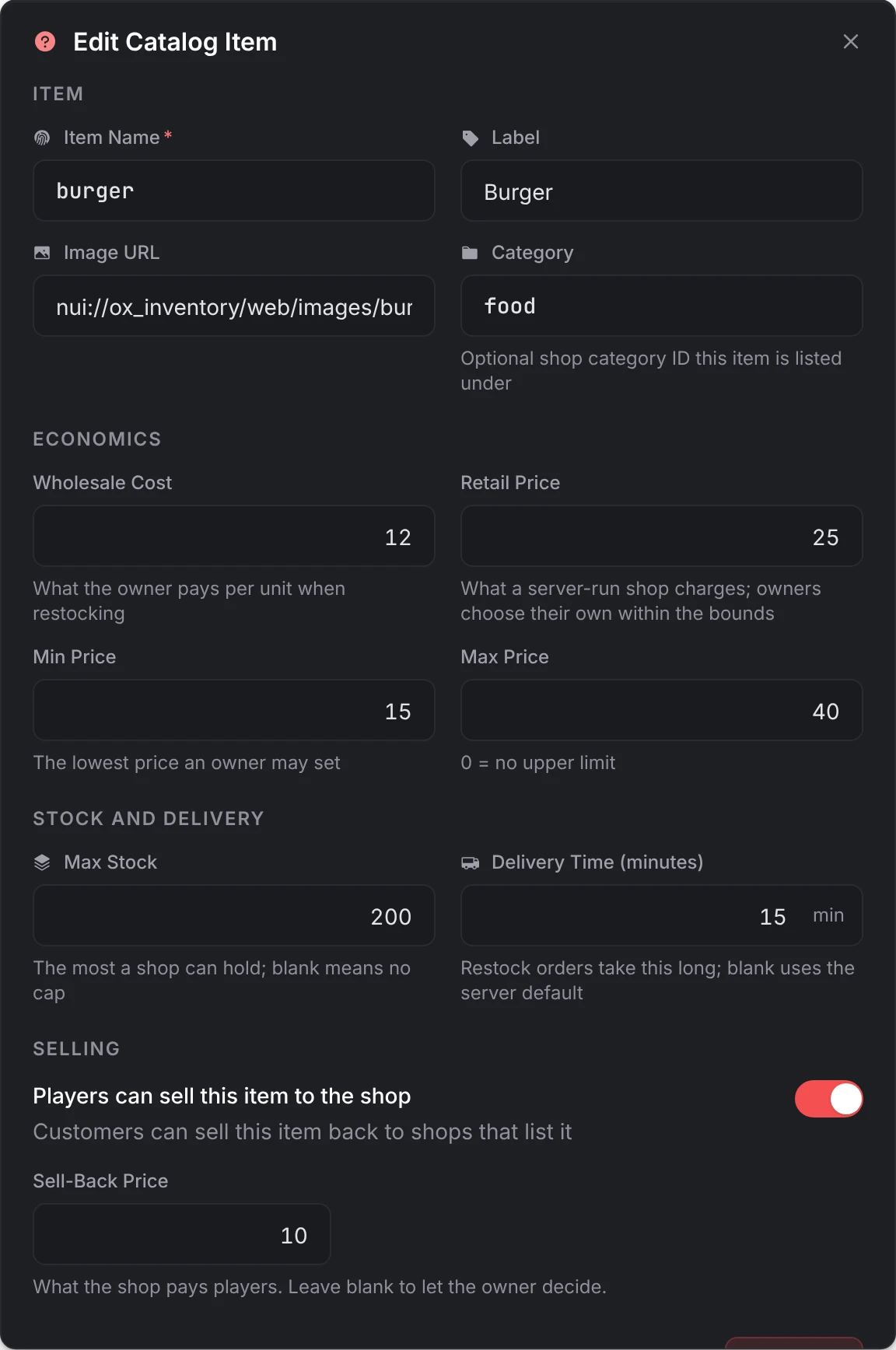
Open Catalogs and select Create Catalog. A catalog needs a Catalog ID (fixed once created) and a Label. Add items one at a time with Add Item, or pick many from your item list with Import Items and give them all the same economics.
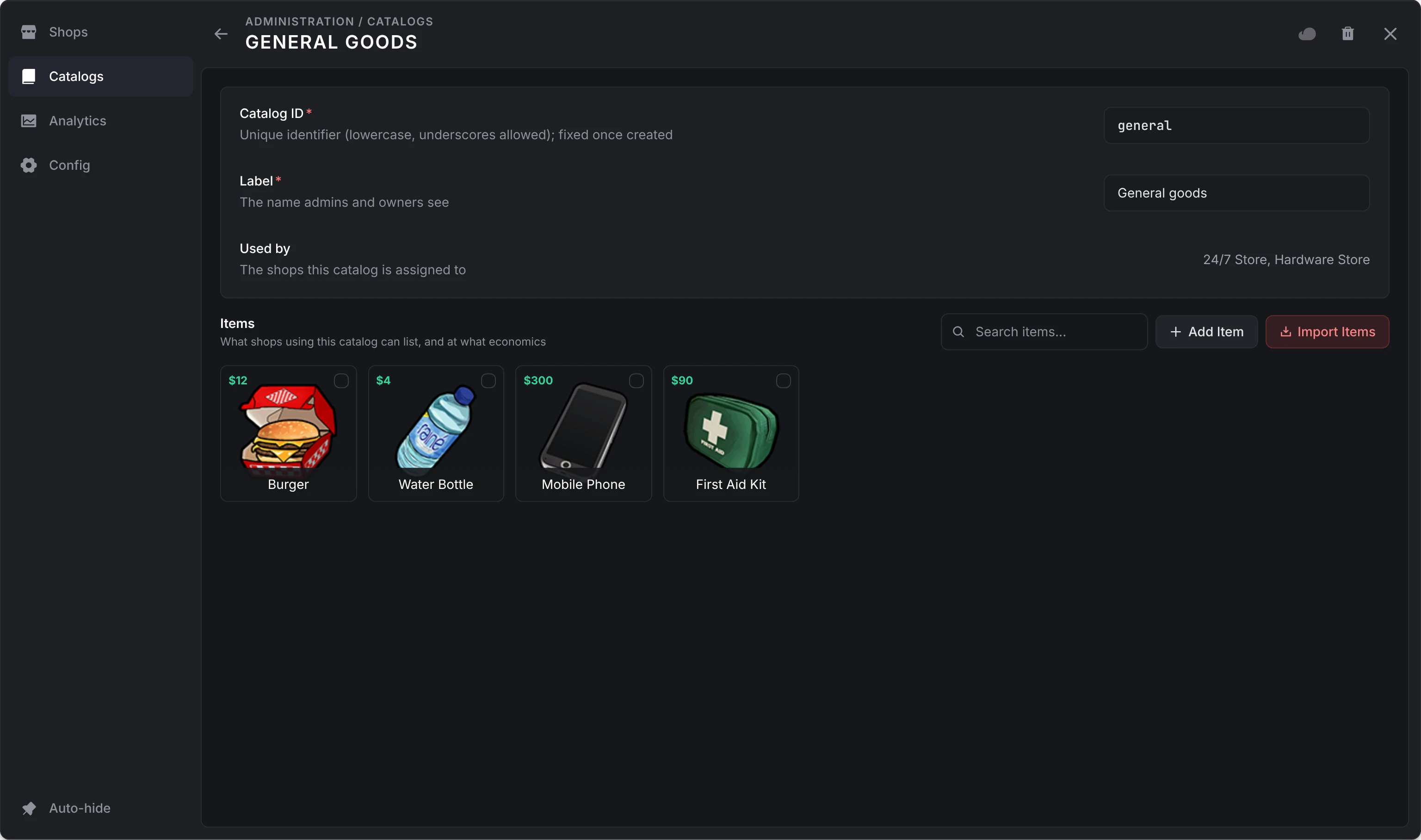
| Field | What it does |
|---|---|
| Item Name, Label, Image URL | The item and how it shows. |
| Category | A shop category id the item is listed under. |
| Wholesale Cost | What an owner pays per unit when ordering stock. |
| Retail Price | What a server-run shop charges. |
| Min Price | The lowest price an owner may set. |
| Max Price | The highest price an owner may set. 0 is no limit. |
| Max Stock | The most a shop may hold. Blank is no cap. |
| Delivery Time (minutes) | How long a stock order of it takes. Blank uses Config > Orders > Default delivery time. |
| Players can sell this item to the shop | Lets shops that list it buy it back. Their listings start with sell-backs on, and an owner can turn them off. |
| Sell-Back Price | What the shop pays players for it. Blank pays the shop's sell percentage of the listing's price. |
Select several items to Assign Category (or type a new one), set the Wholesale Cost or Set Retail Price, turn sell-backs on or off, or apply a Max Markup, which sets each item's range from its wholesale cost up to the markup you pick. Each catalog lists the shops that use it.
Assign catalogs to a shop on its Ownership page. A shop can have several; they merge in the order you tick them, and when two carry the same item the first one wins.
Deleting a catalog takes it off every shop. A server-run shop stocking from it loses those listings, and an owned shop keeps what it already lists but can't add items or order stock until another catalog is assigned.
Stock from catalogs
Turn on Stock from catalogs on a server-run shop's Ownership page and it lists every item of its catalogs at the Retail Price with unlimited stock. Items added to a catalog appear on their own and removed ones leave; listings you made by hand stay. An item with no retail price is listed at its minimum price, else its wholesale cost.
When a player takes the shop, these listings become theirs, empty and capped at the catalog's Max Stock, to restock through orders. When the server takes the shop back, they return to unlimited stock.
Analytics
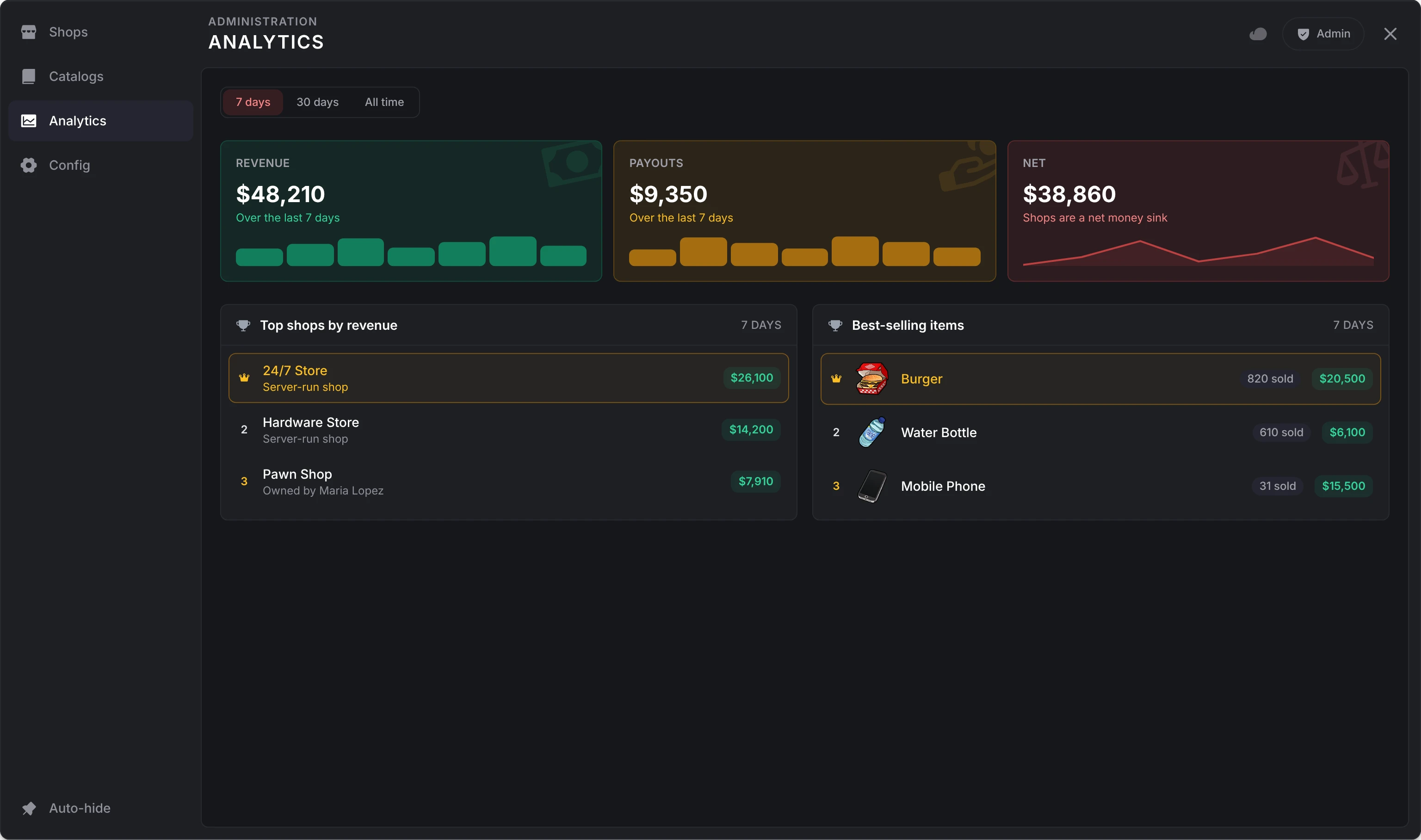
The whole server over the last 7 days, the last 30, or all time:
- Revenue: what customers paid at every shop
- Payouts: sell-backs, revenue shares, commission and bonuses
- Net: revenue less payouts. Positive reads Shops are a net money sink: shops take more money out of the economy than they put in. Negative reads Shops are injecting cash.
- revenue and payouts by day (the last 30 days at most)
- the top 10 shops by revenue, and the 10 best-selling items
Delete a shop
Delete Shop in the editor's header removes the shop with its listings, transactions, staff, role presets and orders. This can't be undone. The confirm says what happens to the balance. Before the shop goes, it settles up:
- Orders on the way are cancelled and refunded into the balance at Config > Orders > Order cancellation refund. An m-TruckerSimulator job is taken off the board, and a custom delivery system is told through
OnDeliveryCancelled. - Staff are paid their unclaimed earnings.
- The owner is paid what the balance then holds, into the first of Config > Finances > Balance accounts, with a notice. An offline owner is paid the next time they join.
A server-run shop has no owner, so its balance goes with it. Management menus open on the shop close, and players with it open are told it is no longer available. With lation_banking running, the shop's account pays the owner and is closed; if the bank has frozen it, its money stays there for the owner and the account is kept.
Still stuck? Ask in our Discord: the people who write the scripts answer.
Last updated
Kinds of shop
The kinds of shop lation shops runs (server-run, player-owned, buying from players, locked to jobs, licenses, hours or an item) and the settings that make each one.
Player ownership
How lation shops sells a shop to a player, what changes hands on a purchase, transfer, abandon or repossession, and how shop balances become accounts at lation banking.