Kinds of shop
The kinds of shop lation shops runs (server-run, player-owned, buying from players, locked to jobs, licenses, hours or an item) and the settings that make each one.
Every shop is built the same way in /shopadmin, and a handful of settings decide what kind it is. They combine freely: a player-owned shop can also buy from players, and a job's shop can keep opening hours.
| Kind | Where you set it |
|---|---|
| Run by the server | Nothing to set: every new shop is |
| Owned by a player | Ownership > For Sale, Sale Price and Item Catalogs |
| Buys from players | Finance > Shop Mode: Sell Only or Buy & Sell |
| Locked to jobs | Access > Job Requirements, or an item's Job Restriction |
| Needs a license | An item's License Requirement |
| Open at set hours | Access > Operating Hours |
| Needs an item to get in | Access > Item Requirement |
| On every prop of a model | Locations > Model |
Works on Qbox, QBCore and ESX.
Run by the server
A shop is the server's until you put it up for sale. Nobody owns it or manages it; it sells what you list under Inventory, at your prices, and its takings collect in its shop balance. A player who later buys the shop starts with that balance only while Config > Ownership > Keep balance when purchased is on.
Each listing's stock is one of three:
| Stock | What happens |
|---|---|
| Unlimited | Never runs out. |
| Limited | Goes down with each purchase and refills to the quantity you set on every server start; see inventory. |
| Player-driven | Supplied only by players selling the item to the shop. It starts at the quantity you set (0 is allowed), grows without a cap, and is kept across restarts. |
A server-run shop can also stock itself from catalogs instead of a hand-made list:
Under Catalogs, create a catalog and give its items a Retail Price. See catalogs.
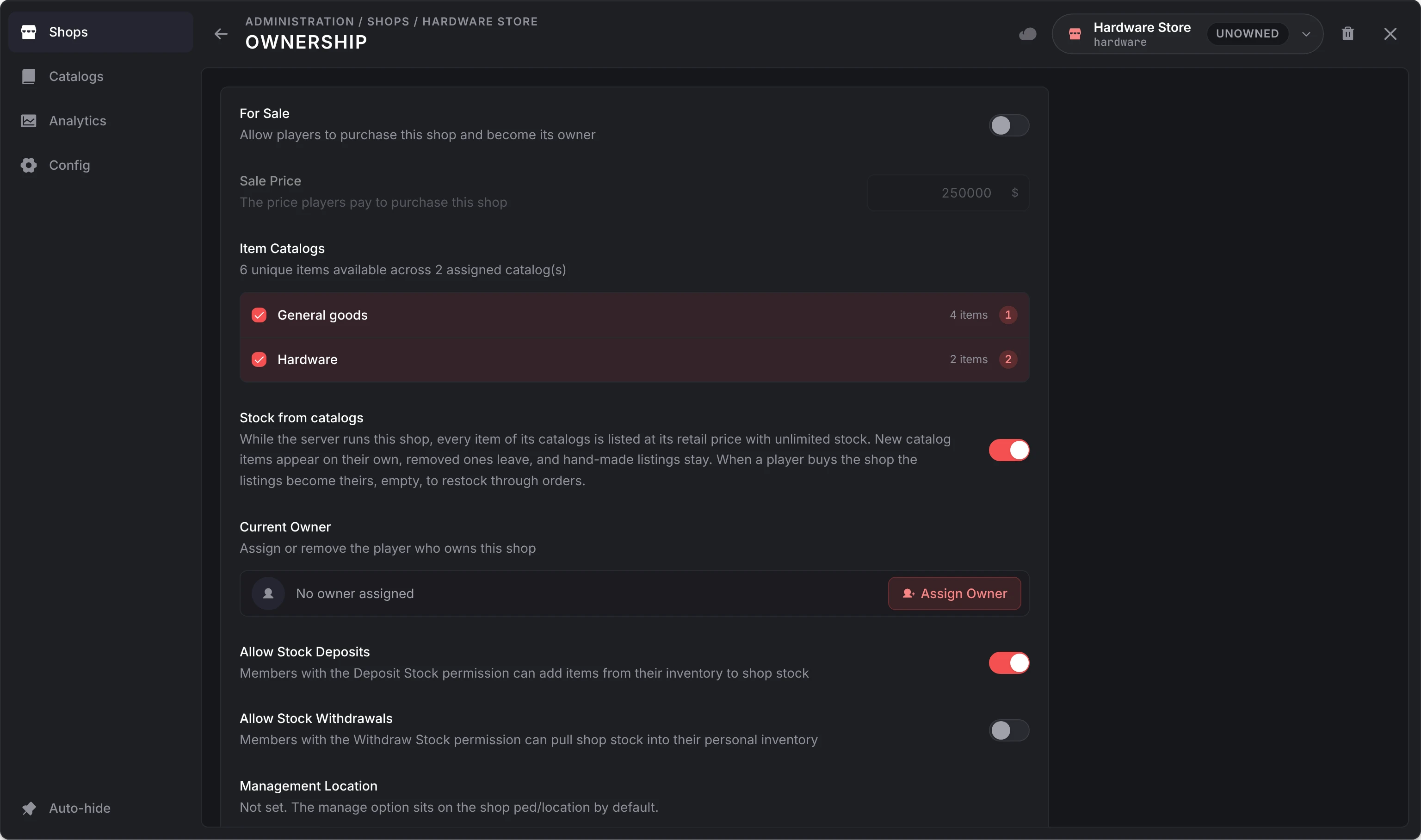
Open the shop's Ownership page and tick the catalog under Item Catalogs.
Turn on Stock from catalogs. Every item of the catalog is listed at its retail price with unlimited stock, and the shop follows the catalog as you edit it.
Timed sales are an owner's tool, so a server-run shop has none; it can roll random prices instead.
Owned by a player
Put any shop up for sale and a player buys it at the counter. From then on its takings go to its shop balance for the owner to withdraw, even while the owner is offline, and the owner runs it from the management menu: prices, stock orders at wholesale, timed sales, staff and money. You decide what an owner may stock and at what prices through the catalogs you assign.
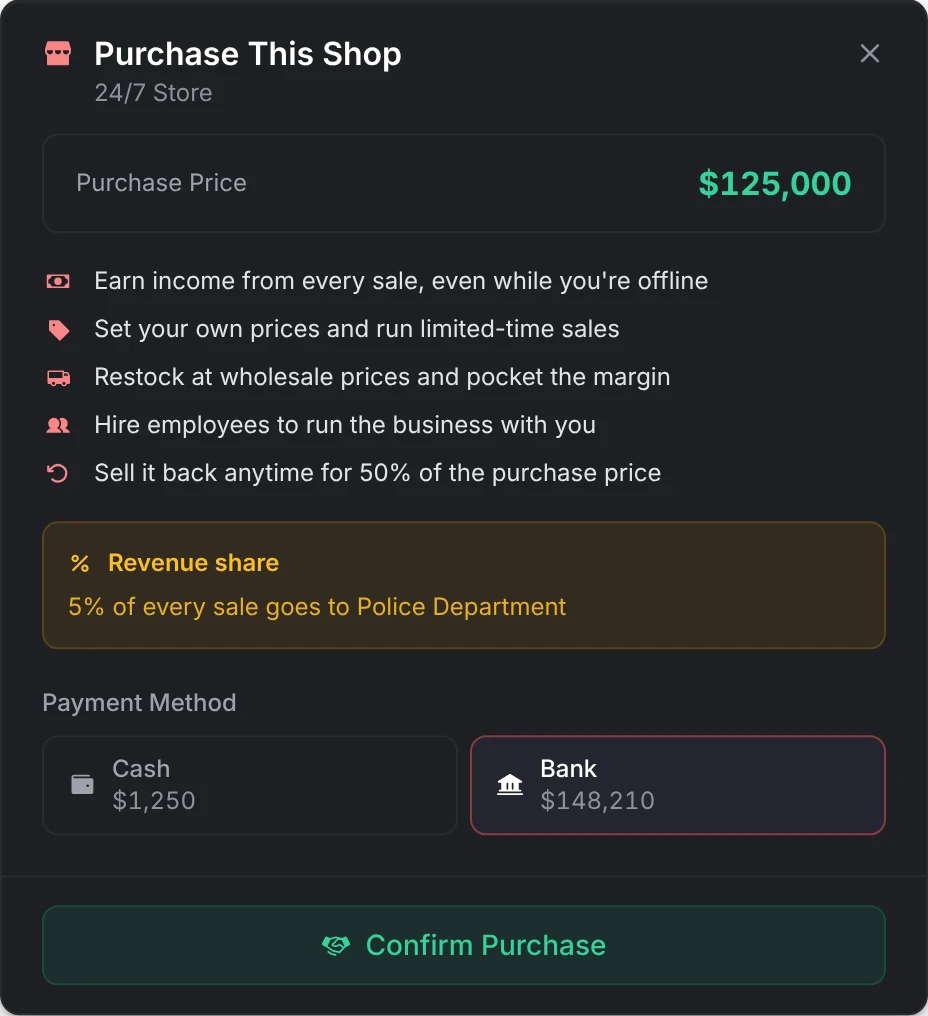
The steps, and what happens when a shop changes hands, are on player ownership.
Buys from players
Shop Mode on the Finance page decides which way the shop trades:
| Mode | The shop | The prompt |
|---|---|---|
| Buy Only | Sells to players | Open |
| Sell Only | Buys from players (a pawn shop, a fence, a scrapyard) | Sell to |
| Buy & Sell | Both, as two tabs in one screen | Open |
In a Buy & Sell shop, each item can also go one way only: Buy only keeps it off the Sell tab, and Sell only off the Buy tab. See one way only.
A shop that buys pays, per item, its own Sell Price, else the shop's Default Sell Price (%) of the item's price, else Config > Selling > Fallback sell-back price (50%). Funding Source decides whose money it is (the server, a job's account, or the shop's own balance) and Payout Source what the player receives: cash, bank, or an item such as black_money.
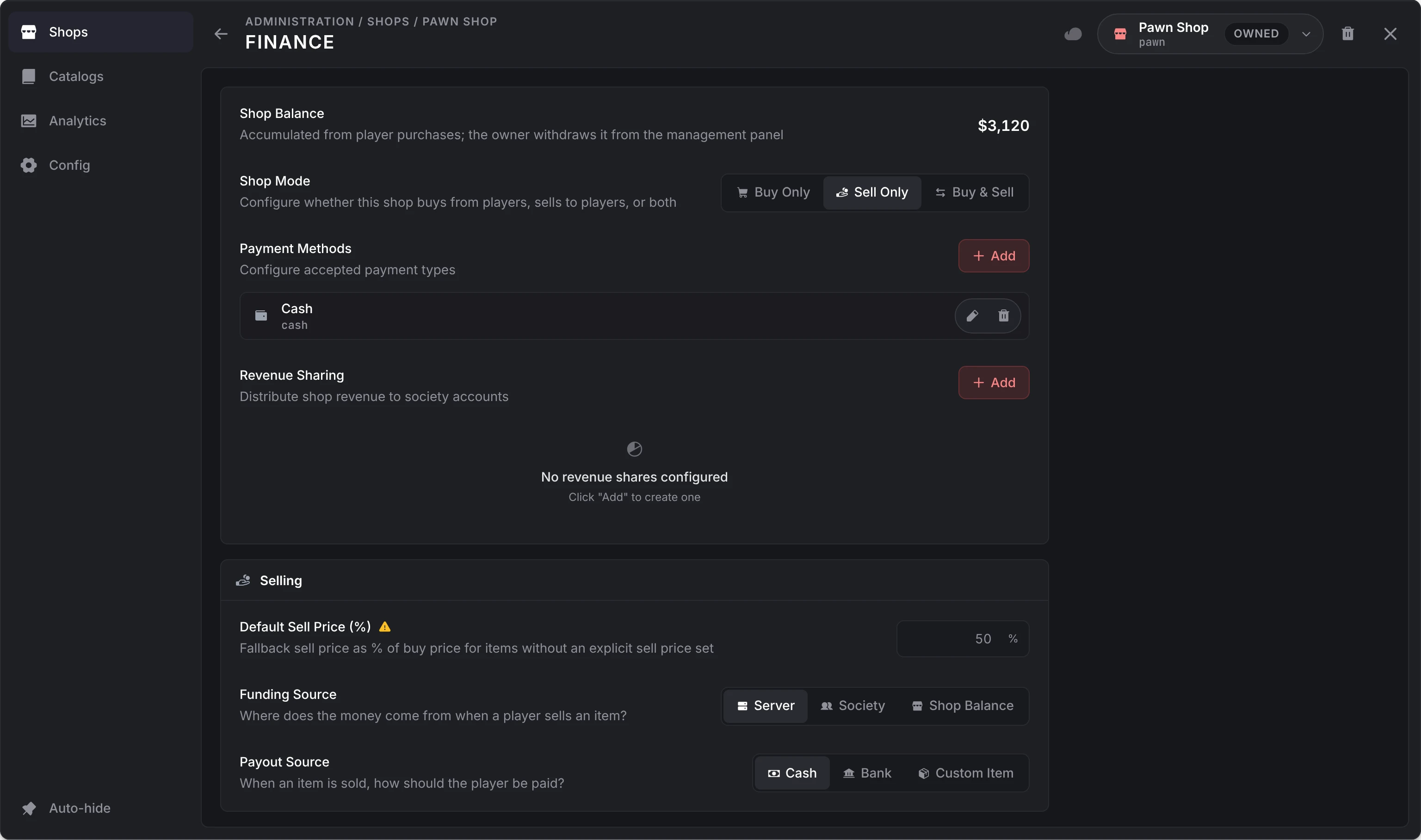
Each setting is on selling.
Locked shops
Jobs and grades
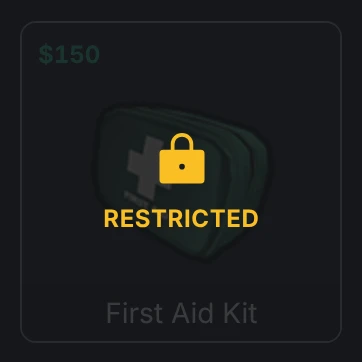
Job Requirements on the Access page restricts the whole shop to one or more jobs, each from a minimum grade. A player with any listed job at that grade or higher gets in. The shop's blips show only to them; anyone else still sees the prompt but is told they lack the job. An item can carry a Job Restriction of its own in the same form: other players see it marked Restricted and cannot buy it. Both read the player's job, not their gang; for a gang, use the hook.
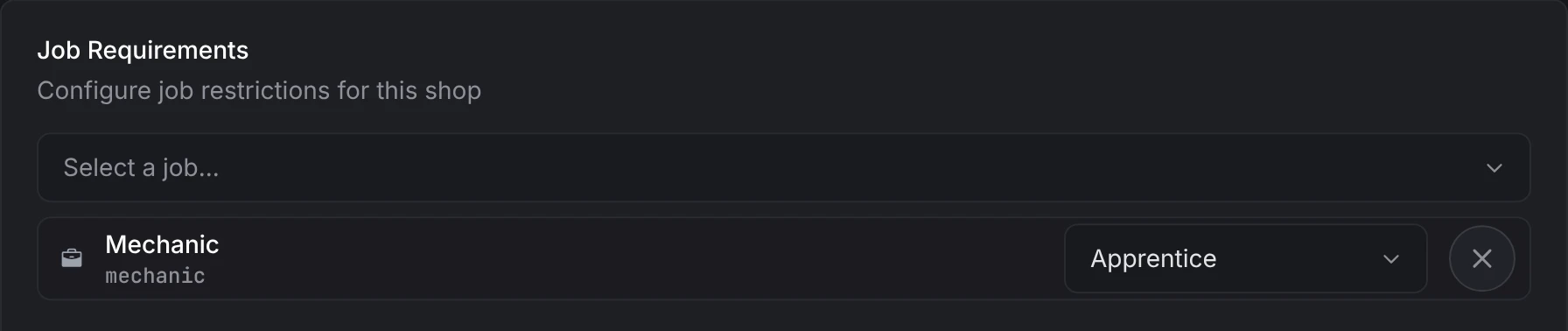
To let a job pay from its own account, add a Society account payment method. Only members of that job at or above the grade you set see it. See payment methods.
Licenses
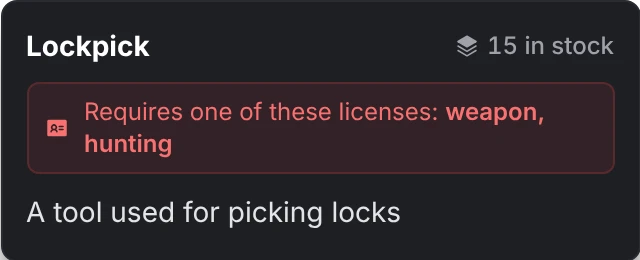
An item's License Requirement names one or more licenses, and the buyer needs any one of them: a player who holds either weapon or hunting can buy an item that asks for weapon, hunting. It is checked at checkout, and the item's tooltip names them.
Each license is read from the player's licences metadata: PlayerData.metadata.licences[name] must be true for one of the names.
Each license is read from the player's licences metadata: PlayerData.metadata.licences[name] must be true for one of the names.
Each license is read from esx_license: the player must hold a license whose type is one of the names.
Opening hours
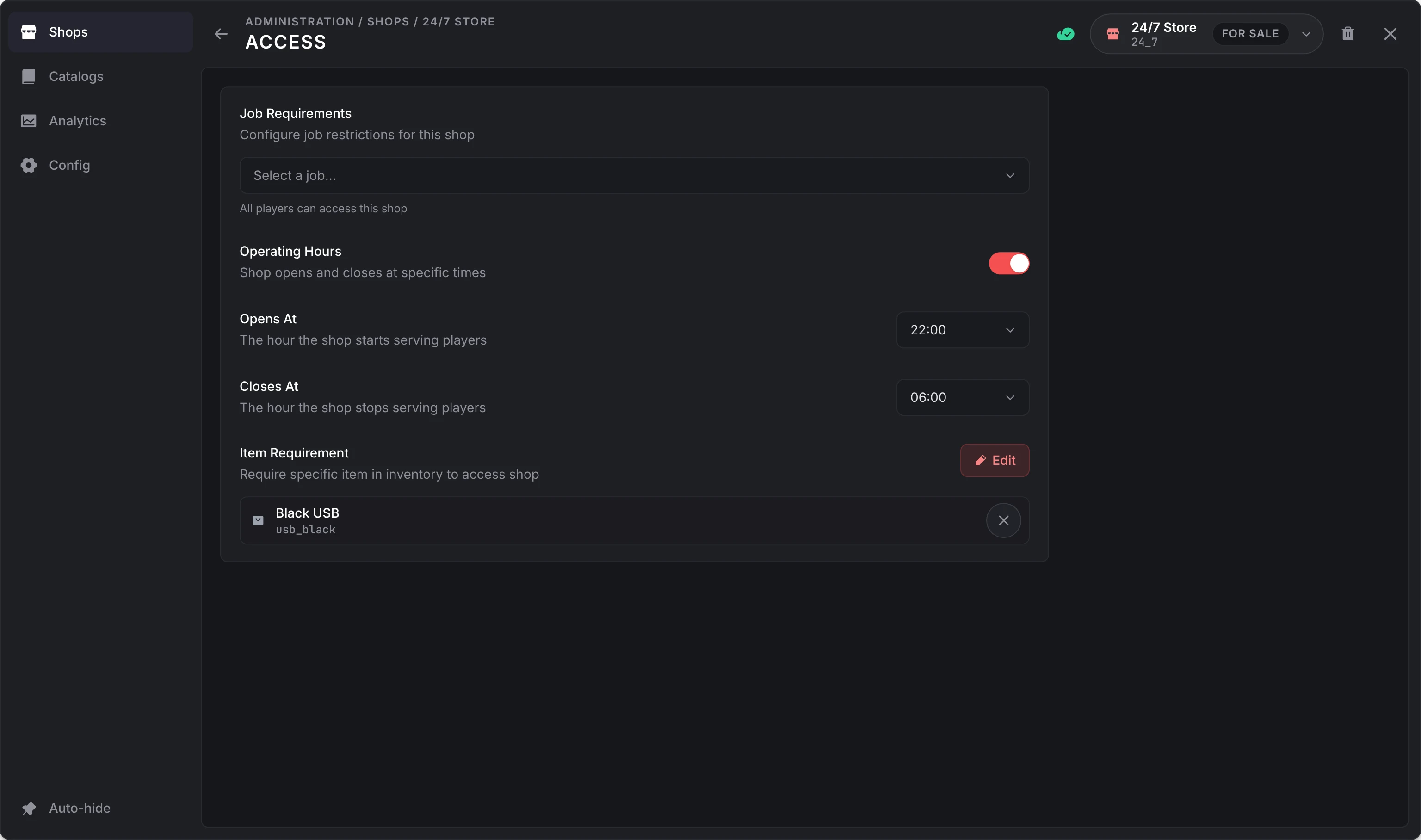
Operating Hours opens the shop from Opens At to Closes At, in in-game hours. Hours past midnight work: opening at 22:00 and closing at 06:00 keeps it open overnight. While it is closed, its points and peds are removed (a Model location keeps its prompt) and every open, purchase and sale is refused. An owner can change the hours from the management menu while Config > Ownership > Owners may set operating hours is on.
An item to get in
Item Requirement asks the player to carry one or more items to open the shop: any one of them, or all of them with Require all items on. An item set to Remove item when opening shop loses one from the player's inventory when they open the shop, at most once per shop every 10 minutes. It is taken only after every other check has passed, so a closed shop never eats it.
Anything else
For a rule these can't express (a gang, a reputation level), fill in the OnBeforeShopOpen hook in server/utils/hooks.lua. It runs on every open and again before every purchase and sale. See hooks.
The server checks the job requirement, the hours and this hook on every purchase and sale as well as on open; the item requirement is checked when the shop opens.
Vending machines and props
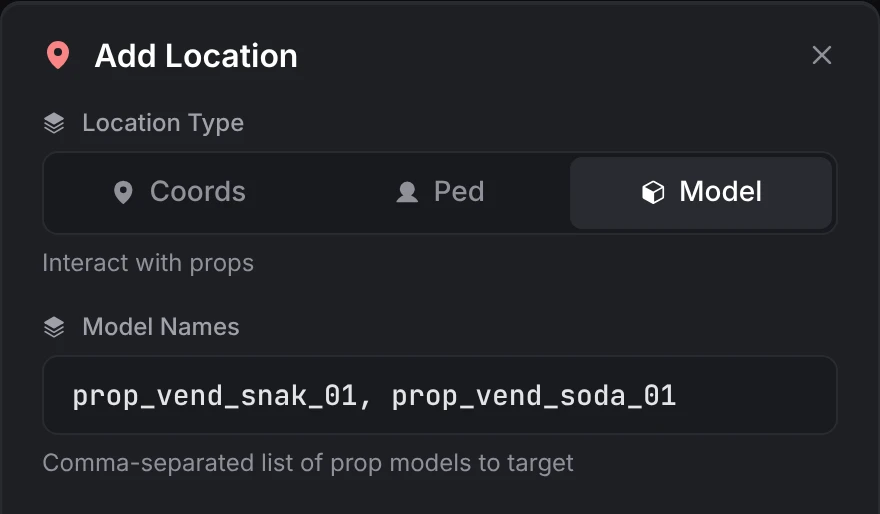
A location of type Model turns every prop of the models you list into the shop, wherever they stand on the map: prop_vend_snak_01, prop_vend_soda_01 makes every snack and soda machine sell from one shop. Model locations have no blip and no fixed spot, so a shop with one skips the server's distance check for all of its locations.
Putting them together
| Shop | How |
|---|---|
| A police armory | Buy Only. Job Requirements: police. A Society account payment method for police, so officers pay from the department's account. Licenses on the weapons. |
| A pawn shop | Sell Only. Funding Source: Shop Balance, so it pays out of its own takings, or Society for a job that runs it. Payout Source: Cash. |
| A black market | No blip. Operating Hours 22 to 6. An Item Requirement to get in. A Custom payment method black_money and a Custom Item payout of black_money. |
| Vending machines | A Model location with the machine props. Unlimited stock, or Stock from catalogs. |
| A chain of 24/7s for sale | Build one shop with every branch as a location, then Split into shops so each branch is sold on its own. Each new shop keeps the settings, listings and catalogs. |
Still stuck? Ask in our Discord: the people who write the scripts answer.
Last updated
lation shops
lation shops is a FiveM shop system built in game, for shops that sell to players, buy from them or both, run by the server or sold to players who run them.
Creating shops
How to build a shop in the lation shops admin panel (/shopadmin), from locations and items to payment methods, revenue shares, selling, access rules, catalogs and analytics.