Accounts
The five lation banking account kinds and who can use each, transfers, history and insights, frozen accounts, ATMs and PINs.
Where players bank
| Where | Prompt | What opens | What it can do |
|---|---|---|---|
| A branch | Open Bank | The full bank | Everything on this page, plus bills and loans |
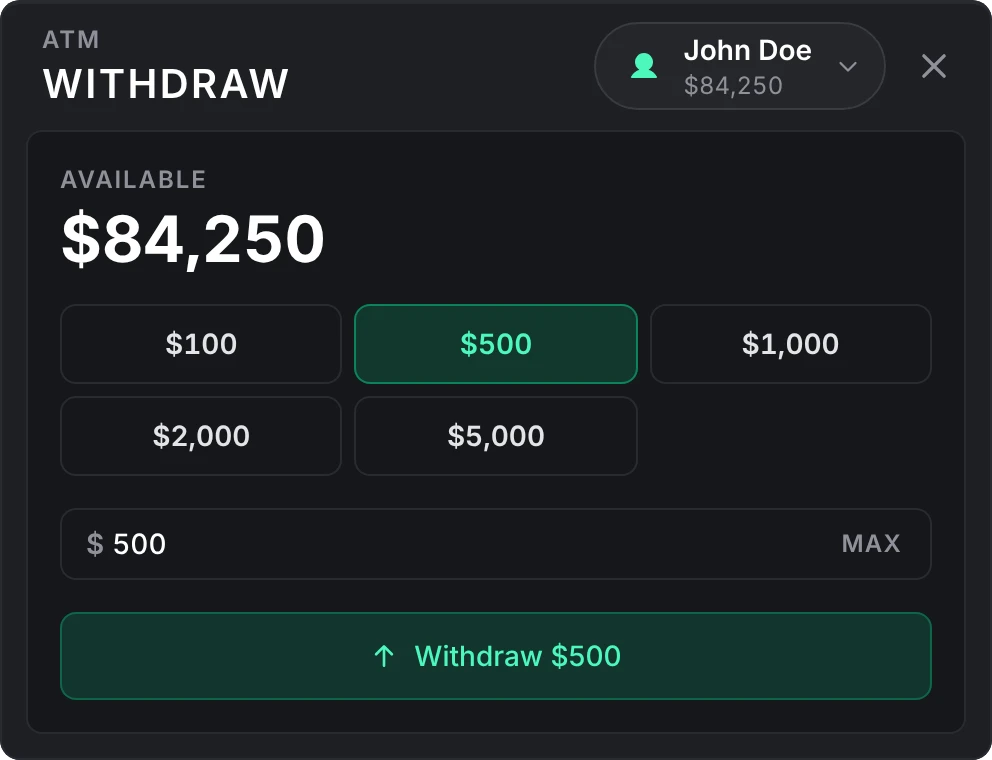
| An ATM | Use ATM | A small cash card | Withdraw cash from any account the player may withdraw from but savings, which isn't offered there, and deposit while ATM deposits are on |
/bank | The full bank | The same as a branch. Off by default. |
The full bank has an Overview, Transactions, Insights and Transfer page, plus Bills while bills or requests are on (named Requests while only requests are) and Loans while loans are on or the player has one. Transfers, bills, loans, opening and managing accounts, setting a PIN and moving savings money all need the full bank; an ATM refuses them.
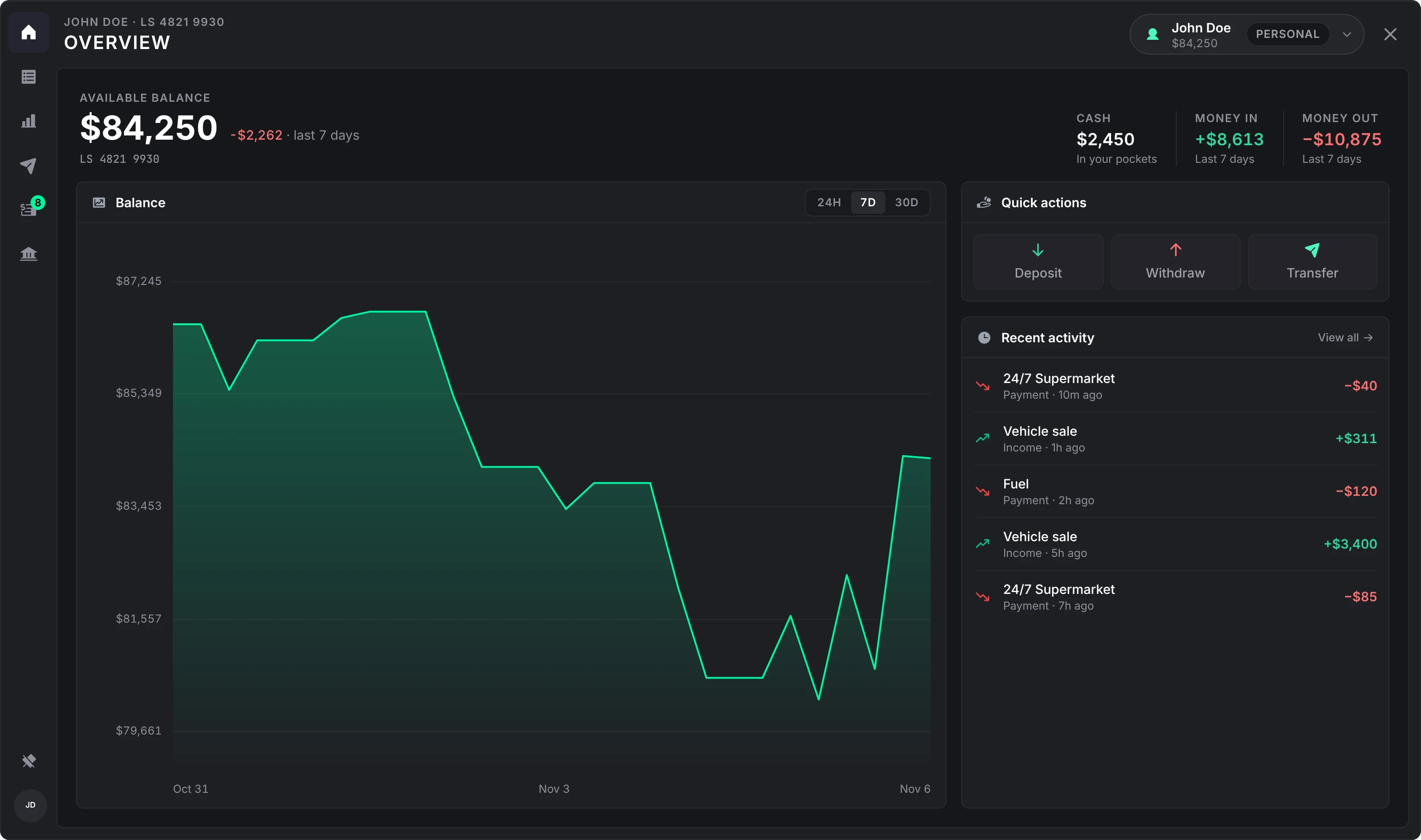
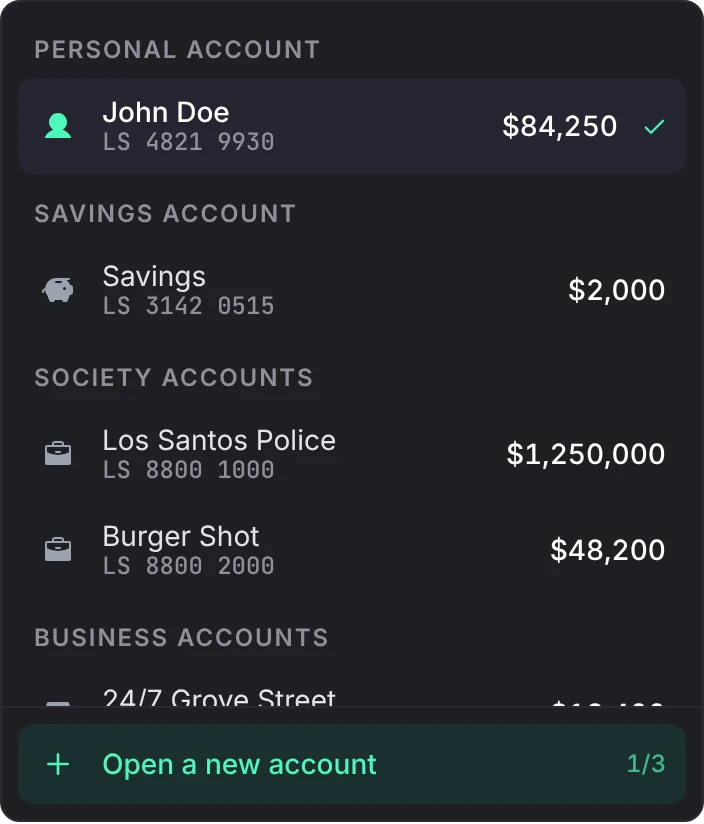
The Overview shows the selected account's balance, the player's cash, money in and out, a balance chart over 24 hours, 7 days or 30 days, Deposit, Withdraw and Transfer, and recent activity. The account switcher at the top changes account, opens a shared account or opens the savings account. Deposit and Withdraw offer the amounts under Config > Quick amounts > Deposit and withdraw.
Account kinds
| Kind | Who has it | Balance lives in | Who can use it |
|---|---|---|---|
| Personal | Every player | The framework's bank money | The player |
| Savings | One per player, opened by them | lation banking | The owner, at a branch only |
| Shared | Opened by players | lation banking | The owner and the members they add |
| Society | One per job, and per gang on Qbox and QBCore | lation banking, or esx_addonaccount on ESX | The job's or gang's bosses, and members a script adds |
| Business | Opened by another resource | lation banking | The owner and staff that resource names |
Personal
A player's personal account is their framework bank balance. lation banking reads and moves it through the framework, or the character's row while the player is offline, and never keeps a copy. Each player gets an account number the first time the bank sees them.
Savings
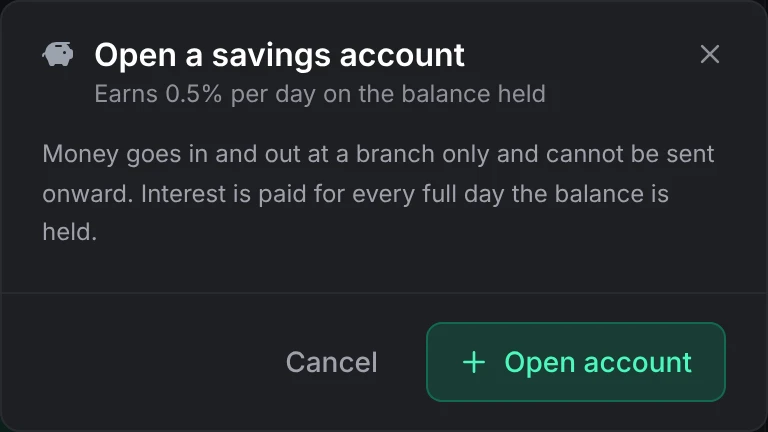
Every player may open one savings account from the account switcher with Open a savings account, while Config > Savings > Savings accounts is on.
- It earns interest for every full day the balance is held, at the daily rate under Config > Savings (0.5% by default). The days are paid when the account is next used or viewed, at the balance it held, so nothing runs on a timer.
- With Interest stops at set, interest never takes the balance above it.
- Cash goes in and out at a branch only, and money can't be sent onward or used to pay a bill.
- Close savings moves the balance to the player's personal account.
Shared
A player opens a shared account with Open a new account and names it. They are its owner, and can own up to three by default (Config > Accounts > Shared accounts per player).
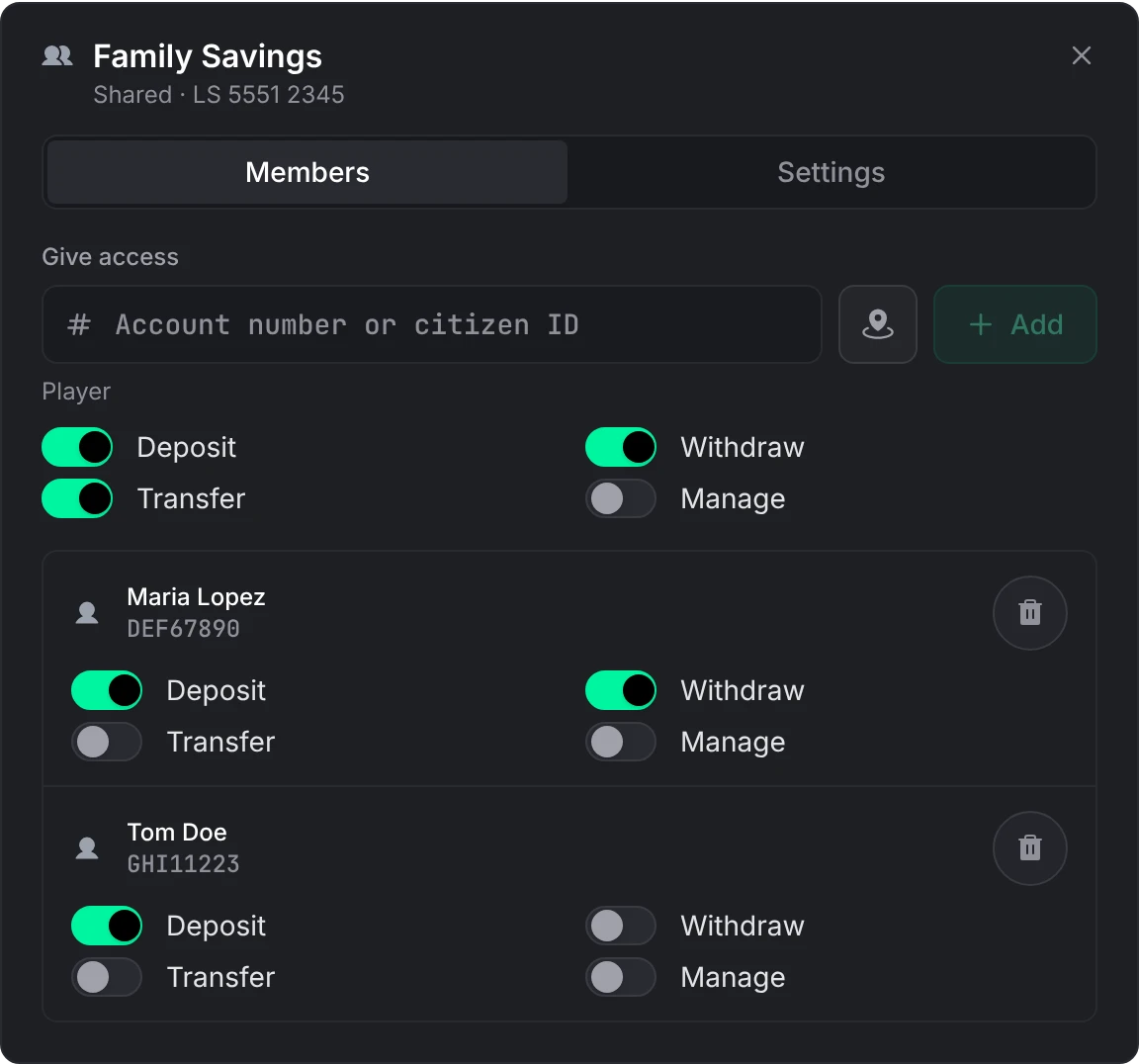
Under Manage account > Members, the owner gives other players access by account number or citizen ID with Give access, and sets what each one may do:
| Permission | Lets the member |
|---|---|
| Deposit | Put cash in |
| Withdraw | Take cash out |
| Transfer | Send money from the account and pay bills with it |
| Manage | Rename the account and add, change or remove members |
New members get deposit, withdraw and transfer, and not manage. Only the owner sets the account's PIN and closes it; closing moves the balance to the owner's personal account and can be switched off under Config > Accounts. A member can leave on their own with Leave account.
Society
While society accounts are on, every job gets one on start, and every gang too while gang accounts are on. Its name follows the job's label, refreshed on every start.
A job or gang added while the server runs gets its account at once when lation jobs created it, or, on QBCore, when any script added it through qb-core's AddJob or AddGang. Any other gets one on the next start, or when a script calls EnsureSocietyAccounts. An account stays when its job is deleted. Bosses can deposit, withdraw and transfer; players a script adds as members of a society use the permissions that script gave them. Nobody manages or closes a society account from the bank.
A boss is anyone whose job or gang grade has isboss or bankAuth. Gangs get accounts while Config > Accounts > Gang accounts too is on.
A boss is anyone whose job or gang grade has isboss or bankAuth. Gangs get accounts while Config > Accounts > Gang accounts too is on.
A boss is anyone whose job grade is named boss. ESX has no gangs.
With esx_addonaccount running, the balance stays in the society_<job> vault. Moves other scripts make there show up in the society's history as Payment received or Payment, and freezing the account only blocks money moved through lation banking. A move made there without an event, such as esx_society's money-wash payout, shows within a minute, and before any payment from the account.
Change who counts as a boss in HasSocietyAccess in bridge/server.lua.
Business
A business account holds money for another resource: a player-owned shop, a garage, anything with a till that is not a job. Only a resource can open one, through the exports. That resource names the owner and the staff and moves the money; the bank keeps the balance, the number, the PIN and the history.
Players see it under Business accounts and can deposit, withdraw and transfer as the resource allowed. The owner can set its PIN. Nothing else about it is managed from the bank: no rename, no members, no closing.
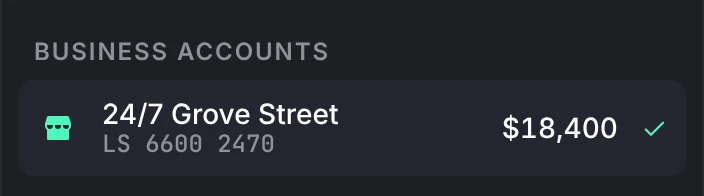
lation shops uses business accounts for shop balances.
Account numbers
Every account gets a number such as LS 1234 5678: the prefix from Config > Accounts (LS by default) and 8 digits. Changing the prefix or the digit count only affects accounts opened afterwards. Numbers can be typed with or without spaces and dashes.
Transfers
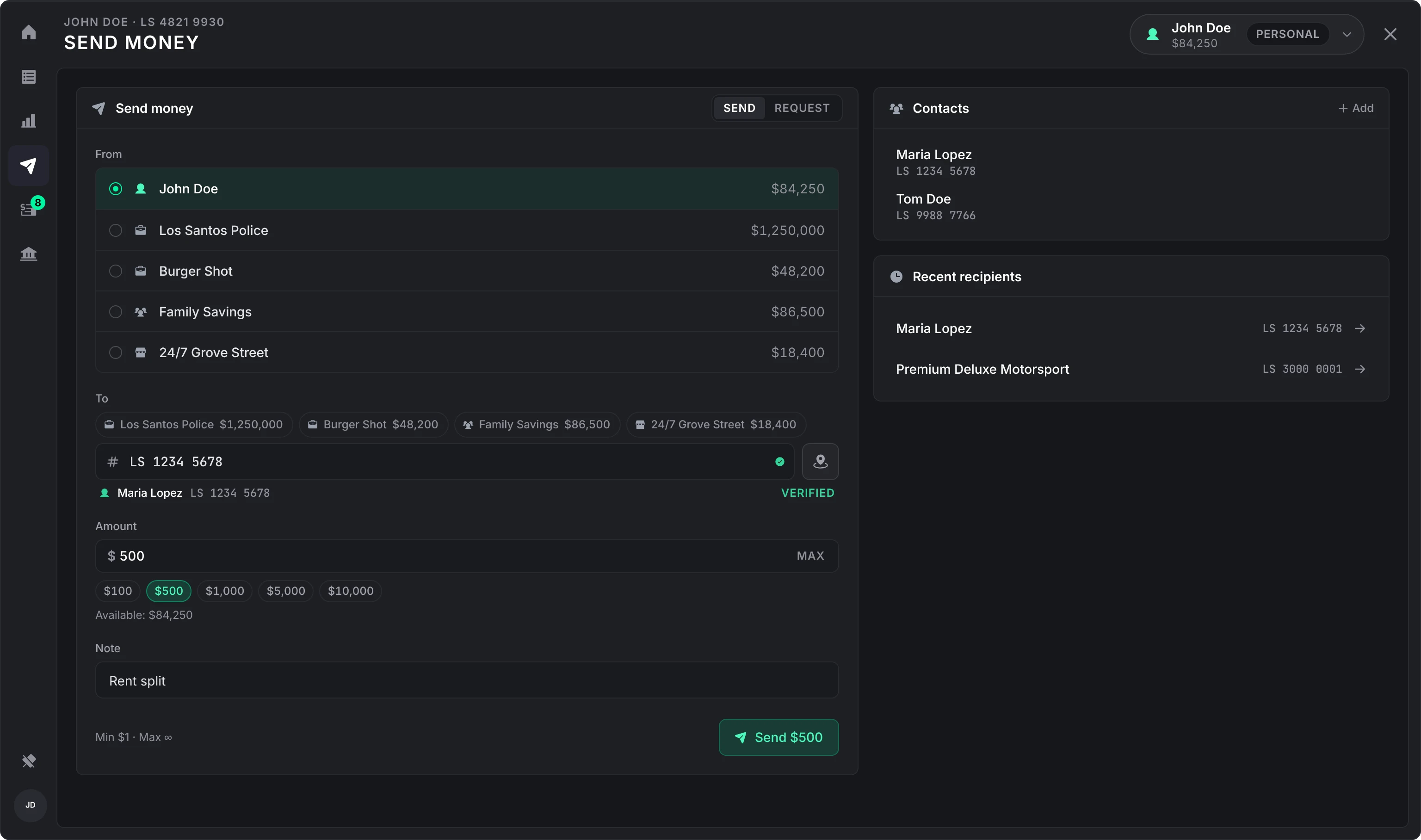
The Transfer page sends money from any account the player may transfer from. The recipient can be:
- an account number;
- a citizen ID or player identifier;
- an account id, such as the job name for a society (
police).
The name appears once the recipient is found. Transfers arrive at once, including to offline players unless Config > Transfers > Transfers to offline players is off, and an online recipient is told. A frozen account can't send, and nobody can send to the account they send from. The minimum is 1 and there is no maximum by default. The amount buttons are the list under Config > Quick amounts > Send money.
Players can save up to 20 contacts, and the page lists the last five people they sent to. While requests are on, the same page has a request mode for asking another player for money; a request goes to a person, not an account. See Bills and requests.
History and insights
Transactions lists every move on the selected account, newest first, with search, type and date filters. A row shows who acted when a player did; a row written by a script never names the resource behind it.
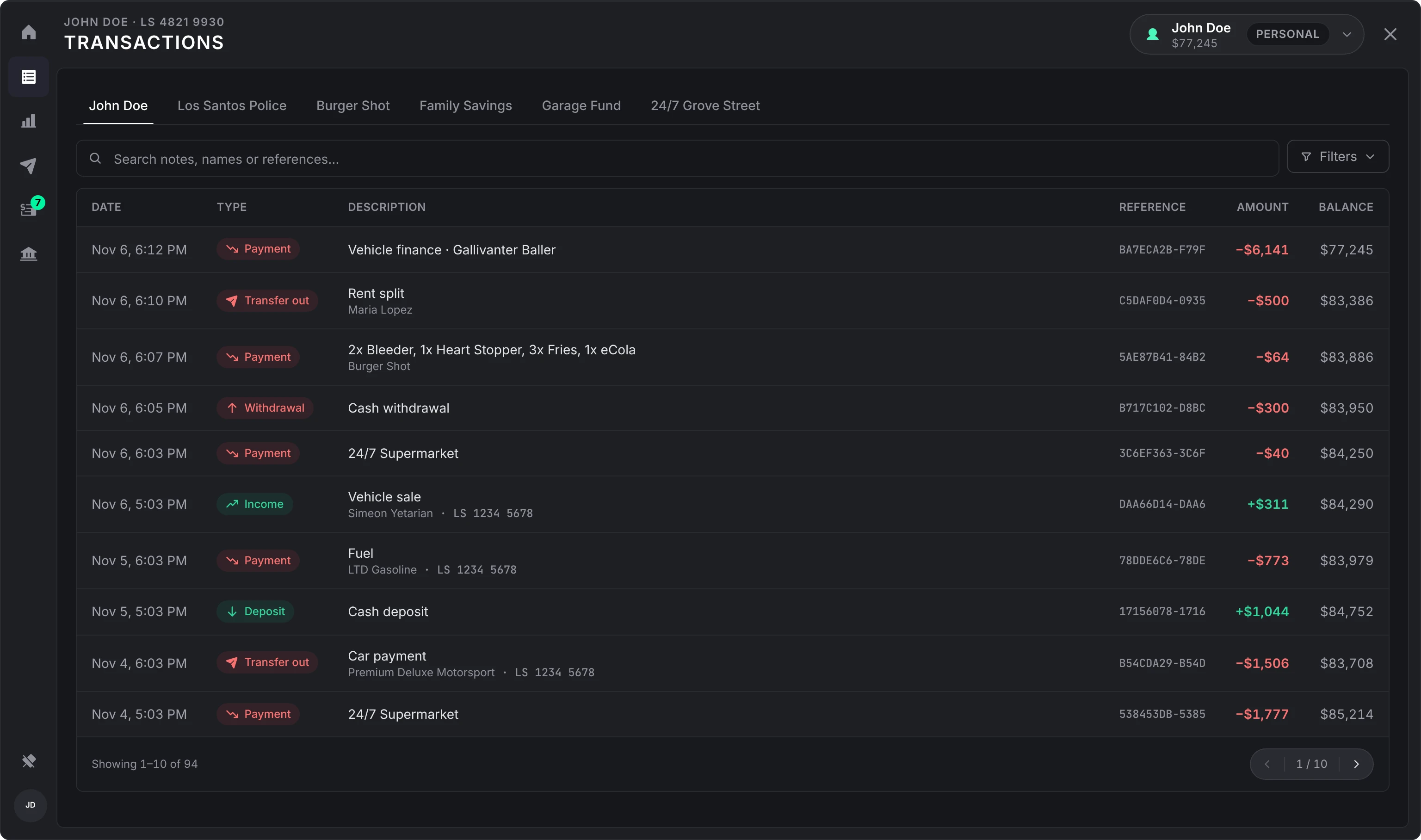
On a screen under 1280 pixels wide the reference column is left out, and a long description is cut short so the amount and balance stay in view.
With Config > Transactions > Track other scripts' bank moves on (the default), paychecks, purchases and fines made by other scripts land in the player's history with the reason that script gave. When a script then reports the same move with more detail (Renewed's handleTransaction, qb-banking's CreateBankStatement, the AddTransaction export), that line is filled in rather than a second one added.
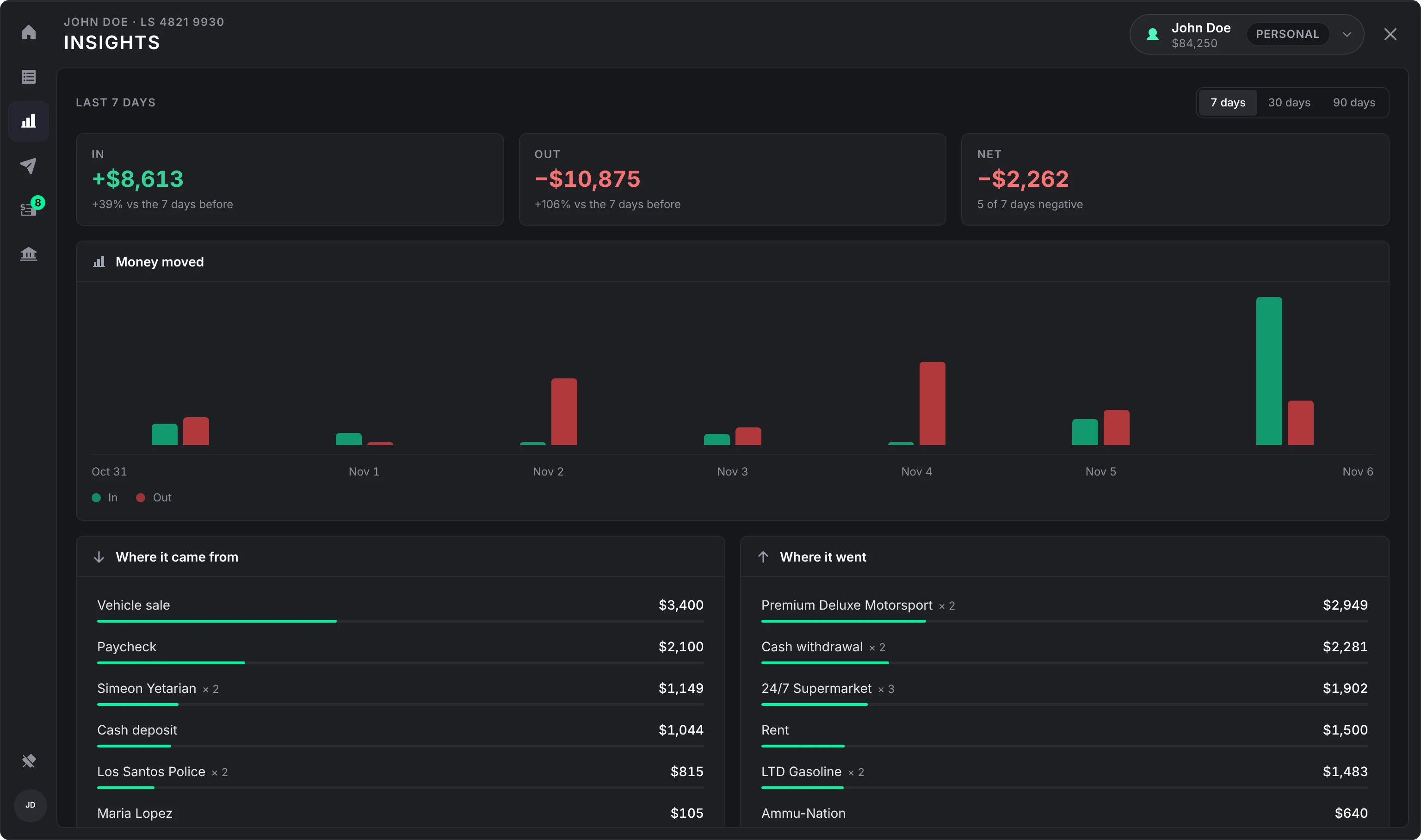
Insights shows money in and out over the last 7, 30 or 90 days (per day, or per week over 90 days) against the same stretch before, and where money came from and where it went. Over 30 days the chart dates every fifth bar.
Frozen accounts
An admin can freeze any account but a personal one from /bankadmin. Money can still be deposited into a frozen account, but nothing can be withdrawn, sent or paid from it.
ATMs and PINs
Every object with one of the ATM models is an ATM. By default an ATM pays out cash and takes no deposits, with quick amounts of 100, 500, 1000, 2000 and 5000 (Config > ATMs, its own list). A savings account isn't offered at an ATM: its money only moves at a branch.
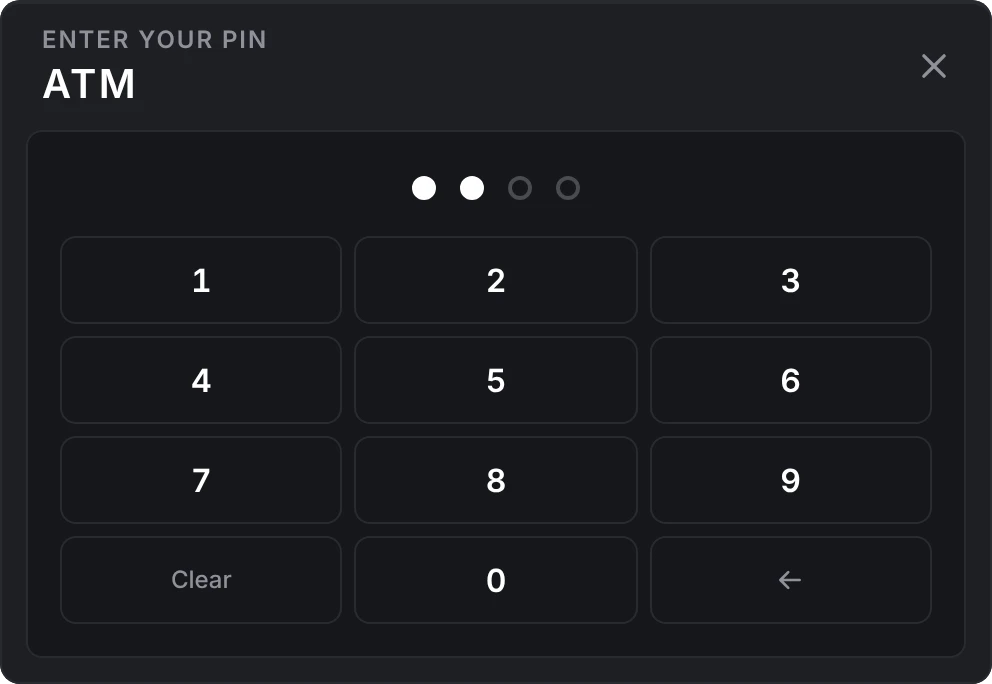
A PIN is four digits and is stored hashed.
- Players set their own PIN at a branch from their profile (the picture at the bottom of the side rail). The owner of a shared or business account sets its PIN under Manage account > Settings. Changing or removing a PIN asks for the current one.
- With Config > ATMs > Ask for a PIN on, every ATM opens on a keypad, and the Overview reminds a player without a PIN to set one. A player with none is told to set one at a branch first.
- Three wrong PINs in a row lock that account out for 15 minutes, and its owner is told.
- An admin can clear a forgotten PIN from the account in
/bankadmin.
With Config > ATMs > Other accounts on, an ATM can also open another player's personal account, or a shared or business account, with its number and PIN, for withdrawals only. The account needs a PIN set; for another player's personal account, that player has to be online, and they are told who took how much. A frozen account can't be opened this way.
Other resources can put their own actions behind the same PIN with RequestPin.
Profile
The picture at the bottom of the side rail opens the player's profile, where they set a profile picture (a direct https:// link to a PNG or JPG; empty shows their initials) and their PIN.
Cash between players
/givecash [id] [amount] hands cash to a player within the nearby range (10 metres by default). See Commands.
Still stuck? Ask in our Discord: the people who write the scripts answer.
Last updated
Admin panel and commands
The lation banking commands and who can use them, and what the /bankadmin panel shows and does, page by page.
Bills and requests
How lation banking bills, player requests, business-to-business bills, repeating bills, the /bill card and ongoing payments work, who can send them, and how they are paid, declined or cancelled.