Register
Setting up the lation banking point of sale for a business, building its menu, opening it, and ringing up, paying and voiding sales.
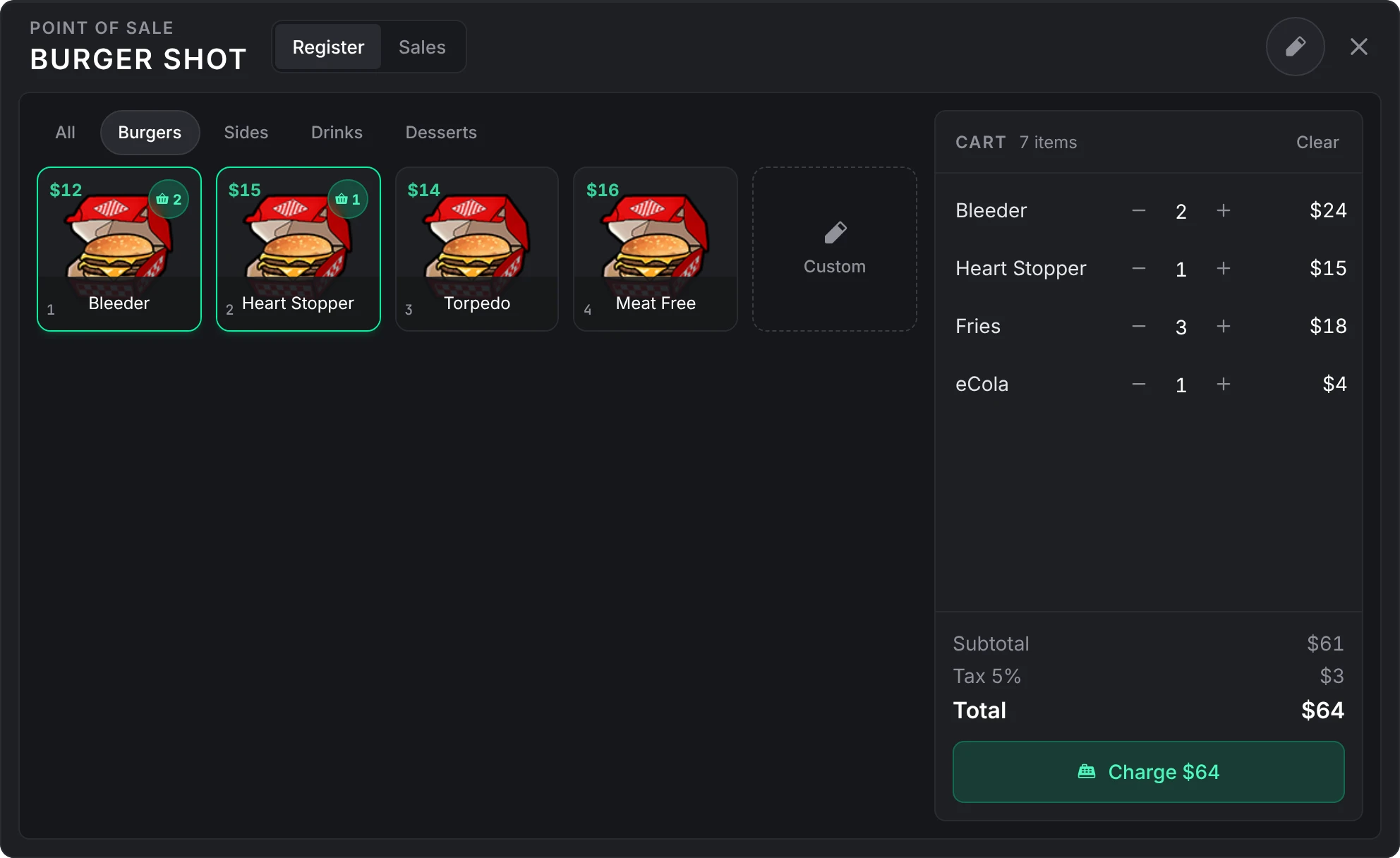
The register is a point of sale for the businesses you list. Staff ring up products for the customer at the counter, and the customer pays from any account or in cash on a card that appears for them, or gets the sale as a bill. Every sale is a bill with its lines, tax and note kept on it, so it follows the same rules as any other bill.
The register needs Config > POS > POS and Config > Bills > Bills both on. Jobs and gangs you don't list have no register.
Set up a business
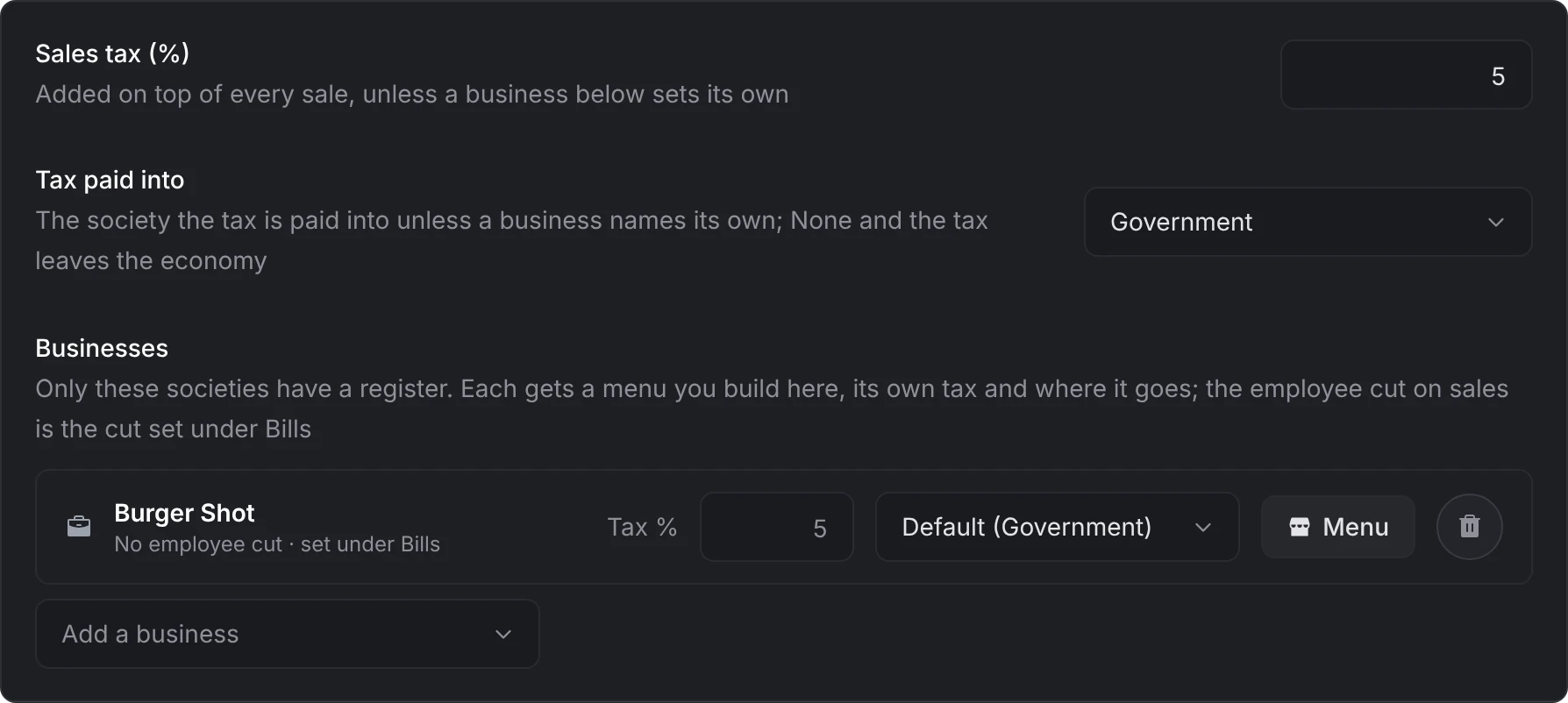
In /bankadmin > Config > POS, pick the society under Add a business. It can have its own Tax % and its own account for the tax, or leave both to the defaults above it. A business another resource listed, such as a job with a register in lation jobs, is here too, and keeps whatever you set for it.
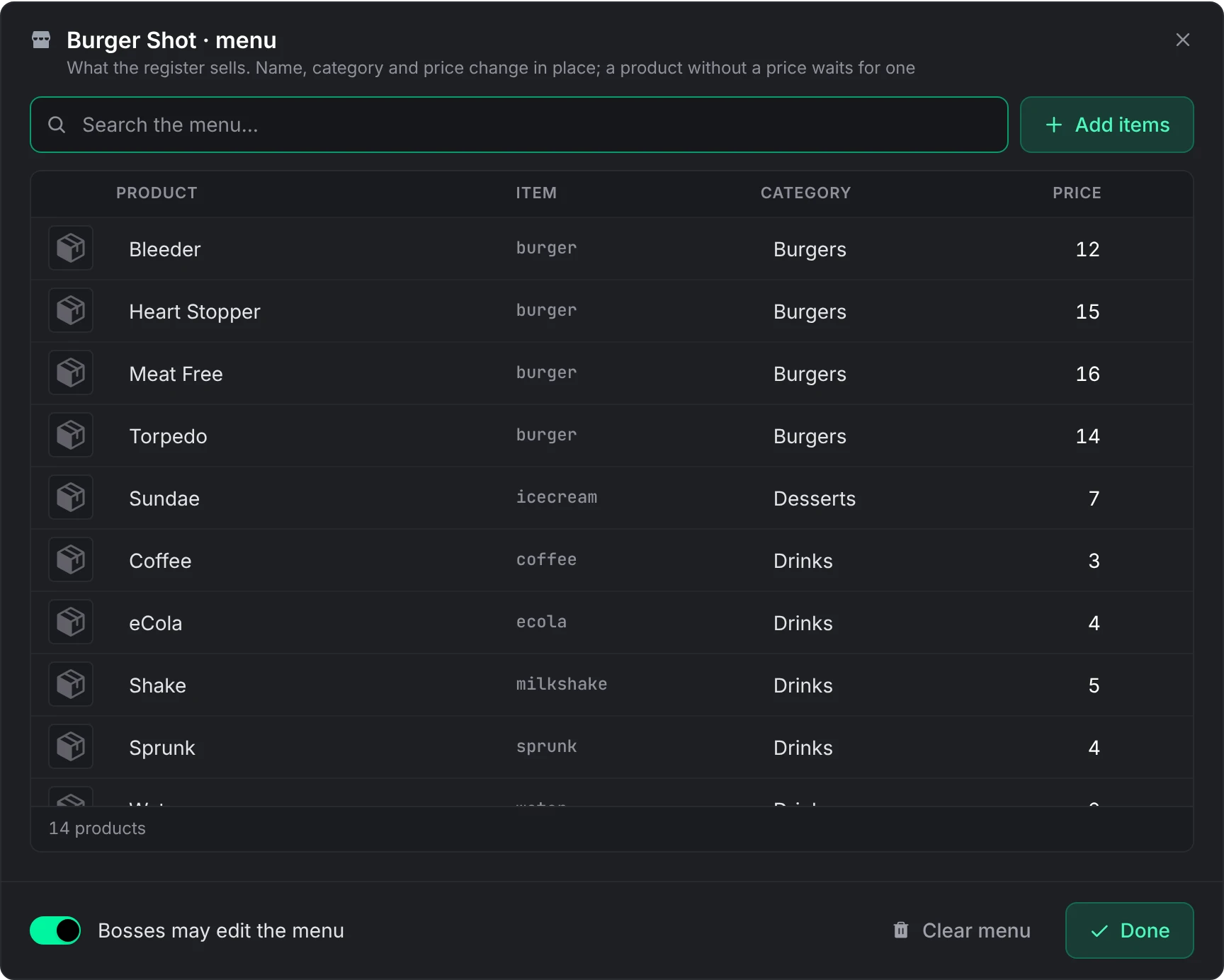
Open its Menu and stock it:
- Add items opens a browser of every item your inventory knows. Tick what the business sells, set a price and a category, and add them in one go.
- Add a line adds a product with no inventory item.
- Name, category and price change in place in the table. Clear menu removes everything.
- Bosses may edit the menu decides whether the business's bosses can change the menu from the register.
For a cashier's cut on each sale, list the same society under Config > Bills > Businesses that bill and set its Employee cut %. That also lets its staff send bills.
Pick how staff open it: the /pos command, a register point, an item, or all three. See opening it.
A product without a price sits on the menu but is not for sale until someone prices it. A menu holds up to 300 products.
The menu is also the only list of items a register ever sees. A boss editing the menu at the register can give a product the picture of an item already on that menu and nothing else, so no search box at the register gives away items you keep quiet.
Who works the register
| Who | Ring sales | Edit the menu | See and void sales |
|---|---|---|---|
| Bosses of the business | Yes | Yes, unless Bosses may edit the menu is off | Every sale; void any |
| Its other employees | While Every employee can ring sales is on | No | Every sale; void their own |
| Players a script added as members of the society | Yes | No | Every sale; void their own |
The cashier takes the society's employee cut on each paid sale: the Employee cut % set for that society under Config > Bills, worked out on the price before tax.
Opening it
/pos is on by default and opens the register anywhere for staff of a listed business. Switch it under Config > General.
Under Config > POS > Registers, press Add a register, give it a label, say which business it belongs to (or Any business), and place it:
- Aim at it hides the panel while you point at the till. E or a left click places it; Backspace or Escape cancels.
- Use my position takes where you stand.
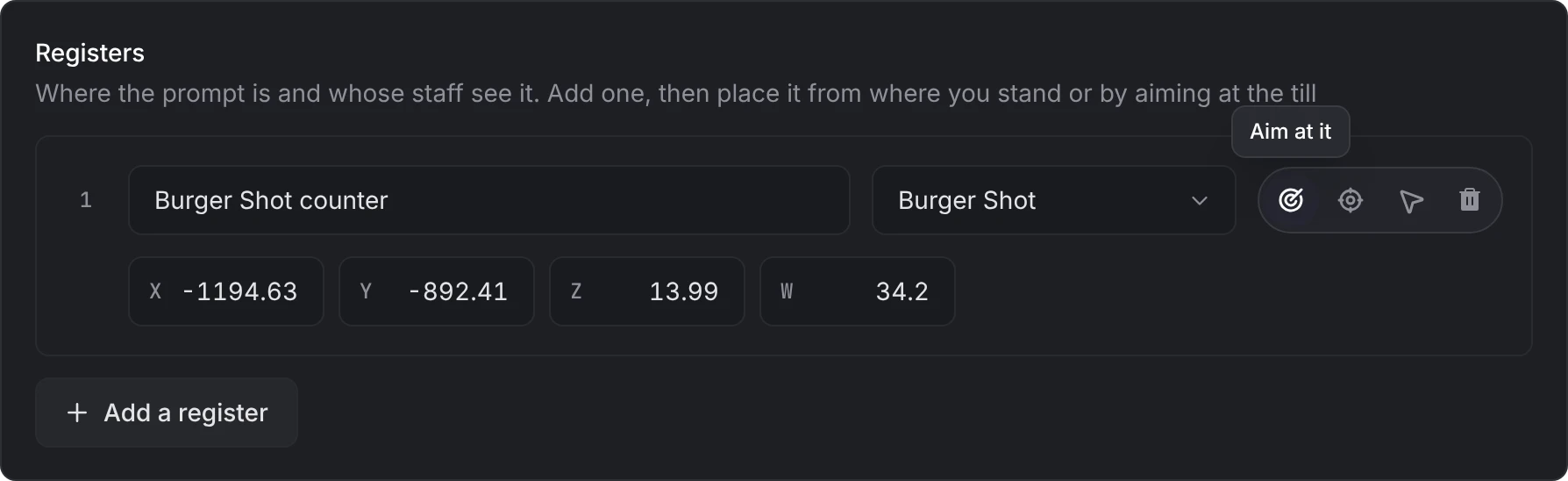
Only that business's staff see Open register there. A customer sees Pay only while a sale is waiting on them, and nobody else sees anything. Up to 50 registers.
Create an item in your inventory and put its name in Config > POS > POS item. The bank registers it with the framework as a usable item that opens the register. With ox_inventory, give it a client export too:
['pos_terminal'] = {
    label = 'POS Terminal',
    weight = 1000,
    stack = false,
    close = true,
    consume = 0,
    client = { export = 'lation_banking.openPos' }
}
The client.export line opens the register straight from ox_inventory, whether or not it hands item use to the framework. On qb-inventory the item is an entry in qb-core/shared/items.lua and a picture under qb-inventory/html/images/.
Ringing a sale
Tap product tiles, or press 1 to 9 to ring the first nine tiles shown. With Off-menu lines on, 0 adds a line that is not on the menu, such as labour or a custom amount.
Set quantities and add a note for the customer if you like. A sale holds up to 12 lines of up to 20 each.
Pick the customer from the people standing nearby and press Charge.
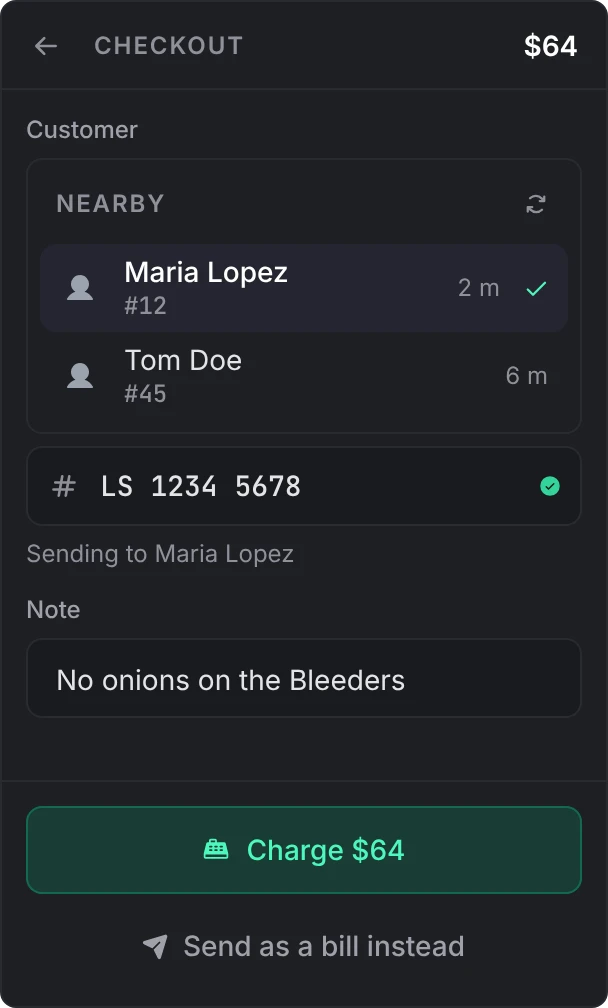
The customer gets a card to pay from any of their accounts, in cash while Cash payments is on, or to decline. A customer who is not within the nearby range, or someone you name by account number or citizen ID, gets the sale as a bill instead, to pay later from their Bills page.
Type a society, shared or business account's number instead to sell to that business: the sale goes to it as a bill, never as a card at the counter, and is paid from that account like any business-to-business bill, never in cash.
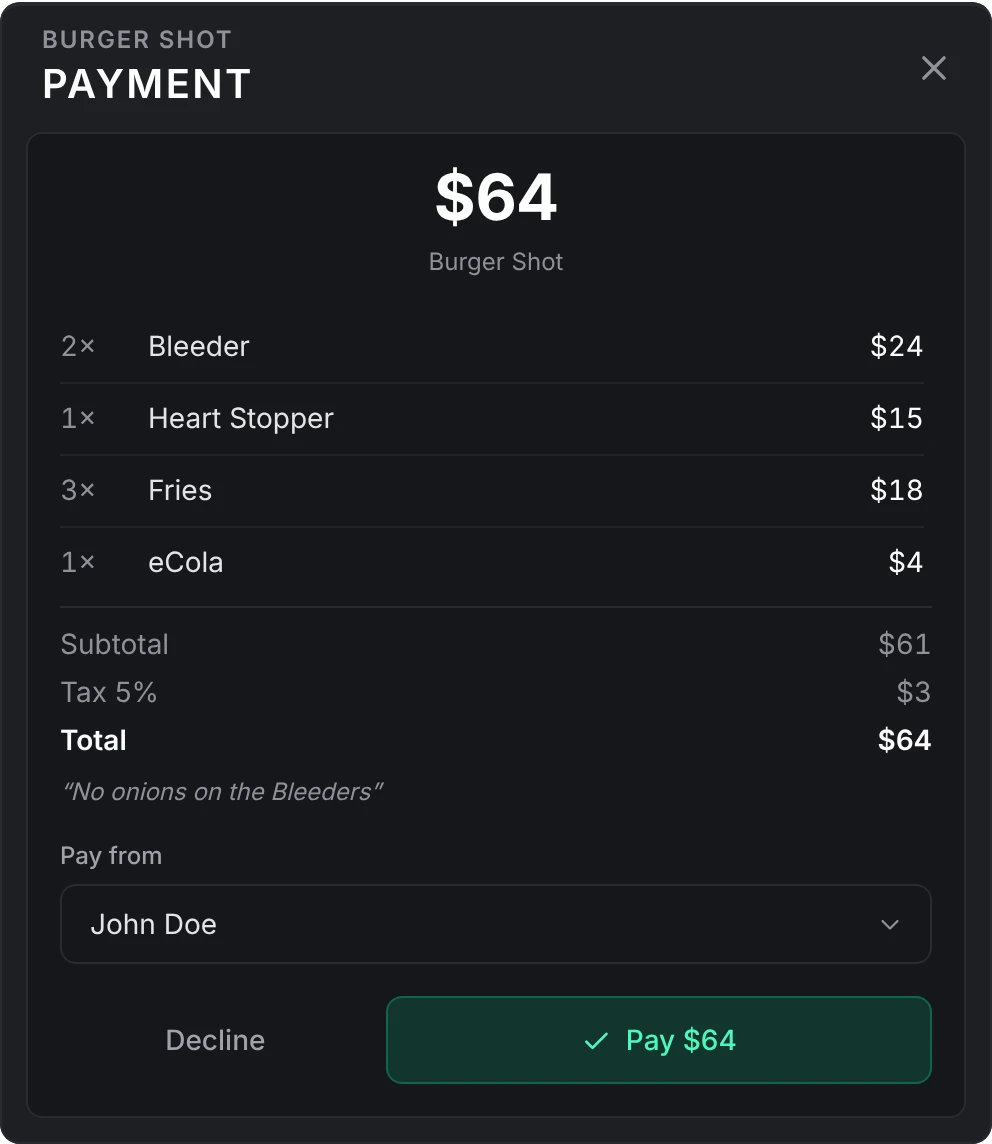
A card is never forced on anyone: it does not appear while the customer is down or driving, and the same customer is shown at most one card every 10 seconds. The bill waits either way, and the Pay prompt at a register opens it again.
Sales tax
Tax is added on top of the menu price. A business uses its own rate and tax account when it has them, and the defaults under Config > POS otherwise. With no tax account set, the tax leaves the economy like a fine. The default rate is 0.
The Sales tab
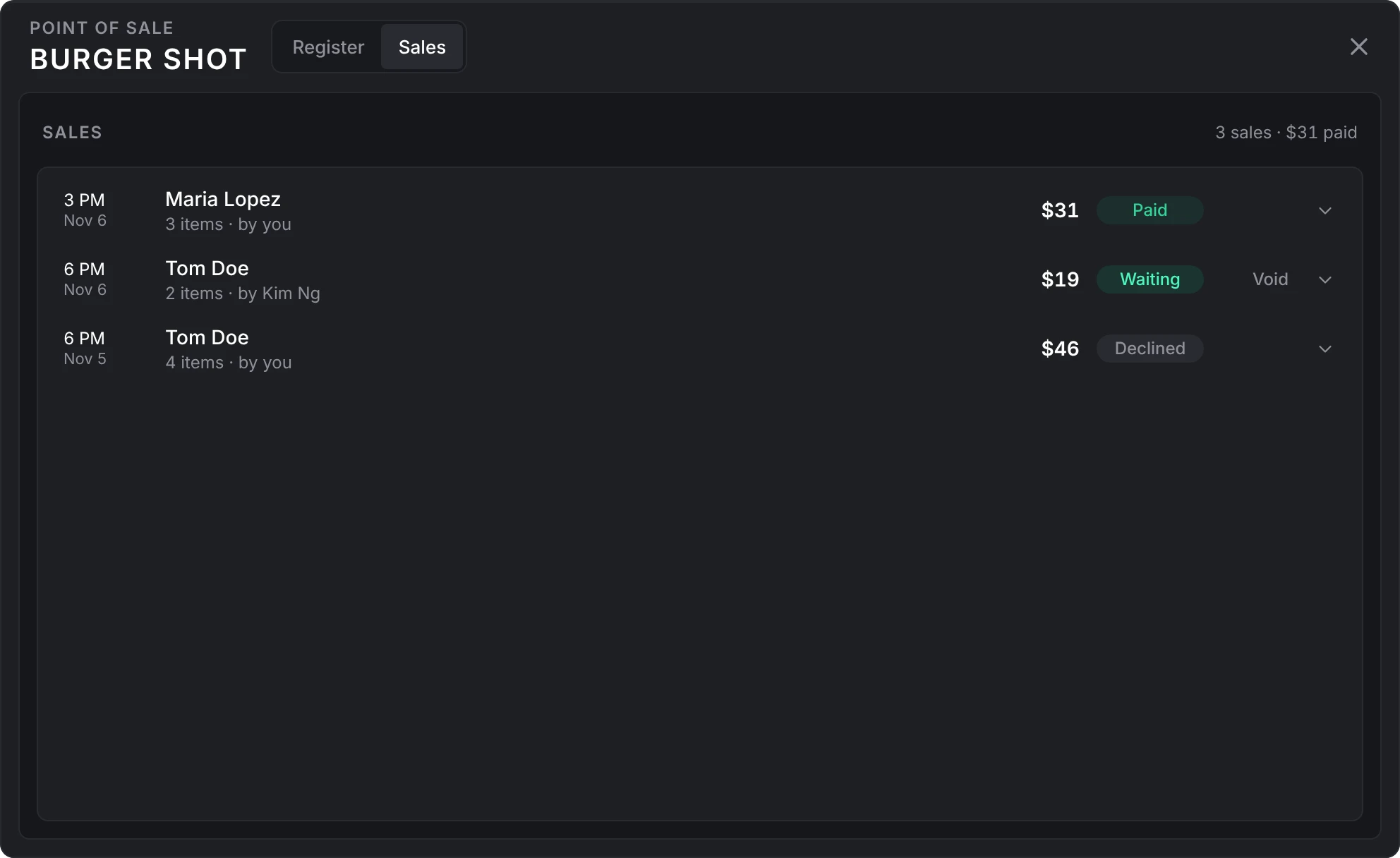
The Sales tab lists the latest sales rung at that register: who rang it, for whom, and whether it is paid, waiting, voided or declined. Void cancels a sale that is still waiting. A cashier can void their own; a boss can void any.
Product pictures
A product that names an inventory item shows that item's picture. With Config > POS > Product pictures on auto, the bank uses whichever of these is running:
ox_inventory, qb-inventory, qs-inventory, ps-inventory, lj-inventory, core_inventory, codem-inventory, tgiann-inventory, origen_inventory
For another inventory, set Product pictures to the nui:// path of its images folder.
Good to know
- A customer can always decline a sale, whatever the bills setting says.
- A cash sale lands in the business's account and pays the cashier's cut like any other, but writes nothing on the customer's own history: cash is not an account.
- A sale is capped by Config > Transfers > Maximum transfer when one is set.
Hooks.canTransactsees every sale before it is written, as actionpos; see Developers.- If a job script of yours also runs a register, use only one of them. A sale here is already credited to the society, so never also add the money yourself.
- lation jobs lists a job's register here when a register place is added for it, and its points under Registers, through
SetPosBusinessandSetPosLocation. It never changes the tax, tax account or menu setting you give that business. - Other resources can read and stock a menu with the register exports.
Still stuck? Ask in our Discord: the people who write the scripts answer.
Last updated
Bills and requests
How lation banking bills, player requests, business-to-business bills, repeating bills, the /bill card and ongoing payments work, who can send them, and how they are paid, declined or cancelled.
Loans
How lation banking loans are taken, collected in daily installments, missed, defaulted and written off.