Admin panel and commands
The lation banking commands and who can use them, and what the /bankadmin panel shows and does, page by page.
The admin panel is the bank's own frame with four pages on its rail: Dashboard, Ledger, Loans and Config. Every server-wide option lives under Config; there is no config file.
Commands
| Command | Default | Who | What it does |
|---|---|---|---|
/bankadmin | Always on | Admins | Opens the admin panel |
/bank | Off | Everyone | Opens the full bank anywhere, handy for testing or a key binding |
/bill | On | Everyone | Opens the bill card: bill or request money from someone nearby. See Bills and requests. |
/pos | On | Staff of a business with a register | Opens the register. See Register. |
/givecash [id] [amount] | On | Everyone | Hands cash to a player within the nearby range |
/bank, /bill, /pos and /givecash are switched under Config > General. A switched-off command stays registered and does nothing.
/givecash refuses an amount the giver doesn't have in cash, and a player further away than the nearby range (10 metres by default). On Qbox and QBCore it also refuses while the giver is dead or in last stand.
Permissions
| Who | Rule | Where to change it |
|---|---|---|
| Admins | ACE lation_banking.admin | IsAdmin in server/utils/perms.lua |
| Society bosses | Qbox and QBCore: a job or gang grade with isboss or bankAuth. ESX: a job grade named boss | HasSocietyAccess in bridge/server.lua |
| Shared account members | The permissions the owner gave them | In game, under Manage account |
| Business account staff | The permissions the resource behind the account gave them | That resource |
add_ace group.admin lation_banking.admin allowBoth files ship open. IsAdmin can check framework groups, Discord roles or your own permission export instead:
function IsAdmin(source)
    return IsPlayerAceAllowed(source, 'lation_banking.admin')
end
HasSocietyAccess(source, group) can add grade thresholds or duty checks.
Dashboard
/bankadmin opens on the dashboard. The permission is checked when the command runs, when the panel opens and again on every action.
- In · 7 days and Out · 7 days: money in and out across every account over the last week, with the number of moves and the net.
- Loans out: what is still owed on loans, with how many are active and how many defaulted.
- Unpaid bills: the total waiting, and how many.
- Money moved · last 7 days: in and out per day as paired bars.
- Largest balances: the six largest accounts; each opens its account.
- Latest transactions: the newest ledger rows, with the ledger's search and filters.
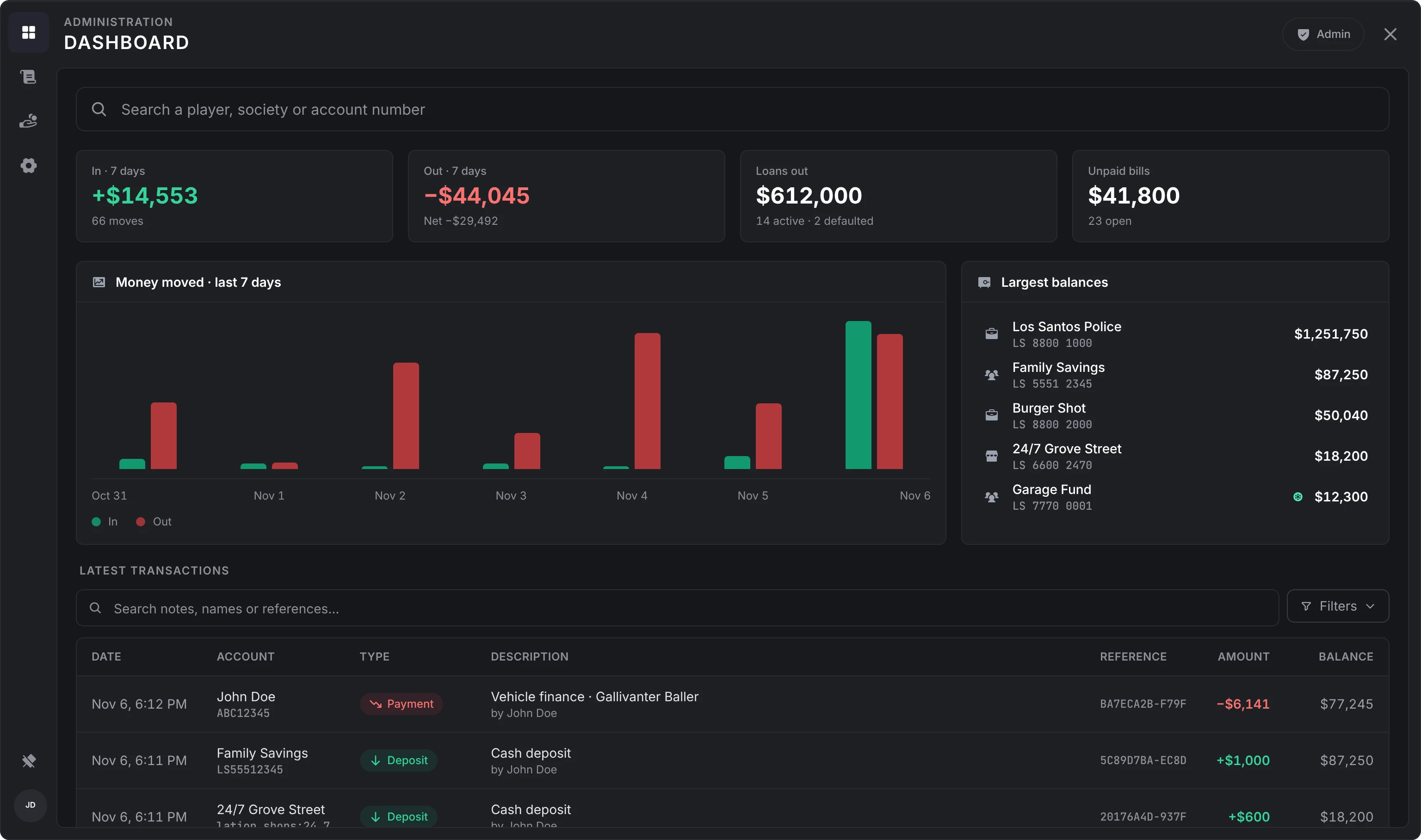
The search at the top finds any player by name, account number or identifier, and any account by name, id or number, from two characters on. A result opens the account.
When an old bank still holds money and nothing was imported, the dashboard lists it first with its totals. Import takes it; the close button dismisses it. See Migrating.
An account
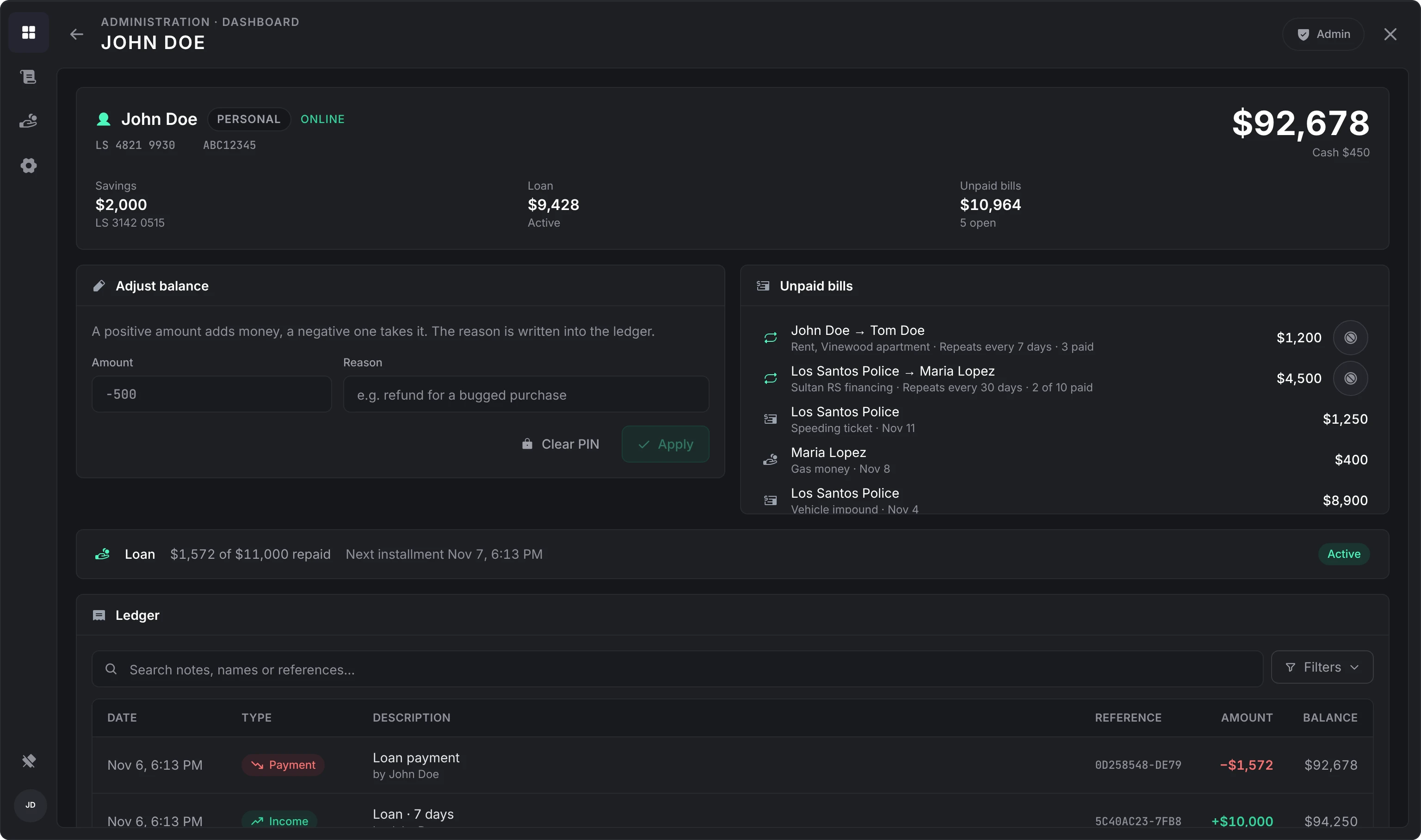
An account opens with its balance, number and id.
- A player: online or offline, their cash while online, their savings balance, what they still owe on a loan and its status, their unpaid bills, and the repeating bills and requests they are part of.
- Any other account: its owner and its members, each with the permissions they hold, and for a savings account when interest was last paid.
Under that is the account's own ledger.
| Action | What it does |
|---|---|
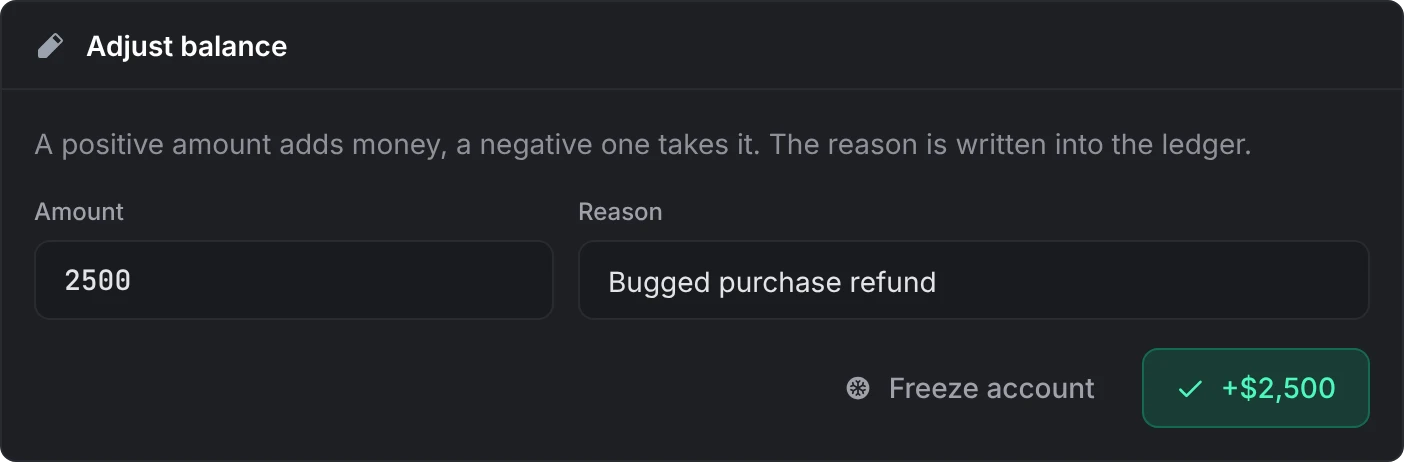
| Adjust balance | A positive amount adds money, a negative one takes it. A reason (2 to 120 characters) is required and is written into the ledger as Adjustment: <reason>. Works on a player who is offline. |
| Freeze account | Money can still go in, but nothing can be withdrawn, sent or paid from it. Not offered for personal accounts, which belong to the framework. |
| Clear PIN | Shown when the player, or a shared or business account, has a PIN. For a player who forgot theirs. |
| Stop repeating | Ends a repeating bill or request on the player's behalf. The open one stays as it is. |
Ledger
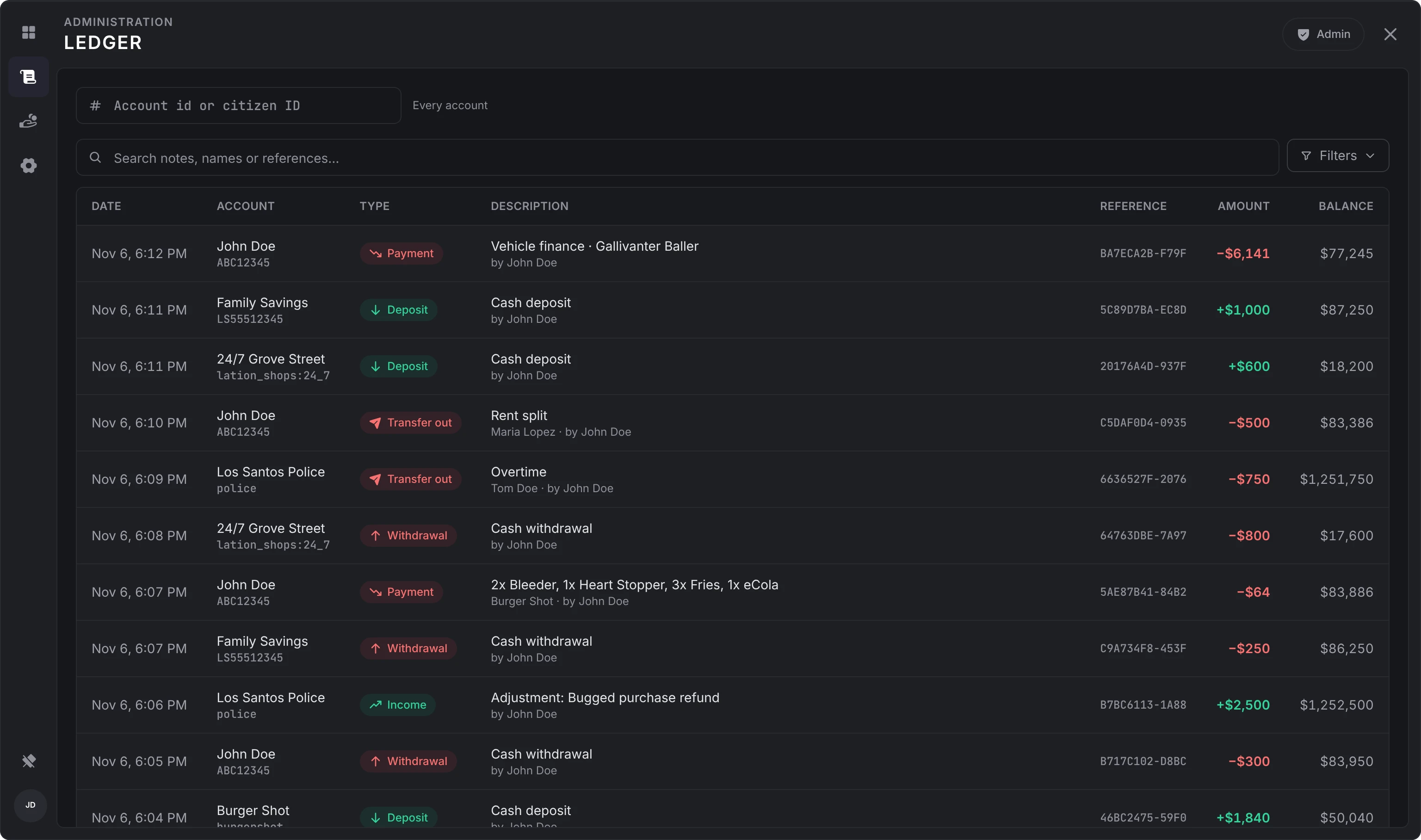
Every transaction on the server, newest first, with the same search, type and date filters as a player's history, and a filter by account id or citizen ID. Here you also see which resource made a move; players only see which player did.
Loans
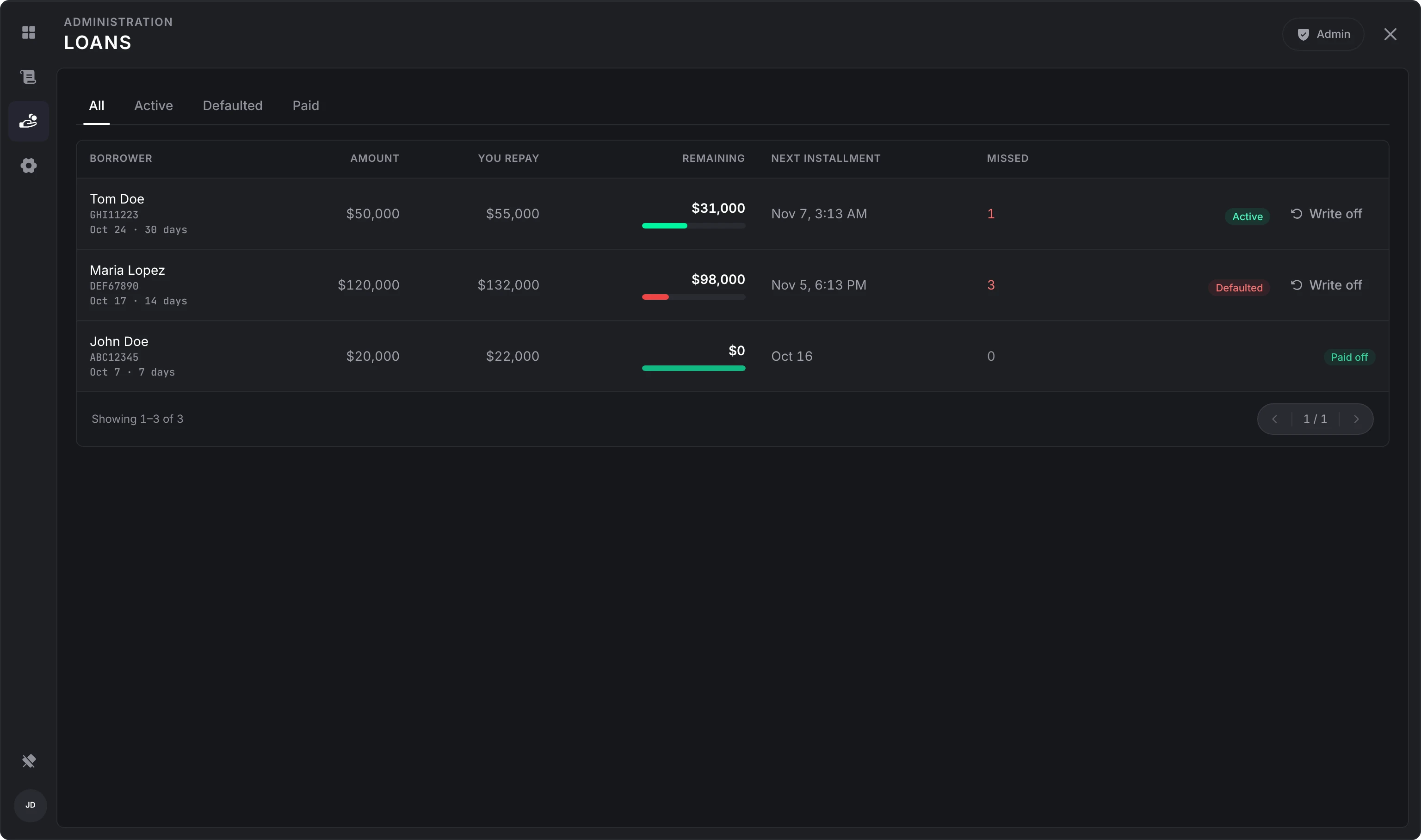
Every loan, filtered by All, Active, Defaulted or Paid, with the borrower, the amount, what they repay, what remains, the next installment and how many were missed. Write off closes a loan as paid: nothing more is collected, and the player is told if they are online. See Loans.
Config
A card per section, each with what it holds and a one-line summary of where it stands. Saving a section reaches every open bank, ATM, card and register at once. Inside a section, a change saves a moment after you stop changing it (number and list fields when you leave them), and applies to the server and every player straight away, with no restart. The header says whether everything is saved; click it to save now or to retry.
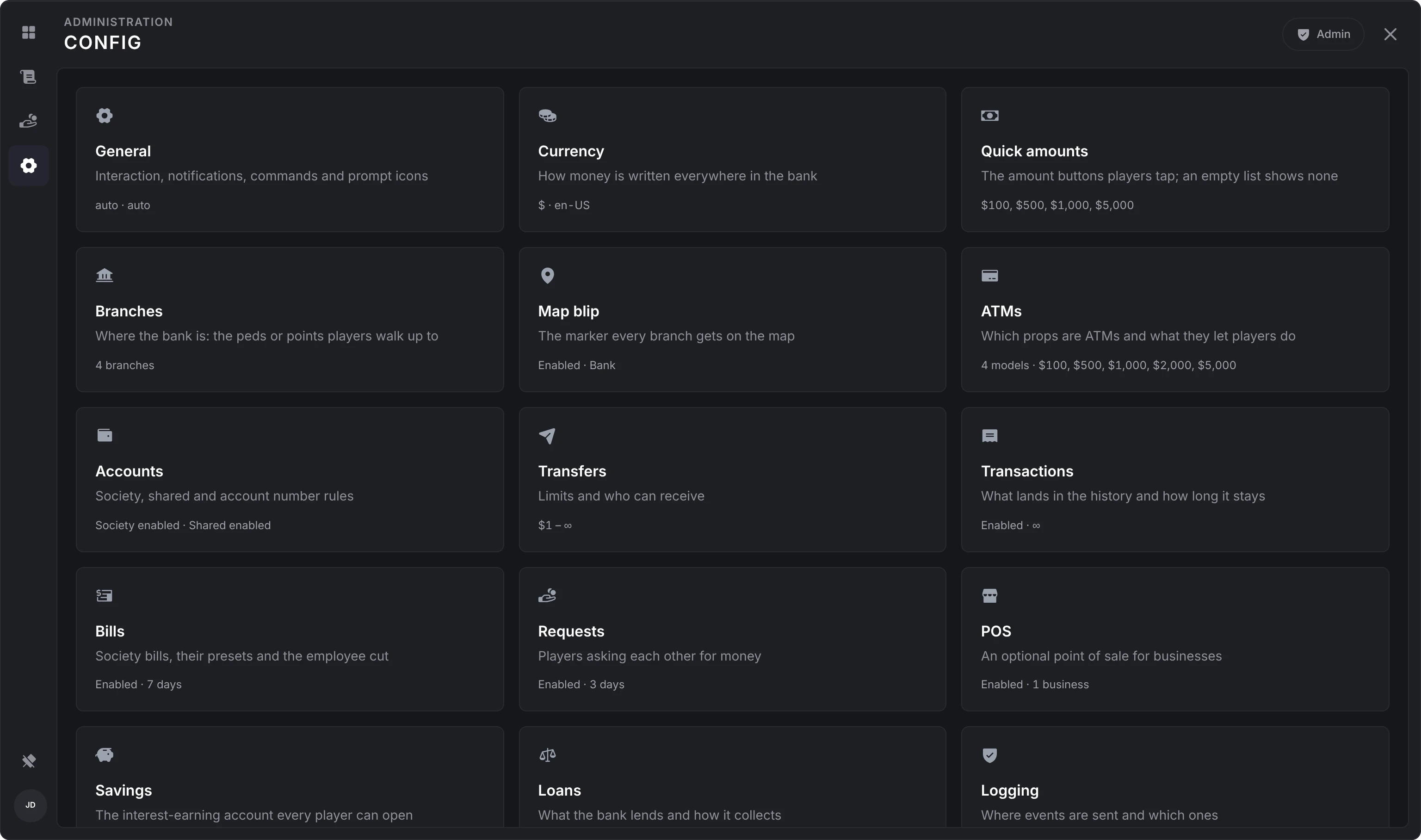
Out-of-range numbers are held to their limits, and a value the server can't use keeps the one it had. With logging on and its Admin actions event enabled, the changes from one visit to a section are logged together when you leave it, each with its old and new value.
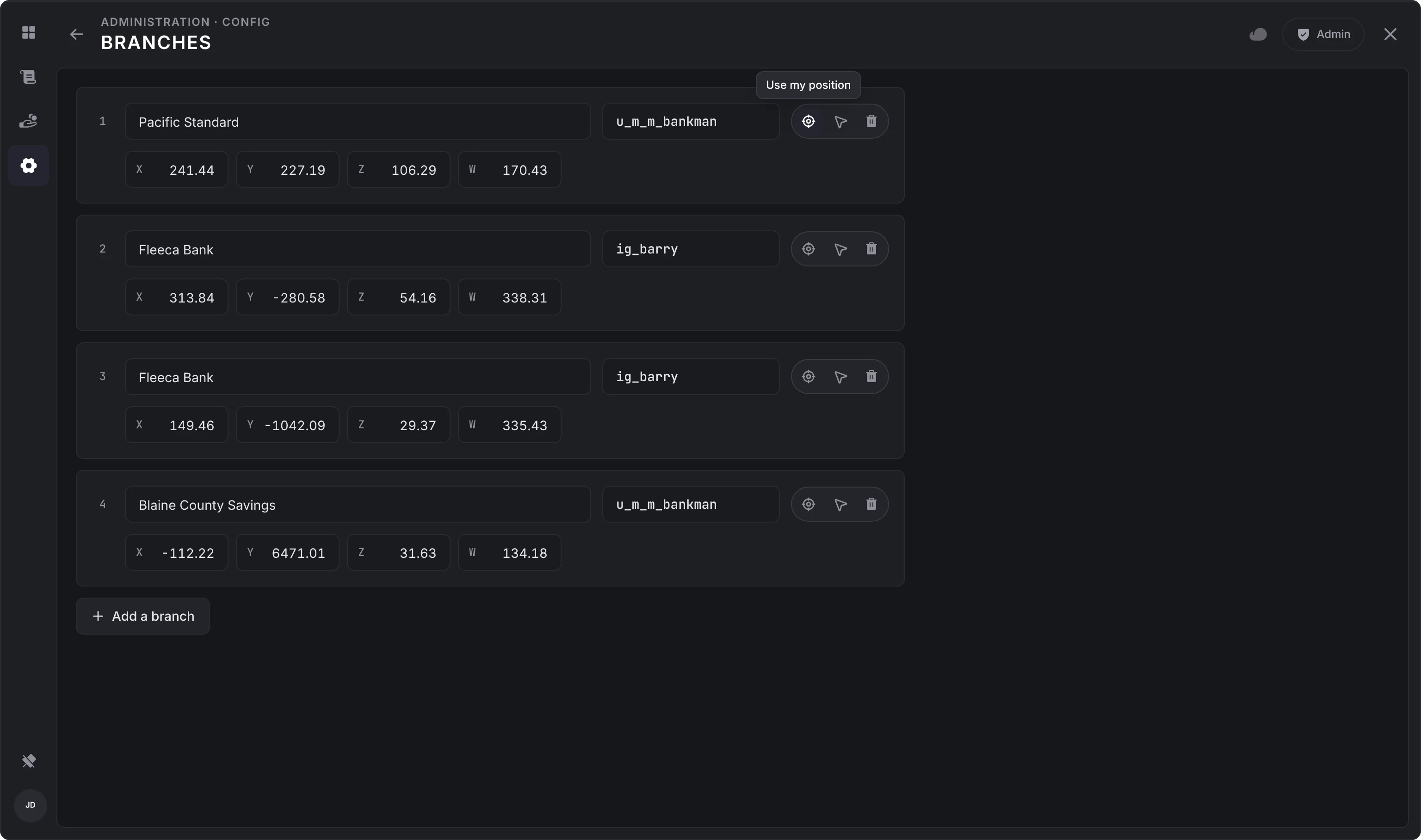
The branch and register editors place points in the world: Use my position takes where you stand, Go there teleports you to check one, and a register's Aim at it hides the panel while you point at the till.
Every option and its default is on the configuration page.
Still stuck? Ask in our Discord: the people who write the scripts answer.
Last updated
Migrating
How lation banking replaces Renewed-Banking, qb-banking, qb-management and okokBanking, how their balances come across, and which of their exports and events it answers.
Accounts
The five lation banking account kinds and who can use each, transfers, history and insights, frozen accounts, ATMs and PINs.