Labs
How players buy, enter, run, staff, raid and sell private weed labs in lation weed, from the lab marketplace to the Manage Lab panel.
Labs are private grow rooms players buy. Ten lab entrances ship around the map. Every lab is the biker weed farm interior from bob74_ipl, and each owned lab is its own instance, so players inside see only that lab's plants and workers. The settings are under Labs on the configuration page.
Buy a lab
Go to a lab entrance nobody owns, target it and choose Purchase. This opens the lab marketplace: every lab for sale on a map beside a list (or as a grid of cards, when the server sets Marketplace view to List), with your balance and how many labs you own at the top. Pick a lab on the map or in the list to see its photo, its price, the level it needs and whether you can own another, then Purchase. You confirm with your balance before and after. You can buy any lab listed there, not only the one you are standing at.
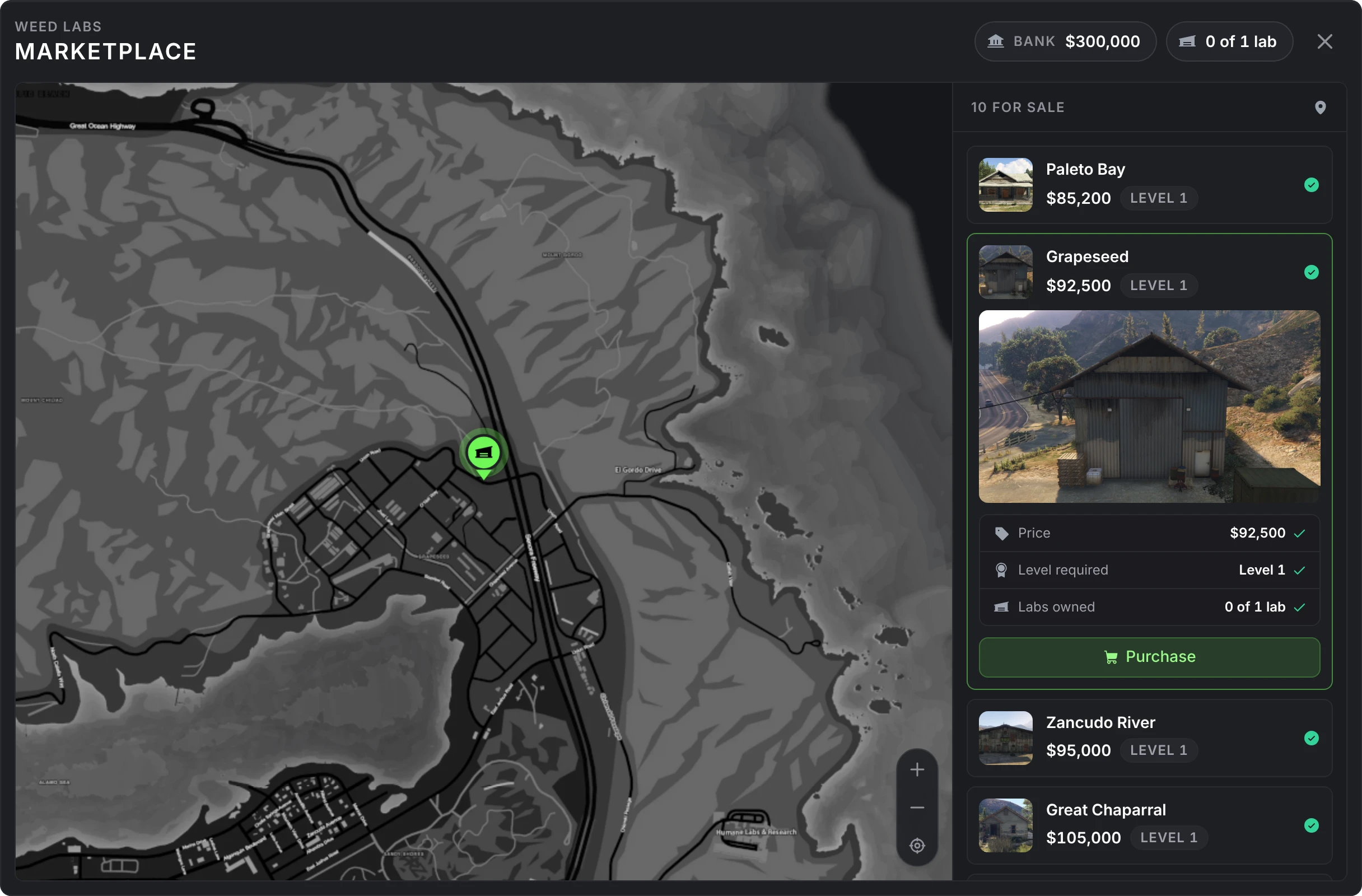
- You pay from your bank by default.
- You need the lab's level.
- A player can own one lab by default.
A new lab starts locked with an empty stash, and a Weed Lab blip marks it on your map. Only owners see lab blips.
Servers can also sell labs through their own scripts. A lab can hide its Purchase prompt, be left out of the marketplace, or both, and the purchaseLab export grants it instead. The openLabMarketplace export opens the marketplace from anywhere.
Enter and lock
An owned lab shows Enter at its entrance.
- The owner and members can always enter.
- When the lab is unlocked, anyone can enter.
- When it is locked, everyone else is told so, unless they can raid it.
Inside are the exit where you arrive, the Manage Lab point for the owner and members, and four packaging stations anyone inside can use to roll joints and bag weed. Lock or unlock the lab with the padlock at the top of the Manage Lab panel.
A player who disconnects inside a lab, or is inside during a restart, is put back inside when they return. If the lab is locked by then and they are neither the owner nor a member, they come back at the entrance instead.
Managing a lab
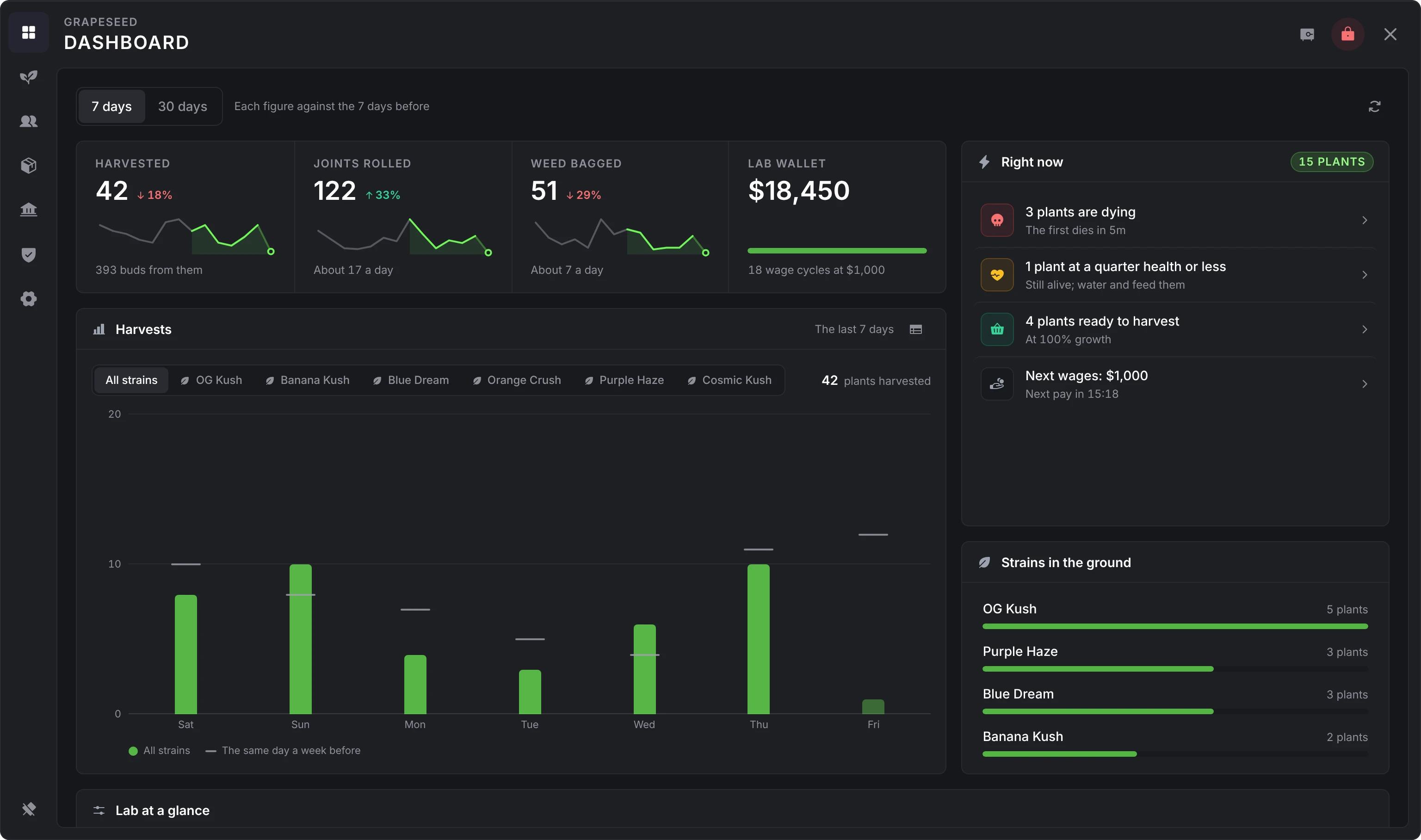
Target the Manage Lab point to open the panel. Its header holds Open lab stash and the lock, for the owner and the members allowed to use them. The panel follows the lation ui theme and UI scale.
| Tab | What it shows |
|---|---|
| Dashboard | The lab's last 7 or 30 days against the days before (harvests, joints rolled, bags filled), the wallet and how many wage cycles it covers, a chart of harvests by strain, what needs a hand right now, the strains growing, and the lab at a glance |
| Plants | Every plant in the lab, live, filtered by ready, growing or dying |
| Workers | Hire and fire botanists and packagers, with each worker's task and next pay. Hidden when the server turns workers off. |
| Upgrades | The storage tiers of the lab stash |
| Finance | The lab wallet: deposits, withdrawals and payroll |
| Access | Members and their permissions. Owner only. |
| Settings | The lab's name and purchase price, and selling it. Owner only. |
Members
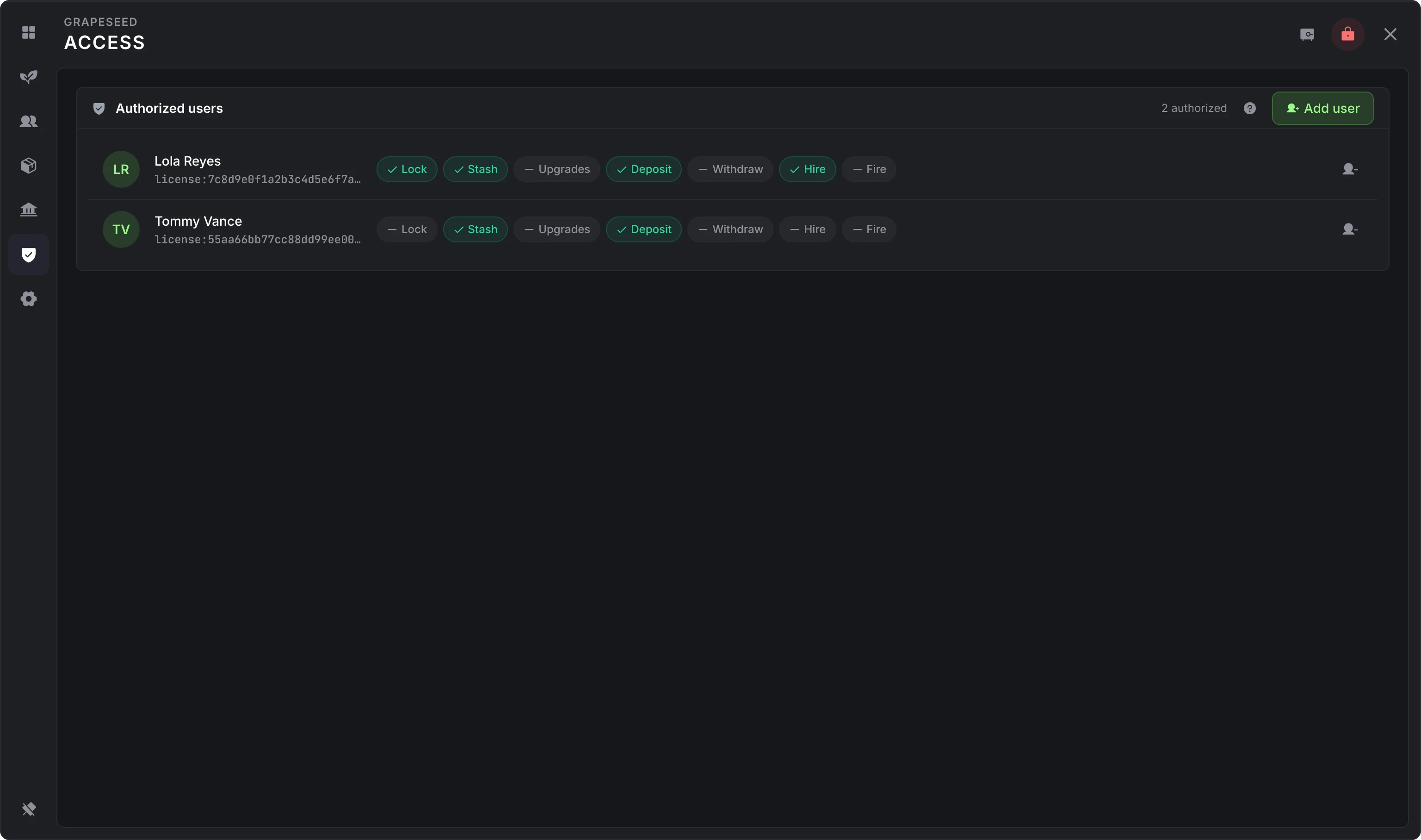
On the Access tab the owner adds an online player by their server ID with Add user. A member can enter even while the lab is locked and can open the Manage Lab panel. Everything else is off until the owner turns it on, member by member:
| Permission | Allows |
|---|---|
| Lock | Locking and unlocking the lab |
| Stash | Opening the lab stash |
| Upgrades | Buying storage upgrades from the lab wallet |
| Deposit | Moving their own money into the lab wallet |
| Withdraw | Taking money out of the lab wallet |
| Hire | Hiring workers with the lab wallet |
| Fire | Firing workers |
Only the owner adds or removes members, changes permissions or sells the lab.
Wallet
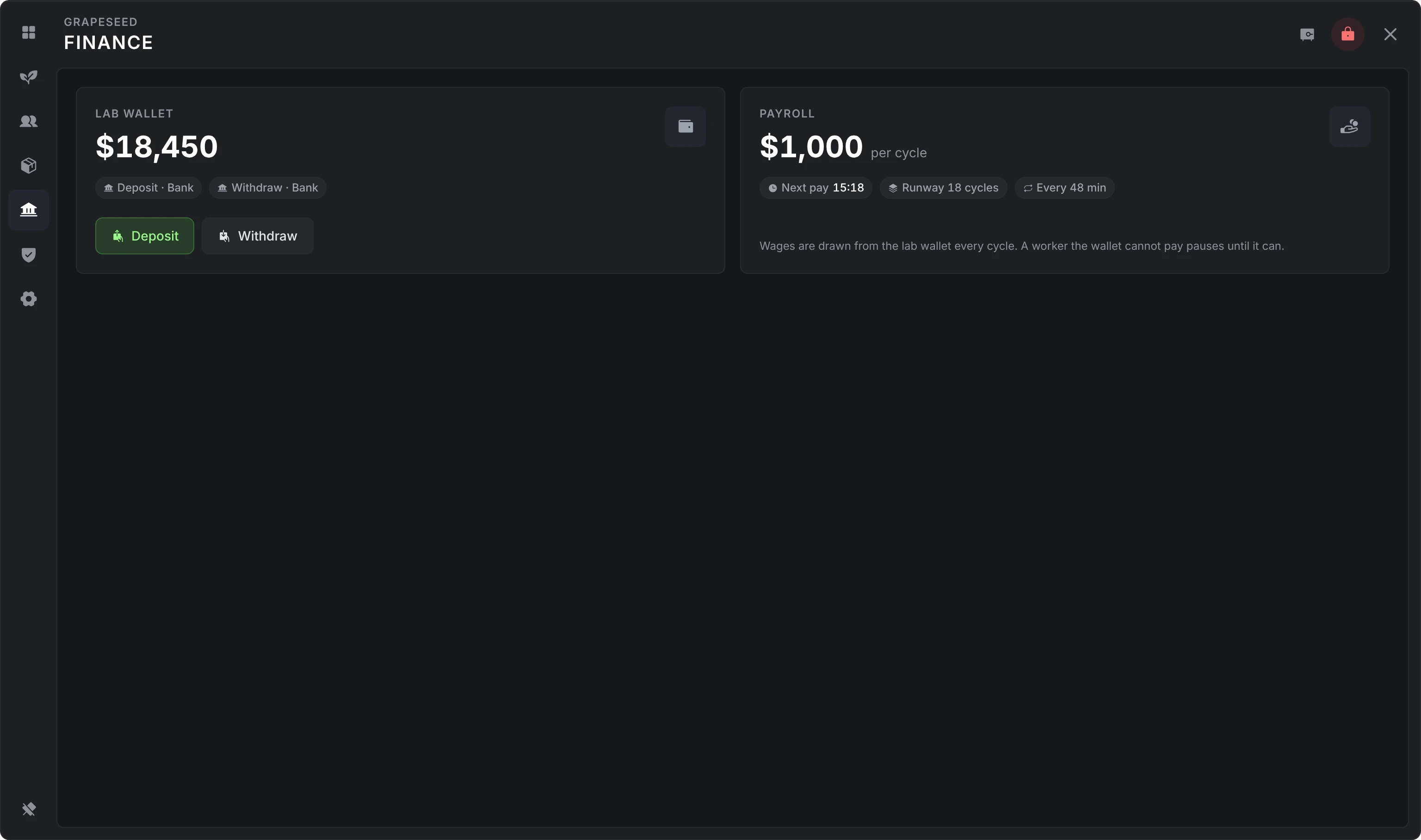
Each lab has a wallet of its own. On the Finance tab, deposits come from your bank and withdrawals go back to it, by default. The wallet pays for storage upgrades, worker hire fees and wages. The Payroll card shows what the workers cost per pay cycle, when the next pay is due and how many cycles the balance covers.
Storage upgrades
The lab stash starts at 10 slots and 50 kg. Buy the tiers in order on the Upgrades tab, paid from the lab wallet after you confirm. The stash grows straight away, without leaving the lab.
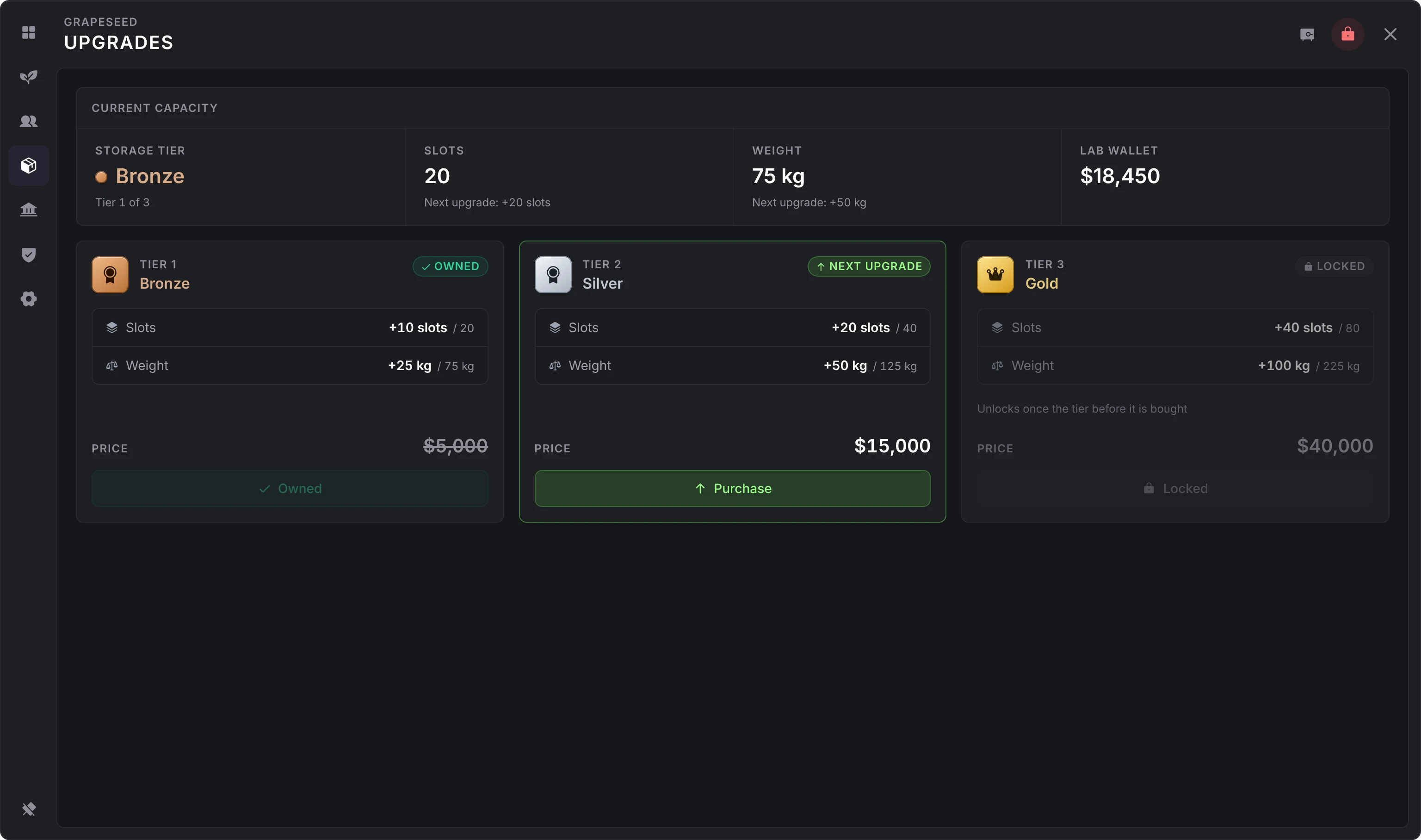
| Tier | Adds | Total after | Price |
|---|---|---|---|
| Bronze | 10 slots, 25 kg | 20 slots, 75 kg | $5,000 |
| Silver | 20 slots, 50 kg | 40 slots, 125 kg | $15,000 |
| Gold | 40 slots, 100 kg | 80 slots, 225 kg | $40,000 |
Workers
Workers run the lab from its stash and keep working while nobody is inside. Hire them on the Workers tab with Hire botanist or Hire packager: the hire fee ($5,000 by default) comes out of the lab wallet straight away, and each worker then takes their wage ($250) from the wallet every pay cycle (48 real minutes by default). When the wallet can't cover a wage, that worker pauses until there is enough money, then picks up again.
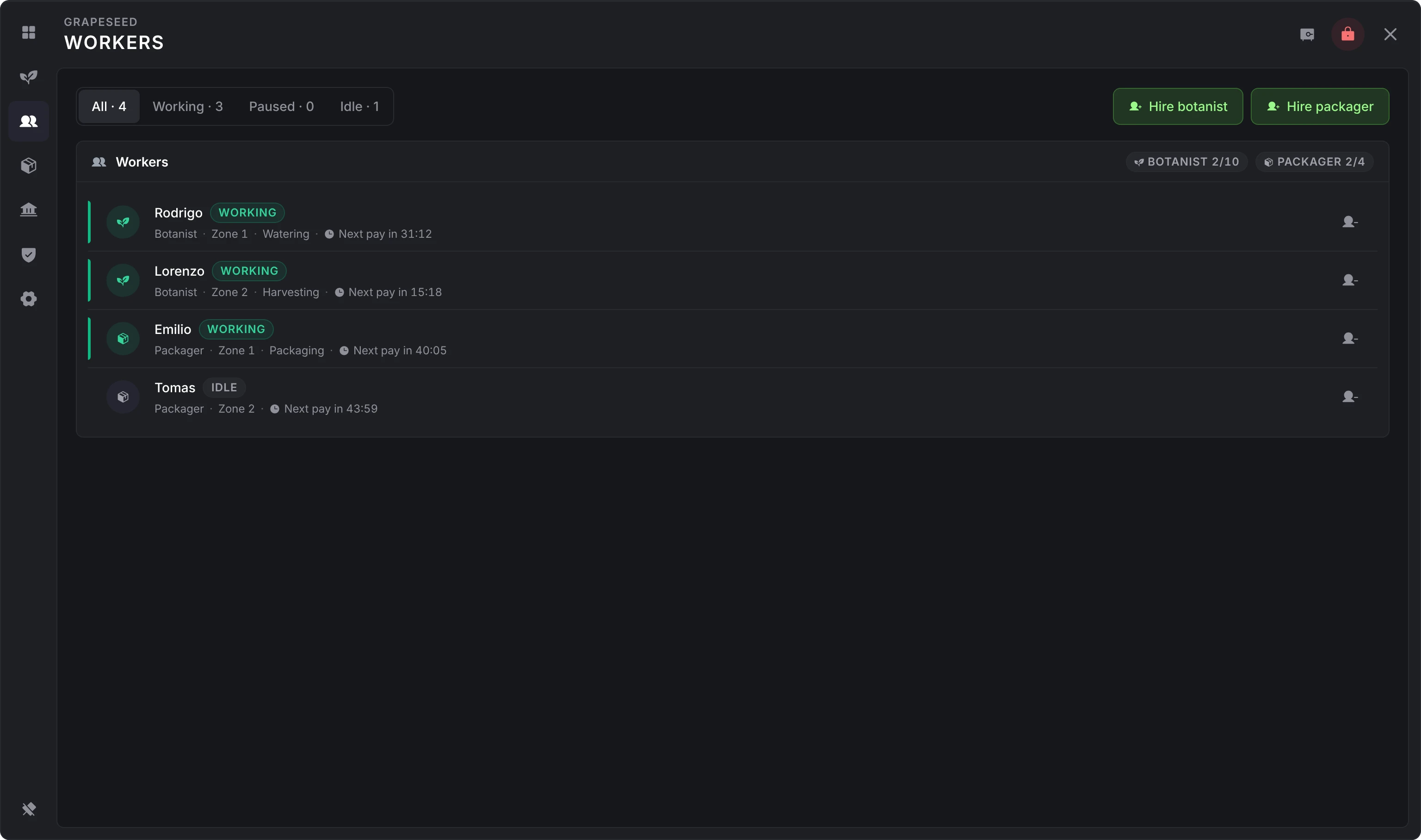
A lab can have up to 10 botanists and 4 packagers. These limits are fixed.
Botanists
Each botanist looks after one area of pot spots in the lab. They take what they need from the lab stash and work down this list, top first:
- Water plants below 20% water.
- Fertilize plants below 20% fertilizer, with the first fertilizer in the list that is in the stash.
- Harvest fully grown plants. The buds go into the lab stash.
- Plant a seed in pots that have soil, with the first strain in the list that has seeds in the stash.
- Add soil to empty pots.
- Put a new pot in a free spot.
Stock the stash with pots, soil, seeds, watering cans and fertilizer, and the botanists run the whole cycle. The plants they put down are under cover, so they get no rain, and they don't count toward the owner's plant limit. A botanist's harvest can return pots and seeds to the stash when the server turns that on.
Packagers
Each packager works at one of the four packaging stations. They roll joints first, with one rolling paper and one bud per joint, then bag weed, with one empty baggy and one bud per bag. They use the first strain in the list that has enough buds in the stash, and what they make goes back into the stash.
Workers take twice as long as a player for each job by default.
Raids
A locked lab can be broken into. When a player who is neither the owner nor a member uses Enter on a locked lab and is allowed to raid it, they are asked whether to break in.
- Civilians need a
lockpick; police (the server's police jobs, on duty on Qbox and QBCore) need apolice_stormram. - The raider works the door during a skill check of three medium rounds, titled Breaking in on lation ui.
- Success unlocks the lab and takes the raider inside, where they can open the lab stash from the Manage Lab point. The owner gets an alert if they are online.
- Failure uses up the item and keeps that player from trying the same lab again for 15 minutes. The cooldown is held in memory, so a restart clears it.
An unlocked lab lets anyone in, but only the raider, the owner and members with the Stash permission can open the stash. When the lab is locked again, the raider loses that access.
The server can turn raids off, allow them only for civilians or only for police, require the owner to be online for civilian raids, and change the items, the skill check and the cooldown. Developers can hook raid attempts and break-ins for dispatch alerts; see hooks.
Sell a lab
The owner sells from the Settings tab inside the lab, or with /sellmylab from outside it. Both ask you to confirm first and show what you get: 50% of the price paid, plus everything left in the lab wallet, into your bank by default. With more than one lab, /sellmylab sells the first one you own.
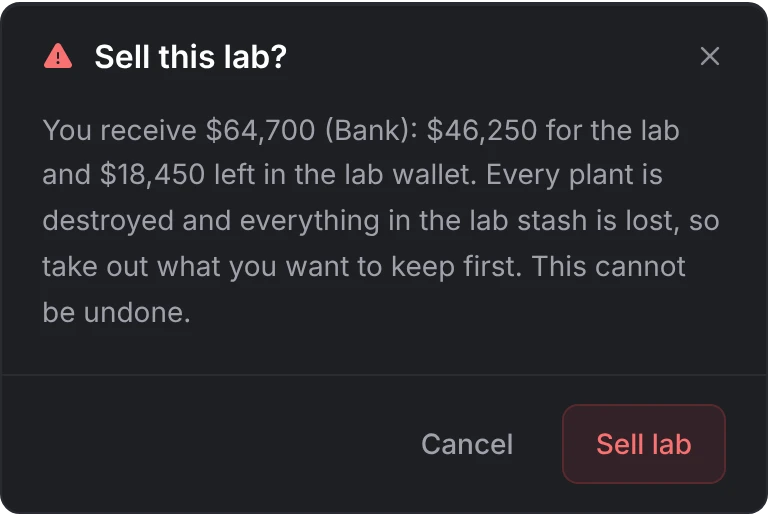
Selling deletes every plant and worker in the lab, removes every member and empties the lab stash, so take out what you want to keep first. Anyone inside is put outside and told why, and the lab goes back on the market.
Inactive labs
A lab with no activity for 45 days is taken back from its owner, along with its plants, workers and members, and its stash is emptied. The price isn't refunded, but the wallet's balance goes back to the owner: at once when they are online, or a few seconds after they next load in, with a notice. Activity is entering the lab or opening its panel, tending its plants, hiring or firing, locking or unlocking, upgrades, and any change to the wallet, workers' wages included. The check runs 10 seconds after the resource starts.
An admin removing a lab in the admin panel closes it the same way.
Still stuck? Ask in our Discord: the people who write the scripts answer.
Last updated