Admin panel
How to open /weedadmin in lation weed, read the overview, manage every live plant, change the live configuration, move it between servers and put it back to its defaults.
The admin panel is where you watch the server's grow and change every setting. Its rail has three pages: Overview, Plants and Config. lation weed has no config.lua: every gameplay setting lives in the database (the lation_weed_config table, one row per section) and applies to the server and every player the moment it saves. Every option and its default is on the configuration page.
The panel follows the lation ui theme and UI scale when lation ui runs, and its messages come through the notification system picked under Setup > Integrations.
Opening it
Run /weedadmin. It opens for players with the ACE permission lation_weed.admin:
add_ace group.admin lation_weed.admin allowThe check lives in server/utils/perms.lua, which ships open, so you can swap it for framework groups, Discord roles or your own permission export:
function IsAdmin(source)
    return IsPlayerAceAllowed(source, 'lation_weed.admin')
end
Every request the panel makes is checked against IsAdmin again on the server.
Overview
The first page: the server's grow over the last 7 days or 30 days, each figure against the same number of days before.
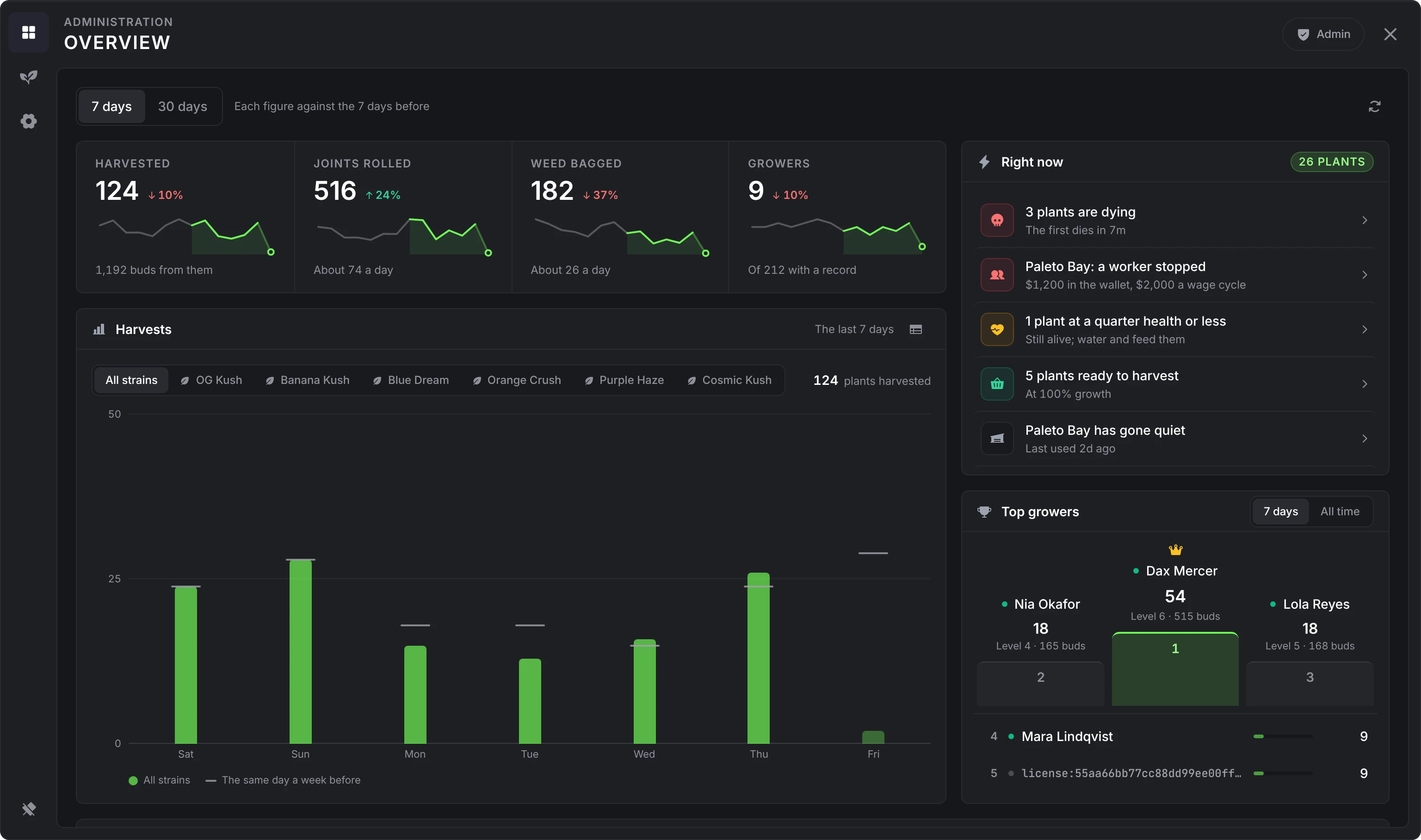
- Figures: plants harvested (and the buds they gave), joints rolled, weed bagged and growers, each with a sparkline and its change.
- Harvests: a bar per day, a tab per strain, and a mark for the same day a week before. The table button shows the same days as rows.
- Right now: what wants a hand, each opening the place to fix it: dying plants and when the first dies, labs whose workers stopped or whose wallet holds less than two wage cycles, plants at a quarter health or less, plants ready to harvest, labs nobody has used for a day, and a reminder when nothing is being logged.
- Top growers: a podium for the range by harvests, or of all time by XP.
- When the server harvests: harvests by hour and weekday, server time.
- Under those: the top growers of all time with their level, XP, harvests, buds, joints and bags; Setup at a glance, each line opening its section of Config; every owned lab with its owner, wallet, storage tier, workers, plants and last activity; and the strains in the ground.
The history behind the charts is kept for 60 days.
Plants
Every live plant on the server: the live, ready and needs-attention counts (dying, or at 25% health or below), the mix of strains, and a row per plant with its strain, stage, owner (by name while they are online), soil, fertilizer and lab, and its growth, health, water and fertilizer. Filter by Ready, Growing or Dying.
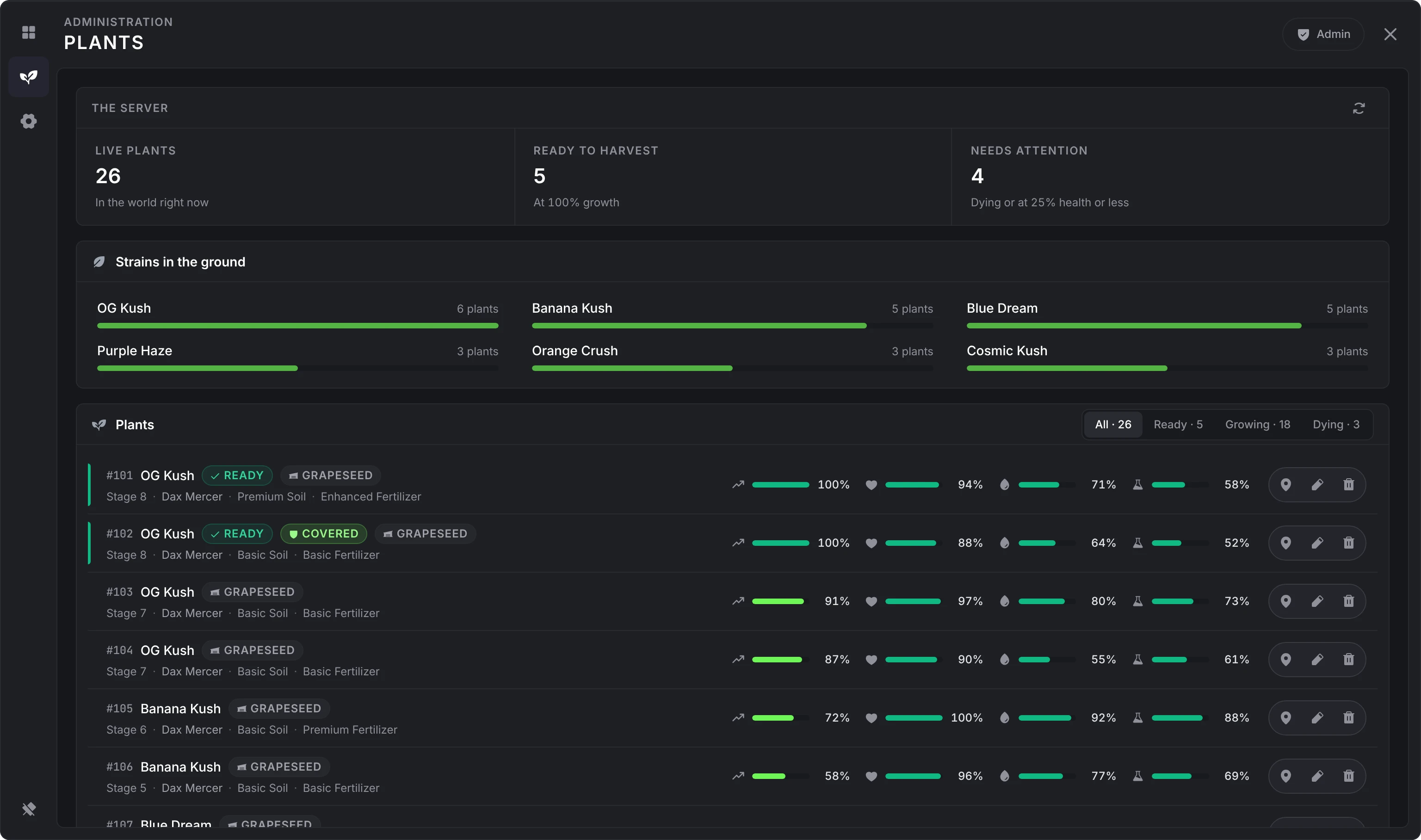
Each row can:
- Go to plant: teleport you to it. A plant inside a lab takes you into that lab's instance; going to an outdoor plant, or to any spot from Config, brings you back to the main world.
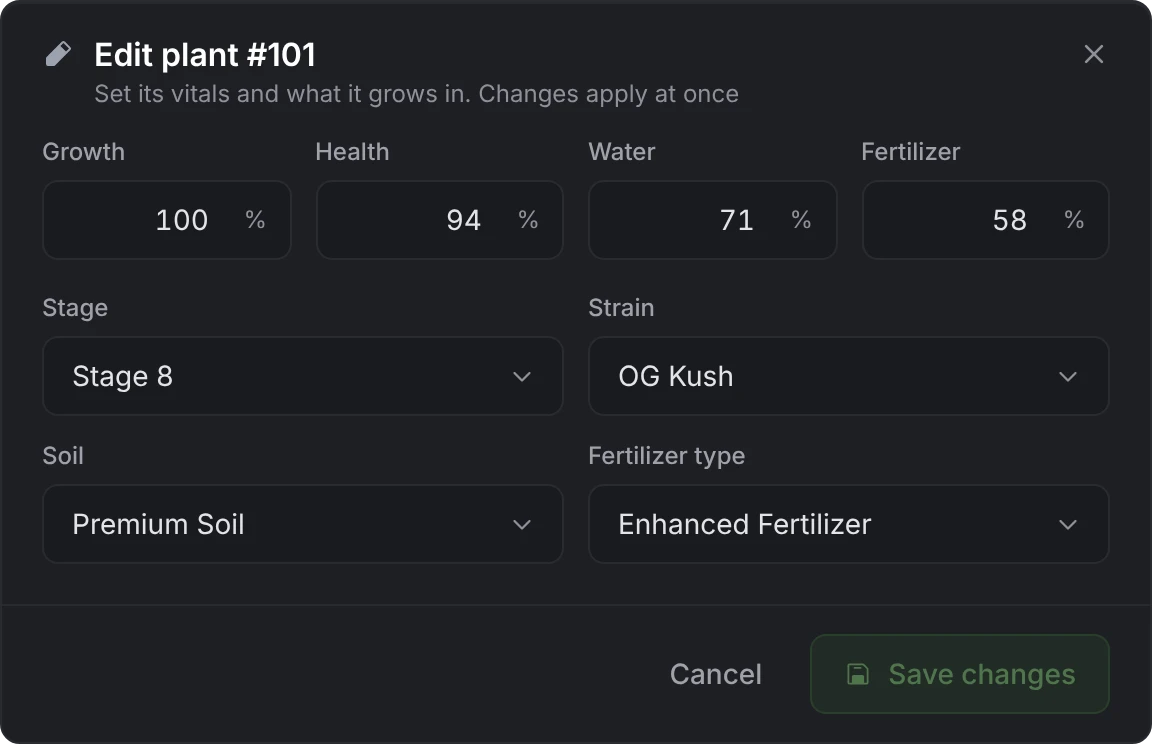
- Edit it: growth, health, water and fertilizer, the stage, strain, soil and fertilizer type, and, on a dying plant, Clear the death timer. Changes apply at once.
- Delete it, after you confirm.
Developers can do the same from code with setPlantData.
Config
A card per section of the configuration, each with what it holds, a summary of its main values and how many options differ from their defaults. Setup, Growth, Planting, Strains, Fertilizers, Soils, Dealer, Shop, Farms, Labs, Tables, Joints, Experience and Logging.
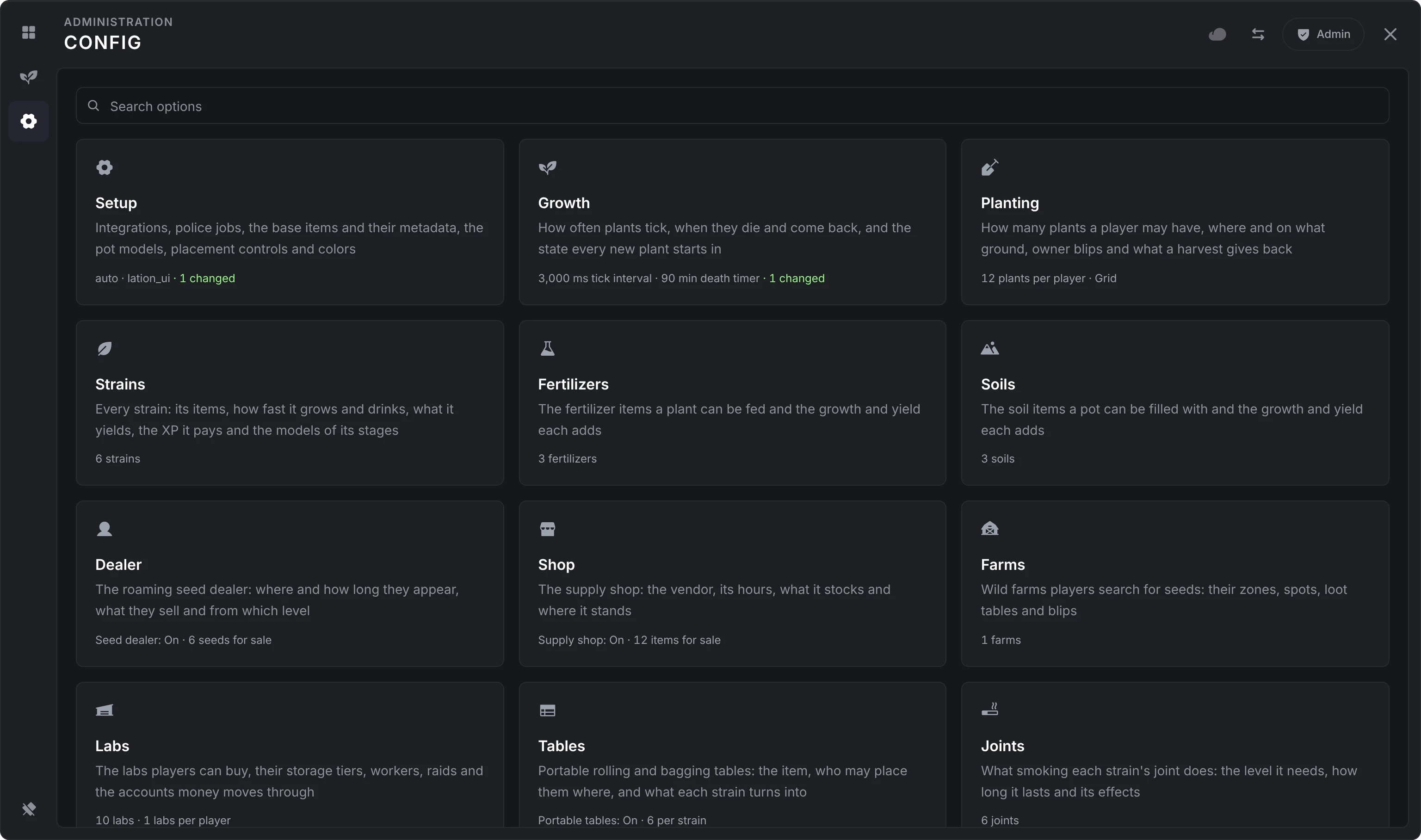
Strains, fertilizers, soils, farms, labs and joints are lists: their section shows each entry, Add asks for a new entry's key (lowercase letters, digits and underscores), or which strain it is for in a list kept per strain, and an entry opens on a page of its own. On a server without lation shops (lation_shops), the Shop section opens with a card about it; its close button folds it into a chip in the header.
Changing settings
Each option saves on its own about a second after you stop changing it, and number and text fields save when you leave them. The cloud in the header shows where the save stands; click it to save at once, or to try again after a failure. Closing the panel or leaving a page saves anything still pending. A value the server refuses keeps the server's value and says why.
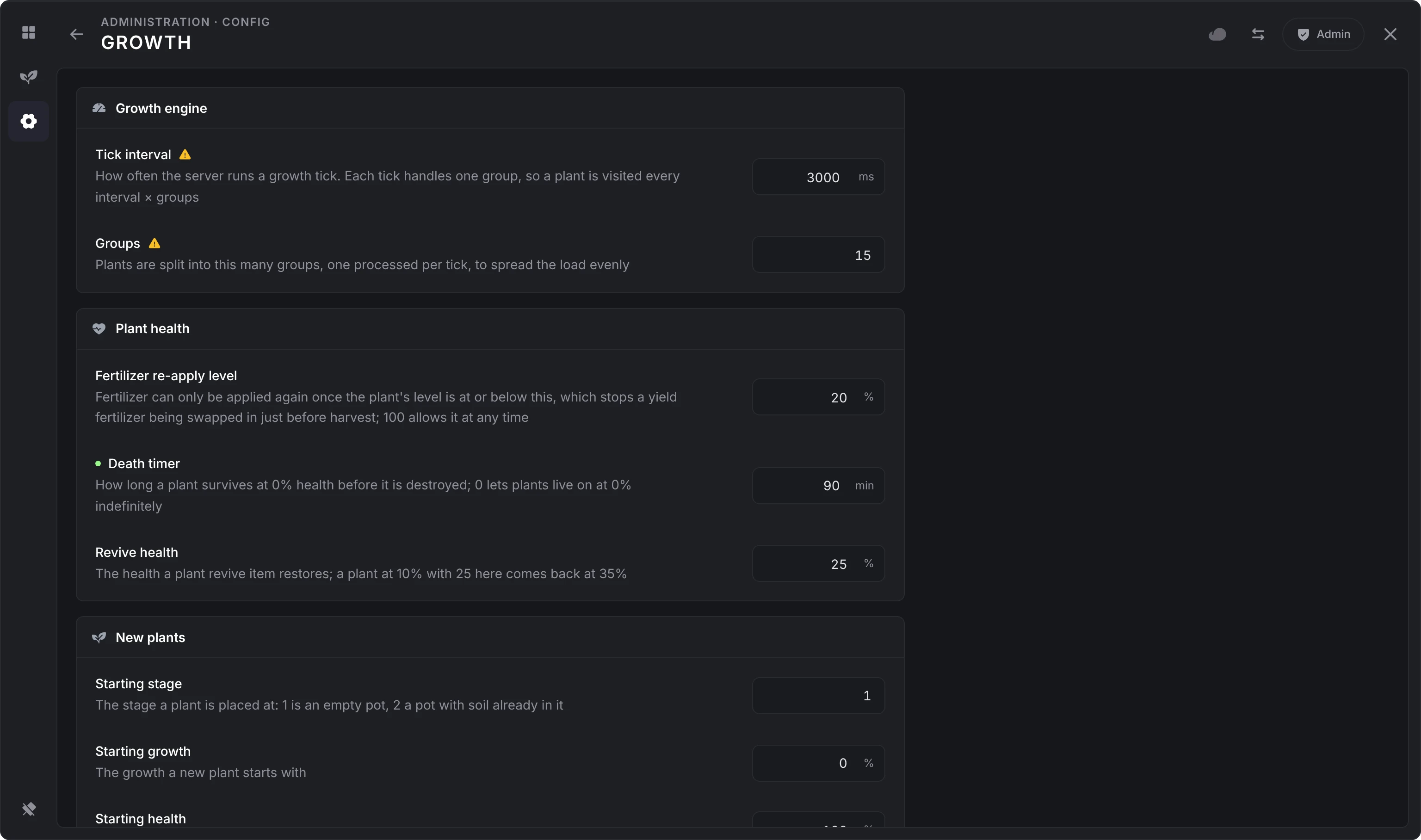
- A dot beside an option means it differs from the shipped default. Each option's reset button puts its default back (hover it to see the default), and Reset section at the bottom puts a whole section back.
- A warning sign marks options to leave alone unless you know why you change them: the growth engine's interval and groups, the pot models, and Only plant in zones.
- An option that depends on another is greyed out until that one is on, such as the blip settings while Map blip is off.
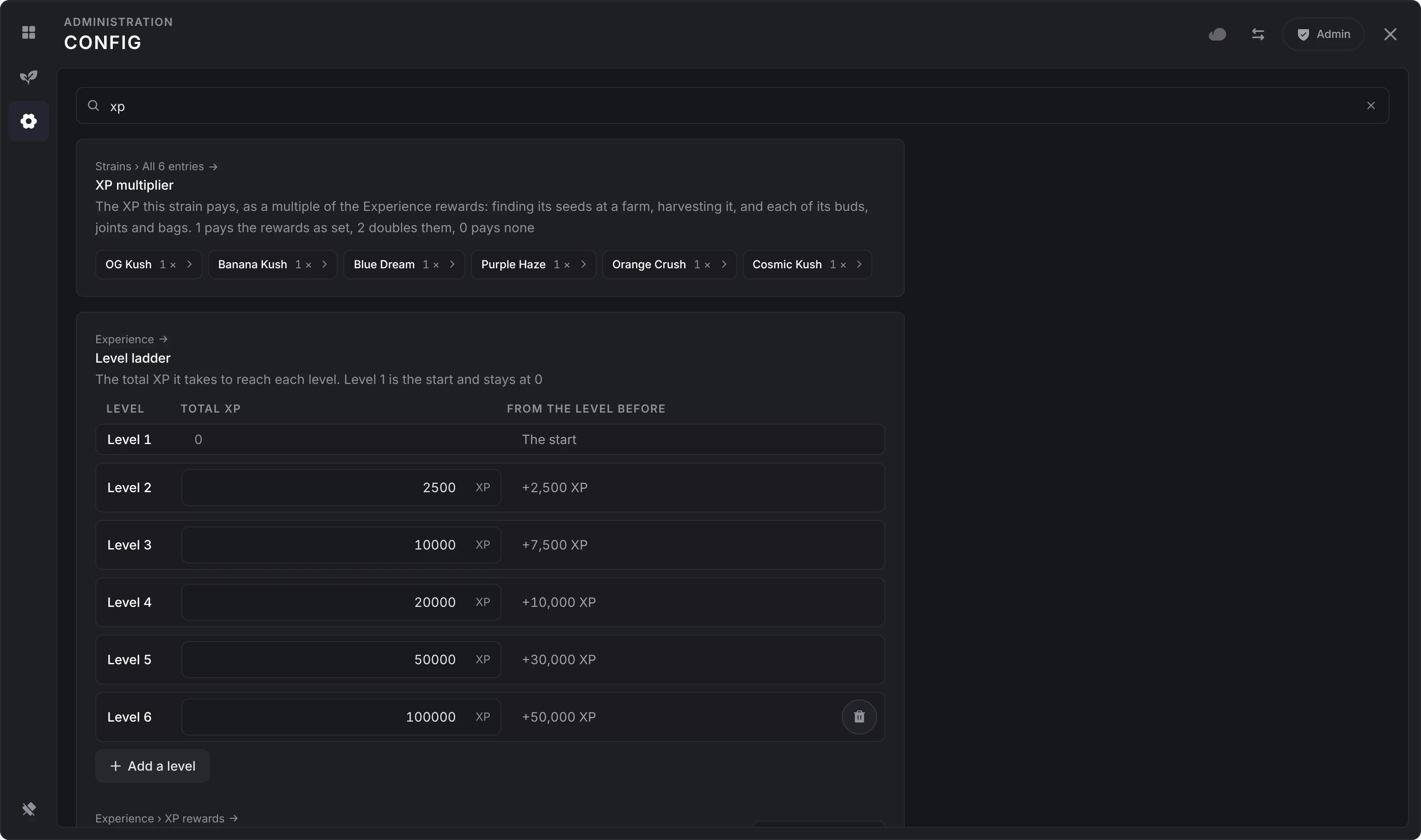
The search at the top of Config finds an option by its name, its description or its key in any section, and inside every entry of a list: "xp" finds each strain's XP multiplier, with a chip per strain that opens it.
Coordinate fields take vec3(...), vec4(...) or x, y, z pasted into any axis. Use my position fills them from where you stand and face, and Go there teleports you to check the spot.
With Logging > Configuration changed on, the changes an admin makes in one visit to a section are logged once, as a list of what each value was and what it became, when they leave it or close the panel.
Settings that need a restart
Everything applies the moment it saves, growth included: strain timers, soil and fertilizer bonuses, the tick interval and groups, and new strains all take effect on the next update of each plant, and plants keep their progress. Renamed items (the plant pot, the table, a strain's joint) work at once, and the old name stops working.
Four options are read only when the resource starts. The editor marks them Applies after a restart; run restart lation_weed after changing one.
- Setup > General > Remove abandoned plants after
- Setup > General > Version check
- Setup > Integrations > Interaction system
- Labs > General > Revoke idle labs after
Deleting things that are in use
Remove an entry with the bin on its row, or from the Danger zone at the bottom of its page. The server checks first what still uses it:
- A strain that plants are growing: tick the box to delete those plants too, or the strain stays.
- A soil or fertilizer that plants use, or the fertilizer set as Growth > New plants > Default fertilizer: pick the entry that takes over, and those plants and the default move to it.
- A lab someone owns: tick the box to close it. Its plants, workers and members are deleted, its stash is emptied, and the owner gets the wallet's balance back into the Sale account (Labs > Accounts), at once if they are online or when they next load in. The price is not refunded.
The last strain, soil or fertilizer in a list can't be removed. Resetting a section is refused while it would remove a strain, soil, fertilizer or owned lab that is still in use.
Export and import
The arrows in the header open Export or import. Export gives you the whole configuration as one text to copy. Import takes that text pasted in and replaces every section it carries; sections it doesn't carry stay as they are. An import is checked like any edit, applies at once, and asks you to confirm first.
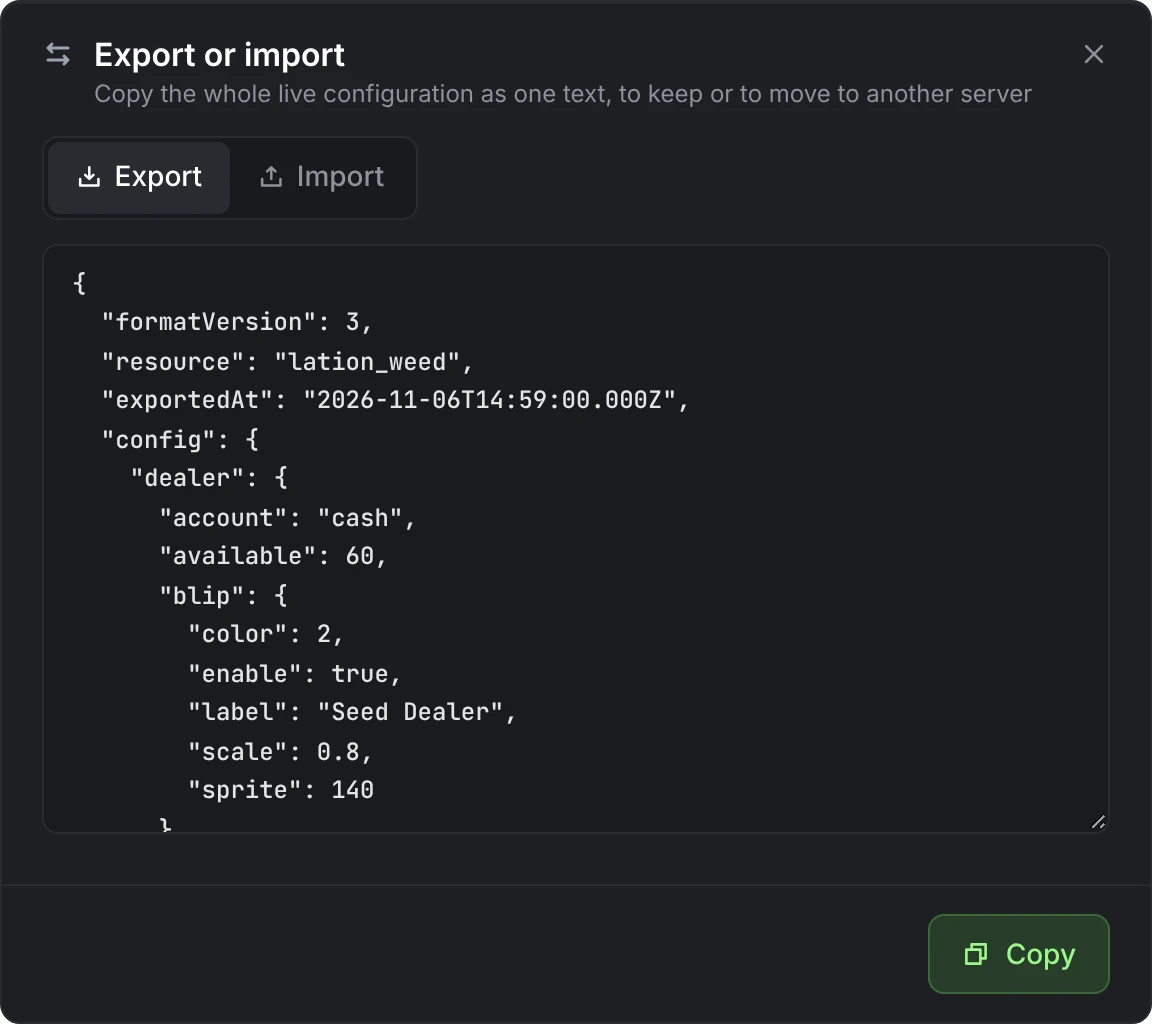
The export includes your Discord webhook URL in plain text, so keep it private. It only imports into the same export format: an export from lation weed 4.6.0 or older is refused.
Reset a section
Reset section at the bottom of a section, and each option's own reset, put back the defaults from shared/defaults.lua. Editing that file changes nothing on a server that has started once, except what a reset puts back.
Each section is also one row in lation_weed_config, keyed by its name: setup, growth, planting, dealer, strains, fertilizers, soils, logs, labs, farms, experience, tables, shop or joints. Deleting a row and restarting the resource writes that section again from the defaults.
Still stuck? Ask in our Discord: the people who write the scripts answer.
Last updated
lation weed
Requirements, install steps, items and first start for lation weed, a FiveM weed growing script with custom strains, pot placement, plant care, private labs with workers and an in-game admin panel.
Growing
How players get supplies, place pots, care for plants, harvest, roll, bag and smoke in lation weed, and how levels work.