Players
How players use lation jobs: the Work panel, clocking on and off, holding several jobs, the job board and applying, offers, leave, notices and forms.
Everything a player does at work happens in the Work panel, a drawer on the side of the screen with two parts: My work and Job board.
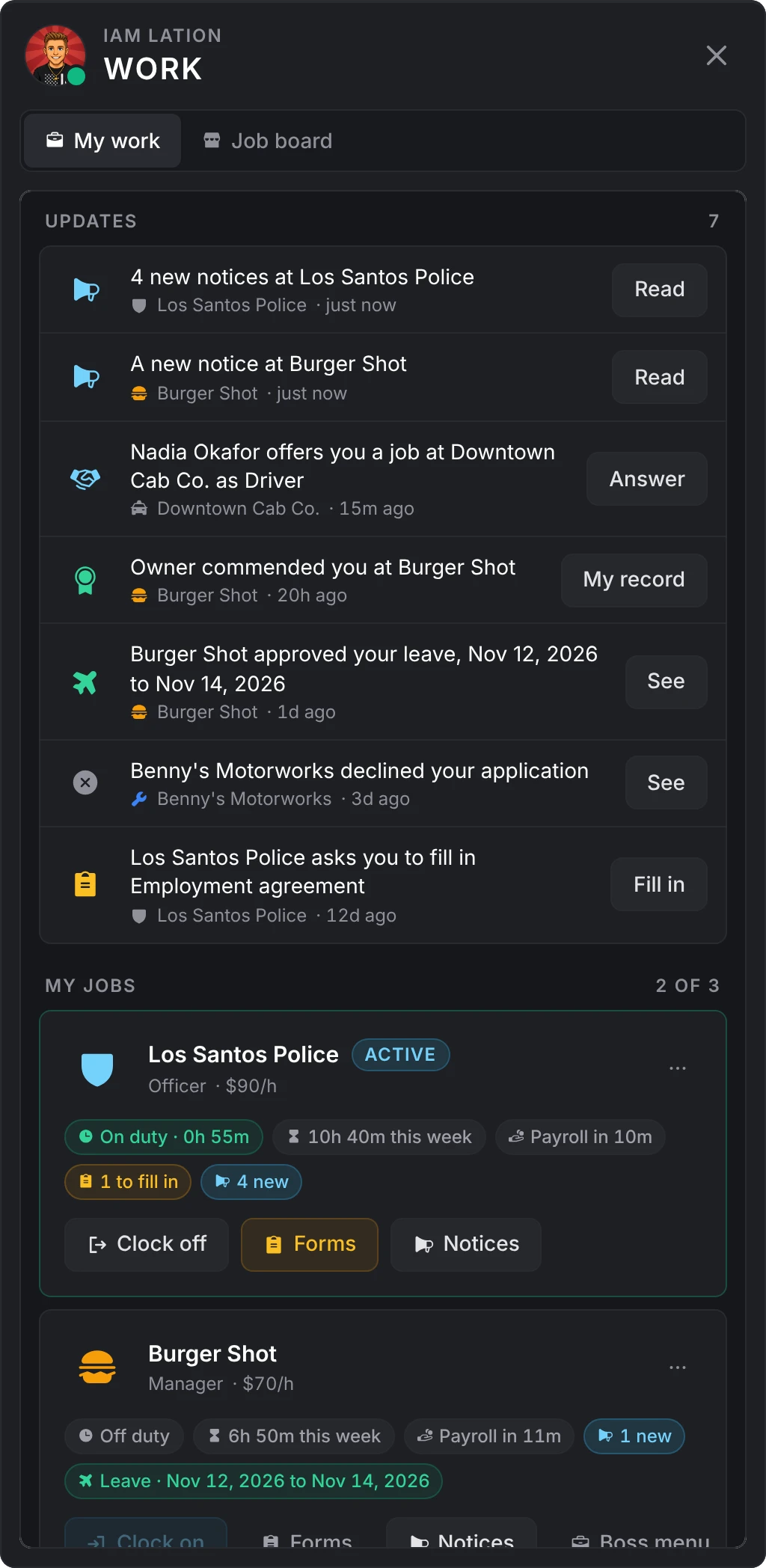
Opening the Work panel
| From | Opens on |
|---|---|
/work | My work, or the job board for a player with no job yet |
| The Work key, F6 by default | The same |
| A job center point | The job board |
| An office place, for a member whose grade does not run the job | My work, on that job |
Players rebind the key in their own settings under Settings > Key Bindings > FiveM. The admin sets its default under Config > Work, and turning off Config > General > /work command turns off both the command and the key.
| Command | Does |
|---|---|
/work | Opens the Work panel |
/duty | Clocks on or off |
/boss | Opens the boss menu, for grades that run a job |
My work
Updates
The panel opens on Updates when something needs the player since they last had it open. Each row has the one button that takes them there:
- A job offer to answer (it stays until answered or expired)
- A required form to fill in
- New notices at a job
- An application answered
- A leave request answered
- A commendation or a warning on their record
A few seconds after loading in, a player who has updates waiting is told how many, once.
Job cards
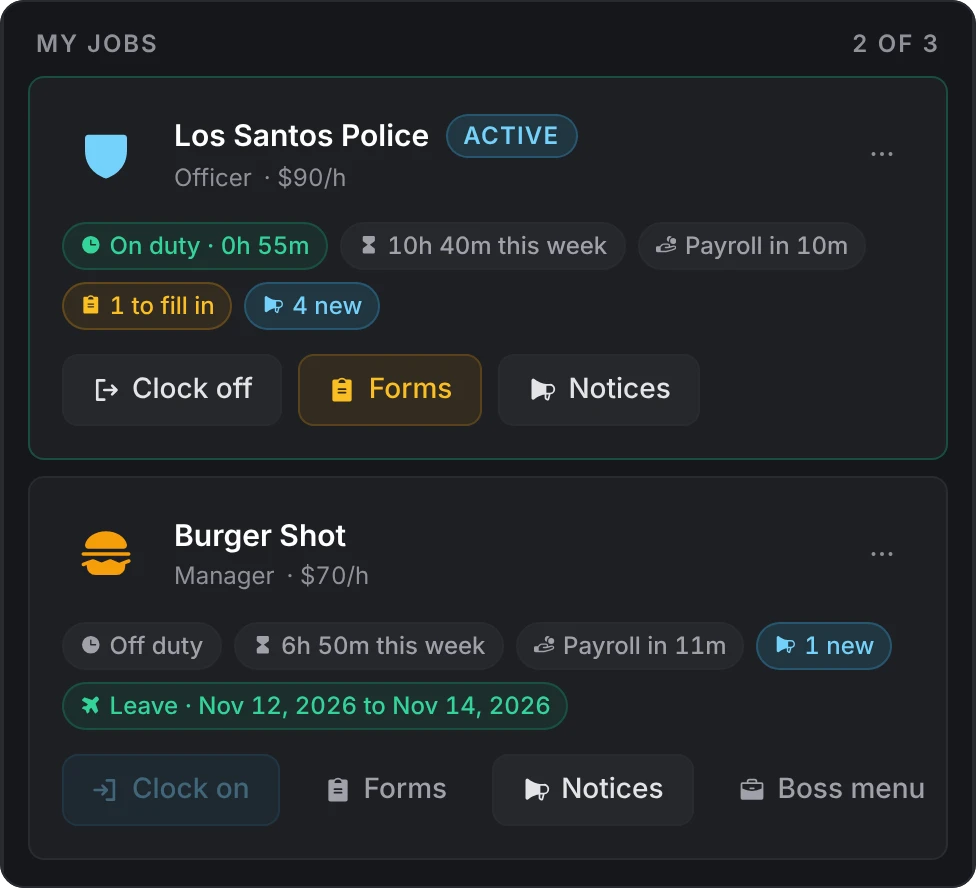
Each job the player holds is a card with the grade, the pay per hour, the hours this week, the shift in progress and when payroll runs next. The card's buttons:
- Clock on or Clock off. Clocking on makes that job the active one.
- Forms, with how many wait to be filled in.
- Notices, with how many are new.
- Boss menu, for a grade that runs the job.
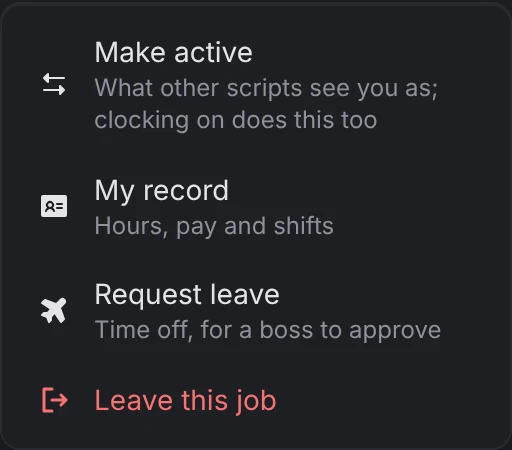
The card's menu holds Make active, My record (their own file at that job: the figures, their shifts, the commendations and warnings on record, the forms they sent), Request leave and Leave this job. Leave this job is there while Config > Work > Players may quit is on.
Under the cards, Pay shows what they earned this week, all time, and the newest payslips from every job.
Profile picture
Tapping their picture opens their profile, where they set a picture as an https link. While lation banking runs, a player who sets none here shows the bank's picture. Bosses and the roster see it. Config > General > Profile pictures turns pictures off.
Several jobs
A player holds up to three jobs (Config > Work > Jobs per player) and one gang. Joining a new gang replaces the old one.
The framework still has one job field per player. That is the active job: what every other script on the server sees the player as. Clocking on at a job makes it the active one, and Make active switches without clocking on. A player on duty at one job cannot switch to another until they clock off there.
A hire becomes the active job only when the player had none. A job another script hands out through the framework (a whitelist bot, an admin command) is added as one of the player's jobs, and when they already hold the most allowed, the oldest one makes room. On Qbox, the jobs a player holds but has not made active are also kept in the framework's own player groups.
Duty
A shift opens when a player clocks on and closes when they clock off. They clock on and off from:
- A duty point at the job
- The Clock on button on a job card, or on the boss menu's dashboard
/duty, which takes the active job, then the gang, then the one job the player holds. With several jobs and no managed job active, it tells them to clock on from the Work panel.
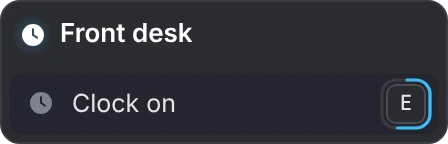
With Config > Duty set to Any script (the default), a duty toggle in another job script also opens and closes the shift: the framework's duty flag on Qbox and QBCore, and on ESX its duty flag where your ESX has one, or a switch to the off<job> twin job.
A shift also ends by itself when the player:
- Leaves the server (while Config > Duty > Clock off on disconnect is on)
- Stands still for the idle time (30 minutes by default; 0 turns it off)
- Stays dead for five minutes
- Is fired, or the job is deleted
A boss with set_duty can clock someone off from Staff. Places marked On duty only work only during a shift at that job. While Config > Leave > No duty while away is on, a player on approved leave cannot clock on.
The job board
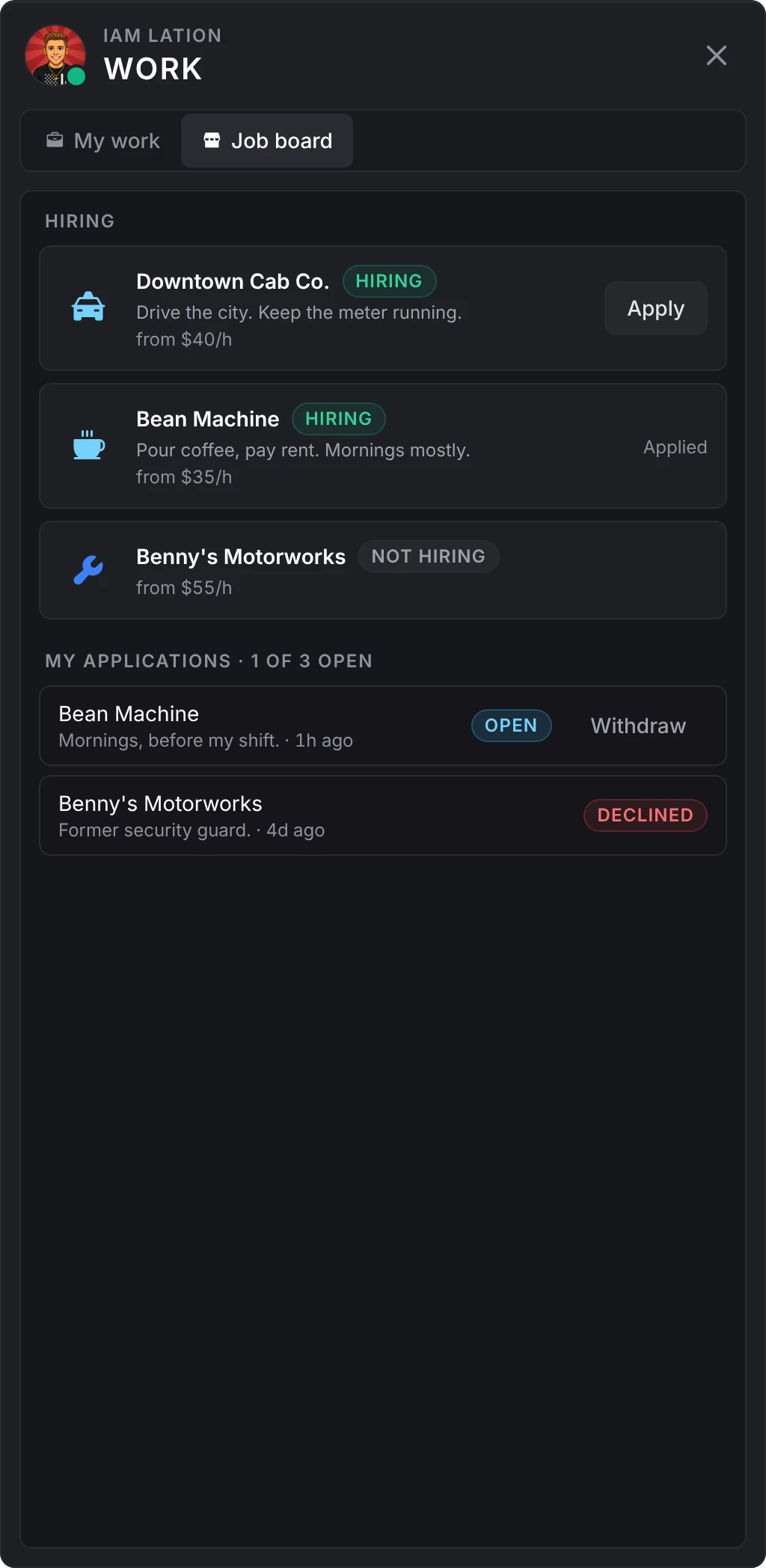
The Job board lists every job that lists itself, each with the sentence its boss wrote and, while Config > Job center > Show salaries is on, what it pays from (the lowest salary below the boss grade). Jobs that are hiring have Apply. Under the list, the player's own applications show with their status, and an open one can be withdrawn.
Applying
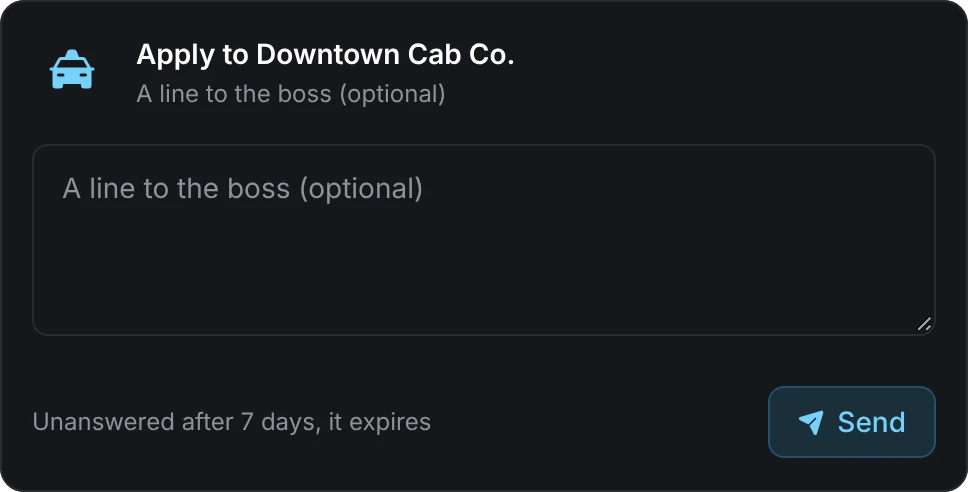
Apply turns the panel into that job's application: the questions its bosses wrote (short answers, paragraphs, a pick from a list, yes or no, or a signature, each required or optional), or a line to the boss when the job asks none. Send is available once every required question is answered.
The rules, all set under Config > Applications:
| Rule | Default |
|---|---|
| Open applications per job | One |
| Open applications across every job | 3 |
| An unanswered application expires after | 7 days |
| After a decline, the player may apply there again after | 1 day |
A player who already works at a job, or already holds as many jobs as allowed, cannot apply.
Offers
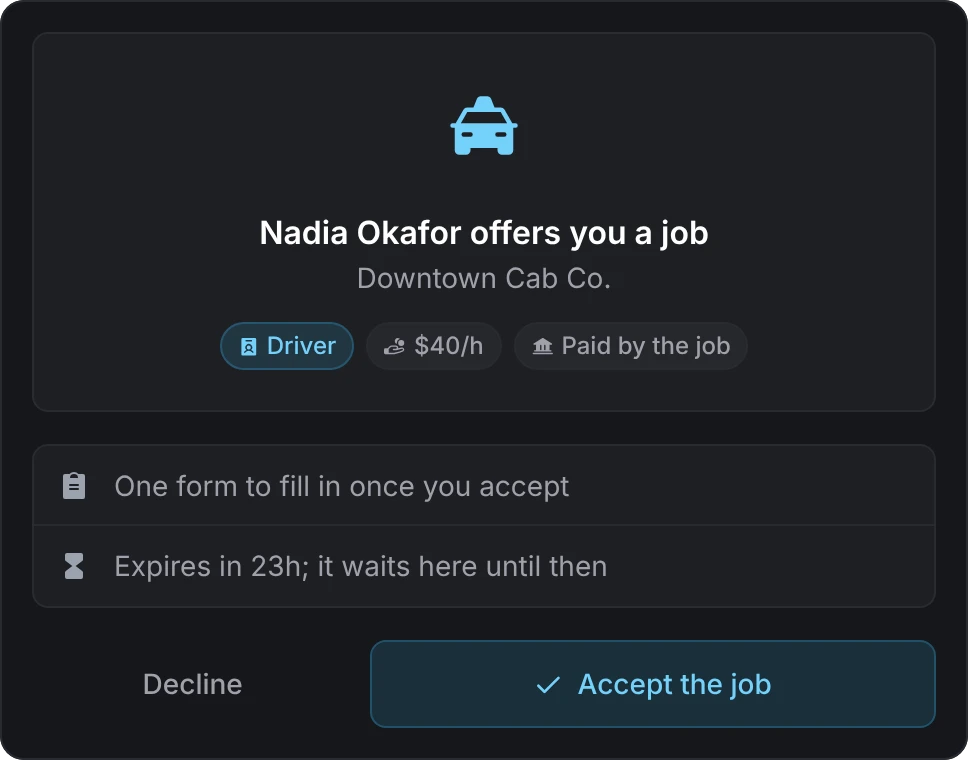
When a job hires by offer, a hire or an accepted application sends the player an offer instead of seating them. It opens in front of them when they stand with the boss, and otherwise waits in Updates. The offer shows the job, the grade, the pay and who pays it, the forms that would follow, and until when it stands (24 hours by default). Accept the job or Decline. A player who already holds as many jobs as allowed must leave one first.
Leave
Request leave on a job card's menu asks for days away: the days on a calendar (up to 30 by default), an optional line for the bosses, and Send the request. The request shows on the card until a boss answers it, the answer lands in Updates, and the card says when the leave runs. A request still standing can be cancelled from the same place.
Notices
Notices on a job card opens the bosses' notices for the player's grade, pinned first, the new ones marked. A long notice shows a few lines and Read more opens it whole. Keep as new holds a notice in Updates until the player marks it read. Nobody is asked to confirm they read a notice.
Forms
Forms on a job card lists the forms the job has for the player's grade, with where they stand on each (sent, reviewed, approved, declined) and Fill in. A signature is the player's name, typed. A required form shows as a task on the card and in Updates until it is filled in, and the player is told when a boss reviews, approves or declines what they sent.
Still stuck? Ask in our Discord: the people who write the scripts answer.
Last updated