Admin panel
How to open /jobadmin, create or adopt jobs and gangs, set grades, pay and permissions, put down places, and edit the live configuration.
The admin panel is where jobs are made and where every server-wide option lives. Its rail has five pages: Jobs, People, Analytics, Audit and Config.
Opening it
Run /jobadmin. It opens for players with the ACE permission lation_jobs.admin:
add_ace group.admin lation_jobs.admin allowThe check lives in server/utils/perms.lua, which ships open, so you can swap it for framework groups, Discord roles or your own permission export:
function IsAdmin(source)
    return IsPlayerAceAllowed(source, 'lation_jobs.admin')
end
The command can be turned off under Config > General. exports.lation_jobs:openAdmin() on the client opens the panel too, and the server checks the permission either way.
Jobs
The Jobs page shows a card per managed job (its grades, places, who is on duty and open applications), a search, Create and Import. Under the cards, the jobs and gangs your framework has that are not managed yet are listed with an Adopt button.
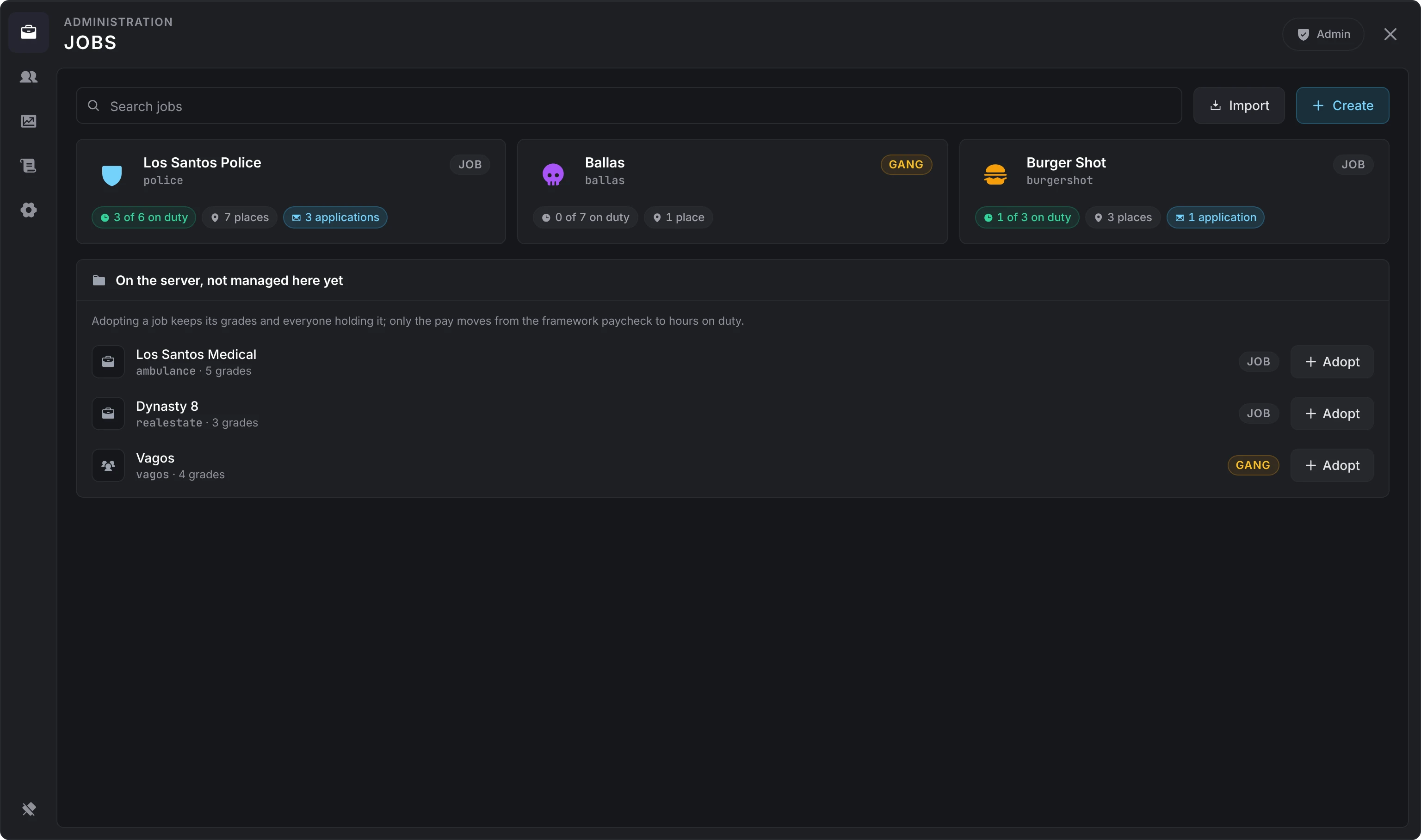
Creating a job
Create asks for three things, and the first and last are fixed once the job exists:
| Field | What it is |
|---|---|
| Name | The job name the framework and every script know it by. Lowercase letters, digits and underscores, starting with a letter, up to 40 characters. unemployed and none are refused. |
| Label | What players see. |
| Kind | A job or a gang. Gangs need Config > Jobs > Gangs on, and are not available on ESX. |
A new job starts with a boss grade and an employee grade, both at a salary of 0.
Adopting a framework job
Adopt takes over a job or gang your framework already has. Its grades come across in order with the highest as the boss, everyone who holds the job becomes a member at the grade they hold, and the framework's pay for each grade becomes the starting salary, which you then set per hour on duty. Nothing happens to a framework job until you adopt it.
Creating a job under a name the framework already knows adopts it the same way. A framework job with more grades than Config > Jobs > Most grades (8 by default) is refused until you raise the cap.
Deleting a job
Danger zone in the editor deletes the job. Its employees are moved to unemployed, online or not, open shifts close, the framework forgets the job, and its places, grades, applications and activity go. The bank keeps the society account and its balance; a job with registers comes off lation banking's point of sale.
The job editor
A job's card opens its editor: a landing with a card per section, each with a short summary. Edits save as you type, and the header shows where the save stands.
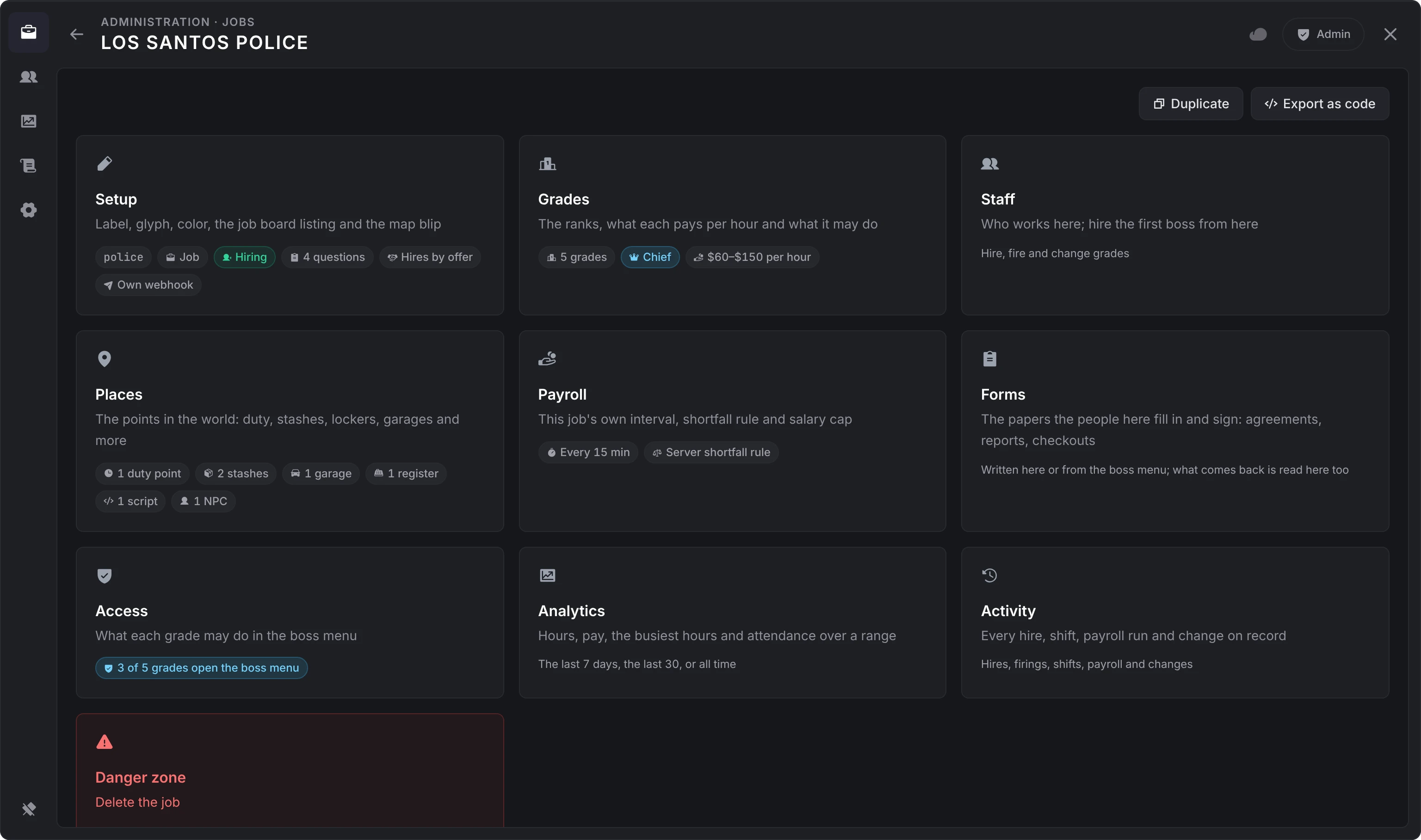
| Section | What it holds |
|---|---|
| Setup | Label, icon, color, the job board listing, the application form, how the job hires, its Discord webhook and its map marker |
| Grades | The ranks and the salary of each |
| Staff | Who works here; hire the first boss from here |
| Places | The points in the world |
| Payroll | This job's own payroll rules |
| Forms | The forms its people fill in |
| Access | What each grade may do in the boss menu |
| Analytics | Hours, pay, the busiest hours and attendance over 7 days, 30 days or all time |
| Activity | Every hire, shift, payroll run and change on record, with search and filters |
| Danger zone | Delete the job |
Setup
- Identity: the label, an icon and a color. The name is shown but fixed.
- Job board: whether the job is listed, whether it is hiring, the sentence the board shows under its label (up to 255 characters; bosses may change it), and the application form. See applications.
- Hiring: whether new hires land on the spot or as an offer the person answers, or follow the server's default under Config > Hiring.
- Discord: a webhook of this job's own and whether the server's webhook gets its lines too. Only Discord webhook URLs are accepted, and the URL never leaves the server once saved.
- Map marker: whether members see the job's markers, and the label, sprite, color and scale they use.
Grades
The boss grade stays at the top. Drag the rest into rank order, highest first. Each row is a label and a salary per hour on duty, in whole units, held under the salary cap (the job's own cap from Payroll, else Config > Jobs > Salary cap). Add grade adds one, up to Config > Jobs > Most grades.
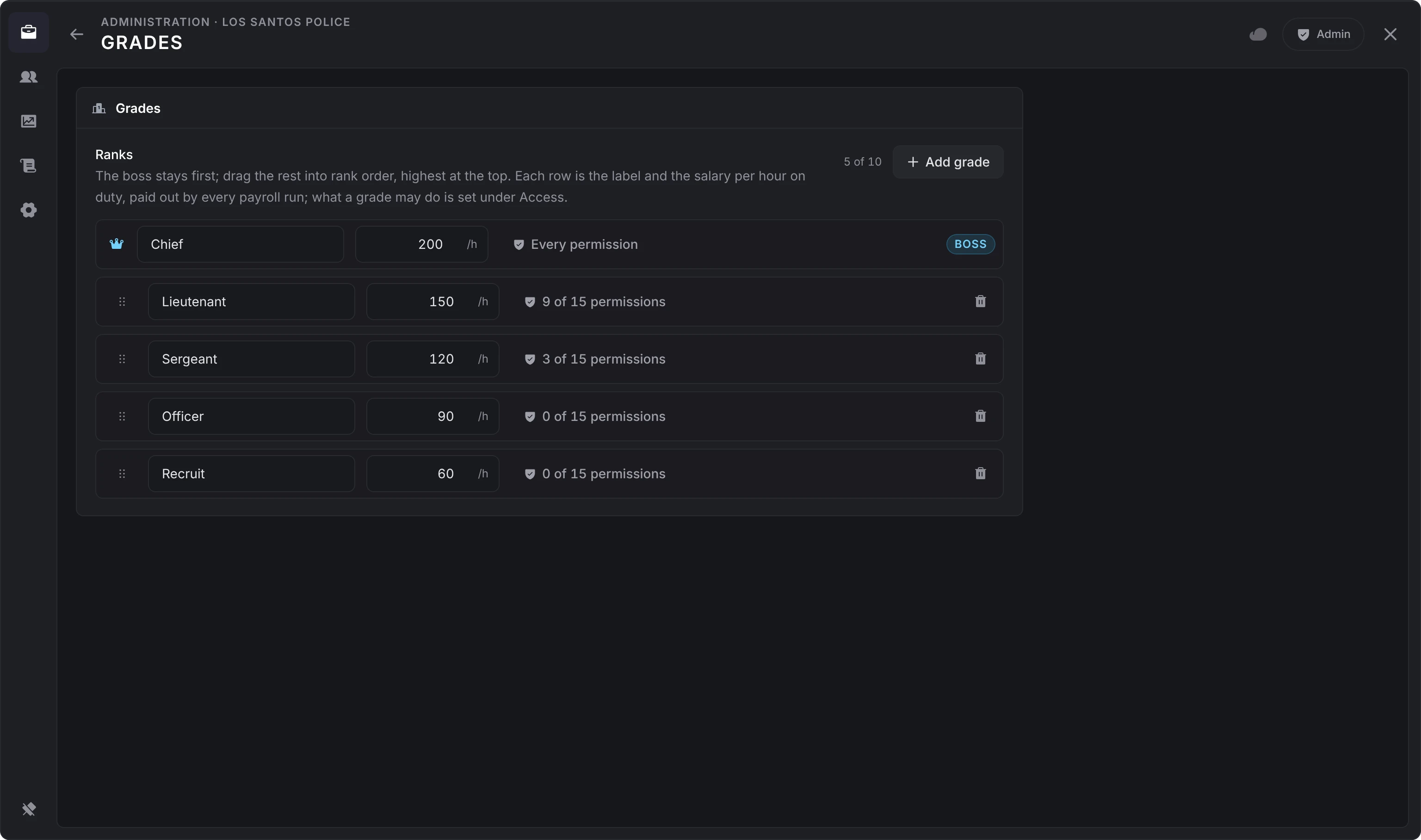
Removing a grade moves the people who held it to the lowest grade. Grade levels count up from 0 at the lowest grade, and the boss grade is always the highest. The boss grade's name is boss, which is what ESX and ESX scripts read as the boss.
Staff
The same roster the boss menu has, without a grade ceiling. Hire a player standing near you (you are listed first, so you can make yourself the first boss) or anyone by identifier, online or not: the citizenid on Qbox and QBCore, the player identifier on ESX. A hire from here always seats the person, even when the job hires by offer.
Every row has a menu to set the grade, clock the person off, open their file or fire them.
Payroll
| Option | What it does |
|---|---|
| Paid by | Server default, the society account, or the server. A job paid by the server pays each employee into their own bank account and never touches the society. Police and EMS are the usual case. |
| Interval | How often payroll runs for this job, 1 to 240 minutes. Empty follows Config > Payroll. |
| When the society is short | Server default, skip and carry the hours, or pay what the account holds. |
| Salary cap | The most a grade here may earn per hour, under the server's cap. |
How payroll pays is on the boss menu page.
Access
A grid with a row per permission and a column per grade. Tick a box to let the grade do it. The boss grade holds every permission and cannot be changed. Under the grid, the panel shows which grades reach which boss menu tab.
A grade that holds at least one permission opens the boss menu. The permissions, in the order the boss menu lists them:
| Permission | Lets the grade |
|---|---|
Hire (hire) | Hire from Staff, withdraw offers, write on an employee's record |
Fire (fire) | Fire employees |
Promote and demote (promote) | Change an employee's grade, below their own |
Manage grades (manage_grades) | Opens the Settings tab; only the boss grade renames grades there |
Manage salaries (manage_salaries) | Set each grade's salary from the Payroll tab |
View finances (view_finances) | See the society balance and the ledger |
Withdraw funds (withdraw_funds) | Withdraw from the society and pay bonuses |
Deposit funds (deposit_funds) | Deposit into the society |
Manage places (manage_places) | Add and remove the job's places |
Manage applications (manage_applications) | Answer applications and edit the application form |
Manage forms (manage_forms) | Write the job's forms and read the responses |
Manage notices (manage_notices) | Post, edit, pin and take down notices |
Answer leave requests (manage_leave) | Approve or decline leave |
Set duty (set_duty) | Clock other employees off |
Manage settings (manage_settings) | Edit the job board listing: whether the job is listed, whether it is hiring, and its sentence |
With lation banking as the bank, the boss grade and every grade with view_finances, deposit_funds or withdraw_funds are also members of the society account at the bank, so they reach it in the bank app whatever job they have active, and Open in bank lands on it. A member may look, deposit with deposit_funds, and withdraw and send with withdraw_funds; a boss does all three. Membership follows every hire, grade change, firing and permission change, and is caught up when lation banking starts. Members an admin added to the account in lation banking are never changed or removed.
Templates
A job can be copied, on this server or another:
- Duplicate on the editor's landing makes a new job from this one. It asks for a name and a label, then whether the places, the payroll settings, the application form and the forms come across.
- Export as code turns the job into one code, starting
LJ1., for the clipboard. - Import, beside Create on the Jobs page, reads such a code back. It previews what the code holds, asks for a name and a label, and can skip the places, since another server's coordinates rarely fit.
Grades and their permissions always come across. People, money and the webhook never do. Every imported field goes through the same checks as the editor's own saves.
A place that comes across sits at the original's spot and is marked Copied, not moved yet. The Places page counts them, and Move the next takes you through each in turn.
Places
Places are the points a job owns in the world. Every use comes back to the server, which checks the player's grade, their duty and that they are within 8 metres before anything happens.
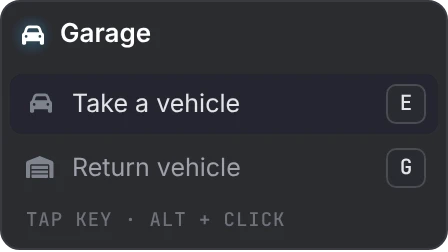
Putting one down
Aim at it hides the panel and shows the spot where you look. Anything with a model (an NPC, an object, a garage's spawn point, a teleport's exit) appears there as a see-through ghost.
| Key | Does |
|---|---|
| Mouse wheel | Turn it (hold Shift for fine steps) |
| Arrow keys | Nudge it and pin it where it is |
| Page Up / Page Down | Lift it or lower it |
| G | Put it back on the ground |
| R | Follow your aim again |
| E or left click | Take the spot |
| Backspace or Escape | Give up |
Use my position starts where you stand, Adjust reopens a spot already set, and Go there teleports you to a place to check it. Once the job has an NPC or an object, Add here first asks whether the new place goes at a spot in the world or on one of them.
What every place has
| Field | What it does |
|---|---|
| Label | What the prompt is called; empty uses the job's label |
| Where | Aim at it, use your position, or paste a vector |
| Who sees it | Everyone at the job, a grade and up, or only the grades you pick |
| On duty only | Only while clocked on at this job. New stashes and garages start with it on. |
| Icon | A FontAwesome name shown at the point instead of the kind's own |
| On the map | A marker for the members who reach it, in the job's blip look, named after the place. Hidden while the job's map marker is off in Setup. |
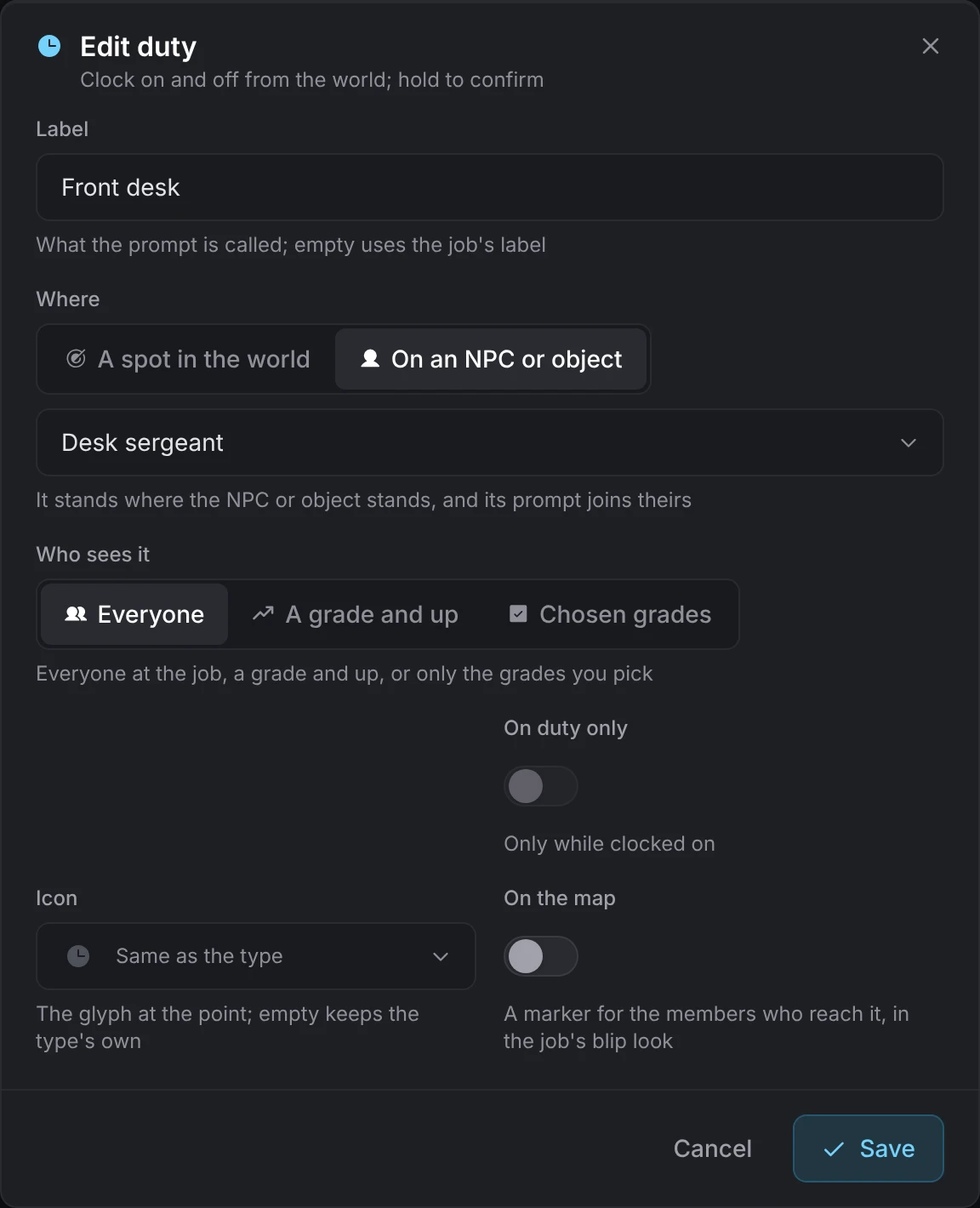
Each job may have up to Config > Jobs > Most places per type of each kind (10 by default).
The kinds
| Kind | What it does | Its own fields |
|---|---|---|
| Office | Opens the boss menu for the grades that run the job, and the Work panel on this job for everyone else who works there | None |
| Duty | Clock on and off (on lation interact, the key is held to confirm) | None |
| Stash | An inventory the job owns. One per person gives each employee their own stash at the same spot. Needs an inventory. | Slots (1 to 500), weight in kg (1 to 10,000), one per person |
| Locker | A menu of the outfits for the player's grade and the grades below, plus their own saved outfits. Needs an appearance script. | None |
| Garage | Vehicles by grade from a spawner list, one out per employee, returned near the garage. With jg-advancedgarages installed it can instead be a jg garage holding the job's own vehicles. | Spawn point, vehicles (model, menu name, lowest grade, up to 30); with jg installed, the source and vehicle type |
| Register | Lists the job at lation banking's point of sale; the bank draws the prompts and its bosses stock the menu. The tax, the account it goes to and whether the menu is locked are set in lation banking under Config > POS > Businesses and kept as you leave them. The job comes off the list when its last register goes. Needs lation banking. | None |
| Teleport | Enter at the place, Exit at the target | Target |
| Script | Runs one of your own scripts. Admins only. See Script places. | What it fires, its name, the prompt, hold time, arguments |
| Blip | A marker on the map for members, or for everyone | Everyone sees it, sprite, color, scale, label |
| NPC | A ped that stands at the spot and carries the prompts of the places attached to it | Ped model, scenario, the places it carries |
| Object | A prop that carries prompts the way an NPC does | Object model, the places it carries |
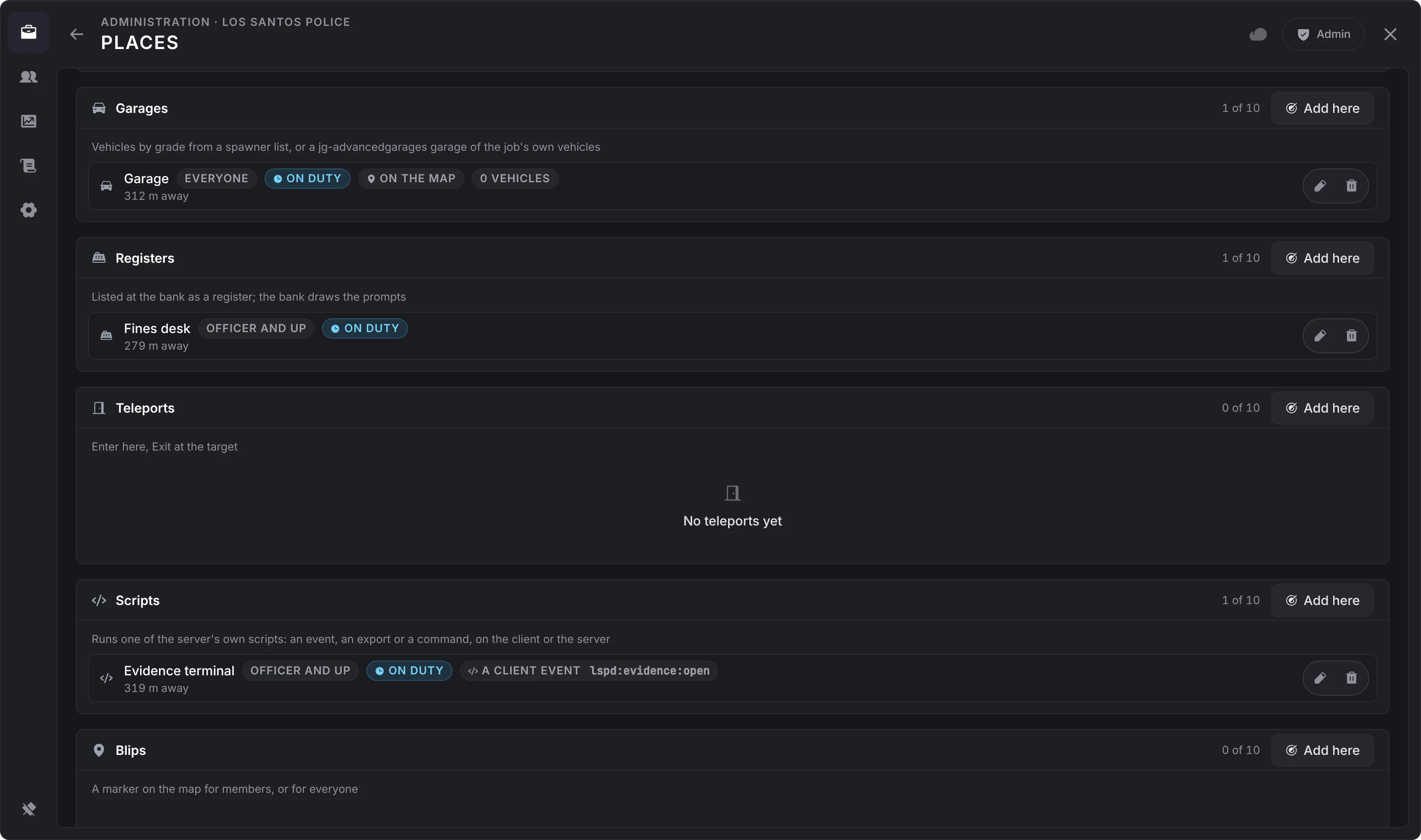
A place carried by an NPC or an object stands where its carrier stands, and its prompt joins the carrier's instead of having a point of its own. An NPC or object can carry any kind but another NPC, object or blip.
The locker's grade outfits come from the outfitFor hook in server/utils/hooks.lua (see hooks) or from an outfit stored on the grade. The player's saved outfits are read from illenium-appearance or fivem-appearance while Config > Places > Lockers show saved outfits is on.
Garage plates start with Config > Places > Plate prefix (JOB) and are filled to eight characters at random. Keys go through qbx_vehiclekeys or qb-vehiclekeys on the server, or wasabi_carlock or mk_vehiclekeys on the client.
Bosses with manage_places can add and remove places from their own menu while Config > Jobs > Bosses place places is on. They place within 60 metres of where they stand, and never Script places.
People
A search across every job by name or identifier. A person opens as their file, with every job they hold one click away and their whole work history. The file is the same one the boss menu shows; see the employee file.
Analytics
The whole server over the last 7 days, the last 30, or all time: hours on duty and pay by day (by week, then by month, as all time grows), the busiest hours of the week as a grid, and who worked the most. Beside the range, chips show what is live now: jobs, employees, who is on duty and applications waiting. Under the charts, a table has a row per job over the same range, and a row opens its editor.
Audit
Everything on record, across every job, the server's own rows, or one job, picked in a select before the search. The server's own rows are the admin actions that belong to no job: config changes (each with what the value was and what it became), and jobs created, imported and deleted. They are kept after the job is gone.
Config
A card per section, each with a one-line summary and how many options differ from their defaults; the General card names the interaction system, the notifications and the bank in use. Inside a section, rows save on their own a moment after you stop changing them (number and text fields when you leave them). A search finds an option in any section by its name, its description, one of its choices or what a list holds (a permission such as Withdraw funds, a job center point's name). A result can be changed where it is, or opened in its section with the option lit. Every option can be reverted to its default, and a whole section can be reset.
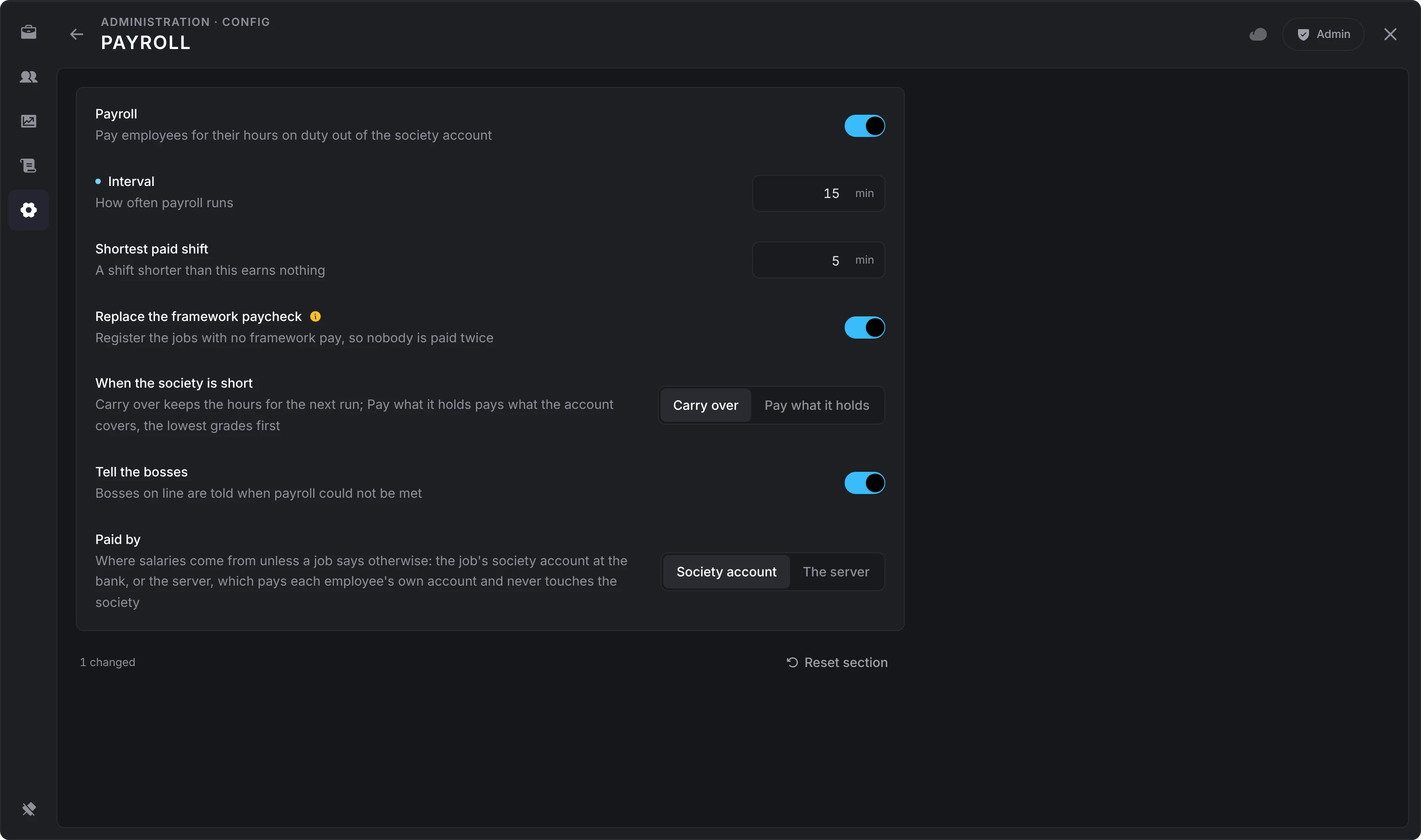
A value the server refuses keeps the server's value and says so under its label. Options marked Applies after a restart take effect on the next start of the resource. The changes you make in one visit to a section are logged once, as a list, when you leave it.
Every option and its default is on the configuration page.
Still stuck? Ask in our Discord: the people who write the scripts answer.
Last updated