Configuration
Every lation chop shop option in /chopadmin > Config, with its config key, default value, limits and what it changes.
lation chop shop has no Lua config file. Every option lives in the database (the lation_chopshop_config table, one row per section) and is changed in game under /chopadmin > Config, where a save reaches the server and every player at once. The panel itself is covered on the admin panel page.
On the first start, each section is seeded from lua/shared/defaults.lua, and the defaults on this page are what that file holds. After that, editing the file changes nothing on your server except what a reset puts back.
The sections below follow the Config page, and each lists its options in the order of its cards. The key is the option's path in an export, for example contracts.allowCancel, and the shape GetRuntimeConfig returns. Options marked restart apply after lation_chopshop restarts; everything else applies as it saves.
Setup
Four cards: General, Integrations, Jobs and Chop menu.
| Option | Key | Default | Notes |
|---|---|---|---|
| Version check | setup.version | On | restart. Checks for a newer release on start and prints a notice in the server console. |
| Interaction system | setup.interact | auto | restart. auto picks lation_interact, ox_target or qb-target, the first one running in that order. Also any of them by name, or custom. |
| Notification system | setup.notify | ox_lib | Also lation_ui, esx, qb, okok, wasabi_notify or custom. It must match a notification resource running on the server. |
| Progress bar | setup.progress | ox_lib | Also lation_ui, qbcore or custom. A custom bar must support animations. |
| Context menu | setup.menu | ox_lib | Also lation_ui or custom. Used for the broker menu and both shops. |
| Dialogs | setup.dialogs | ox_lib | Also lation_ui or custom. Used for the quantity prompt in the shops. |
| Police jobs | setup.police | police, sheriff | Job names that count toward Police required. On QBCore and Qbox only on-duty players count. Up to 20. |
| Blacklisted jobs | setup.blacklistedJobs | examplejob1, examplejob2 | Players with these jobs can't open the broker menu, take contracts or chop, and don't see the blips. Up to 50. |
| Show vehicles chopped | setup.stats.vehicles | On | The player's lifetime vehicle count under Statistics in the broker menu. |
| Show parts chopped | setup.stats.parts | On | The player's lifetime part count under Statistics. With both off, Statistics is hidden. |
| Show leaderboard | setup.leaderboard | On | The top 10 players by XP in the broker menu. |
A player whose job changes to or from a blacklisted one sees the blips go or come back at once.
The custom options do nothing until you add your code: interaction in lua/client/utils/interact.lua, everything else in lua/client/utils/ui.lua.
Start
Five cards: Broker, Opening hours, Police, Vehicles and Map blip. The broker ped is where players take contracts and use the shops.
| Option | Key | Default | Notes |
|---|---|---|---|
| Start locations | start.peds | One, at -169.0171, -1352.3877, 29.9817, heading 91.8764 | Each location spawns its own broker ped and blip. Up to 20, each on a page of its own with the three below. |
| Where | start.peds[n].coords | x, y, z and the heading the ped faces. | |
| Ped model | start.peds[n].model | a_m_m_bevhills_01 | Picked from a list of ped models, or typed. |
| Scenario | start.peds[n].scenario | WORLD_HUMAN_CLIPBOARD | What the ped stands doing, from a list or typed. Empty for none. |
| Rotate locations | start.randomPed | Off | With several locations, the server picks one and every player sees the same one. The pick holds until the resource restarts, so the broker moves between restarts. |
| Open from | start.hours.min | 0 h | 0 to 23. The earliest in-game hour the broker is there. |
| Open until | start.hours.max | 24 h | 0 to 24. The broker is there from Open from up to, not including, Open until. If Open from is later, the window runs overnight. |
| Police required | start.police | 0 | 0 to 50. Police on duty needed before a player can take a contract. |
| Allow owned vehicles | start.allowOwned | On | Off, a car whose plate is in the owned vehicles table can't be chopped, whoever owns it. |
| Delete owned vehicles | start.deleteOwned | Off | See below. Greyed out while Allow owned vehicles is off. |
| Blacklisted models | start.blacklistedModels | None | Spawn names, such as adder or police3, in any case. Up to 100. See below. |
| Map blip | start.blip.enable | On | A blip at each active location. |
| Blip sprite | start.blip.sprite | 225 | 1 to 957. The blip's icon id. |
| Blip color | start.blip.color | 2 | 0 to 85. The blip's color id. |
| Blip scale | start.blip.scale | 0.9 | 0.1 to 5. |
| Blip label | start.blip.label | Chop Shop | The name on the map. |
The ped spawns when a player comes within 100 meters during its hours. A change to the locations, their peds or the blip moves, adds or removes the peds and blips for everyone at once.
With Allow owned vehicles off, the plate is checked on the server when a chop starts, against owned_vehicles (ESX) or player_vehicles (QBCore and Qbox), as the game reads it and trimmed. A plate's answer is kept for a minute.
A car of a blacklisted model is never chopped or counted toward a contract. Start chopping still shows on one whose class matches, and picking it tells the player the shop won't take the model; a contract holder who takes the wheel of one hears it then. Blacklisting a model while one is being chopped lets that car go: nothing more comes off it, its stands can still be taken off, and the contract is free for another car.
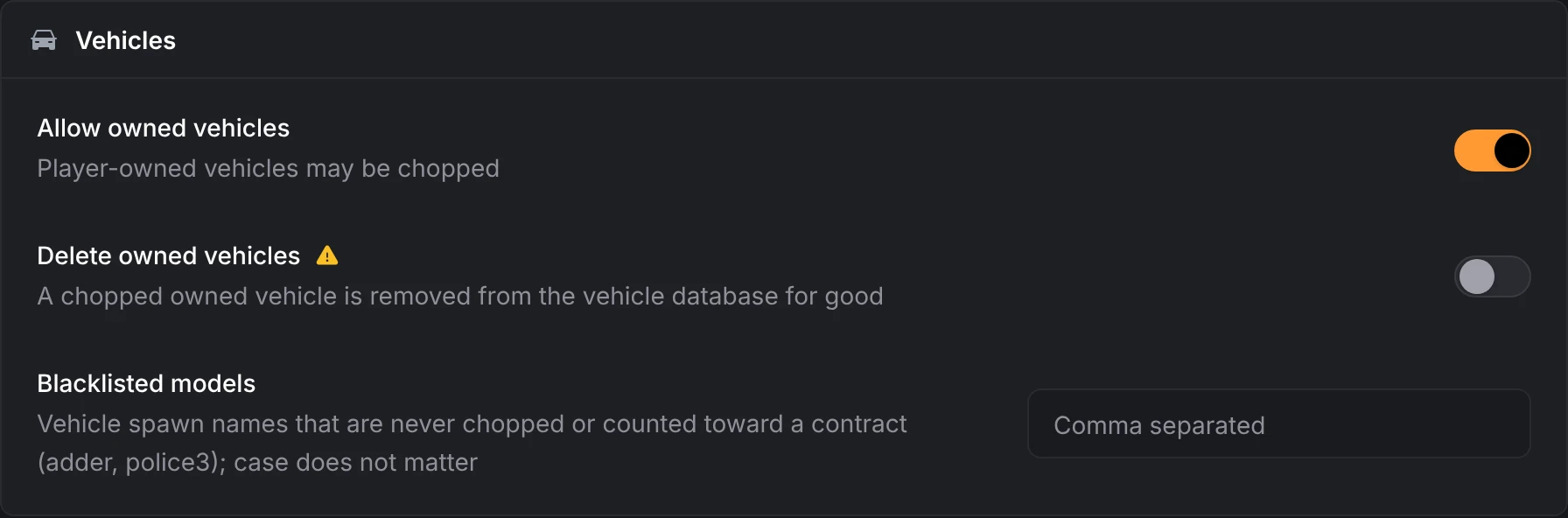
With Delete owned vehicles on, when the last part comes off a car owned by the player who removed it, its row is deleted from owned_vehicles (ESX) or player_vehicles (QBCore and Qbox). A copy of the row is first appended as an INSERT to lua/server/database/deleted_vehicles.sql. This can't be undone from the panel.
Contracts
Three cards: General, Bonus payout, and Tiers and classes.
| Option | Key | Default | Notes |
|---|---|---|---|
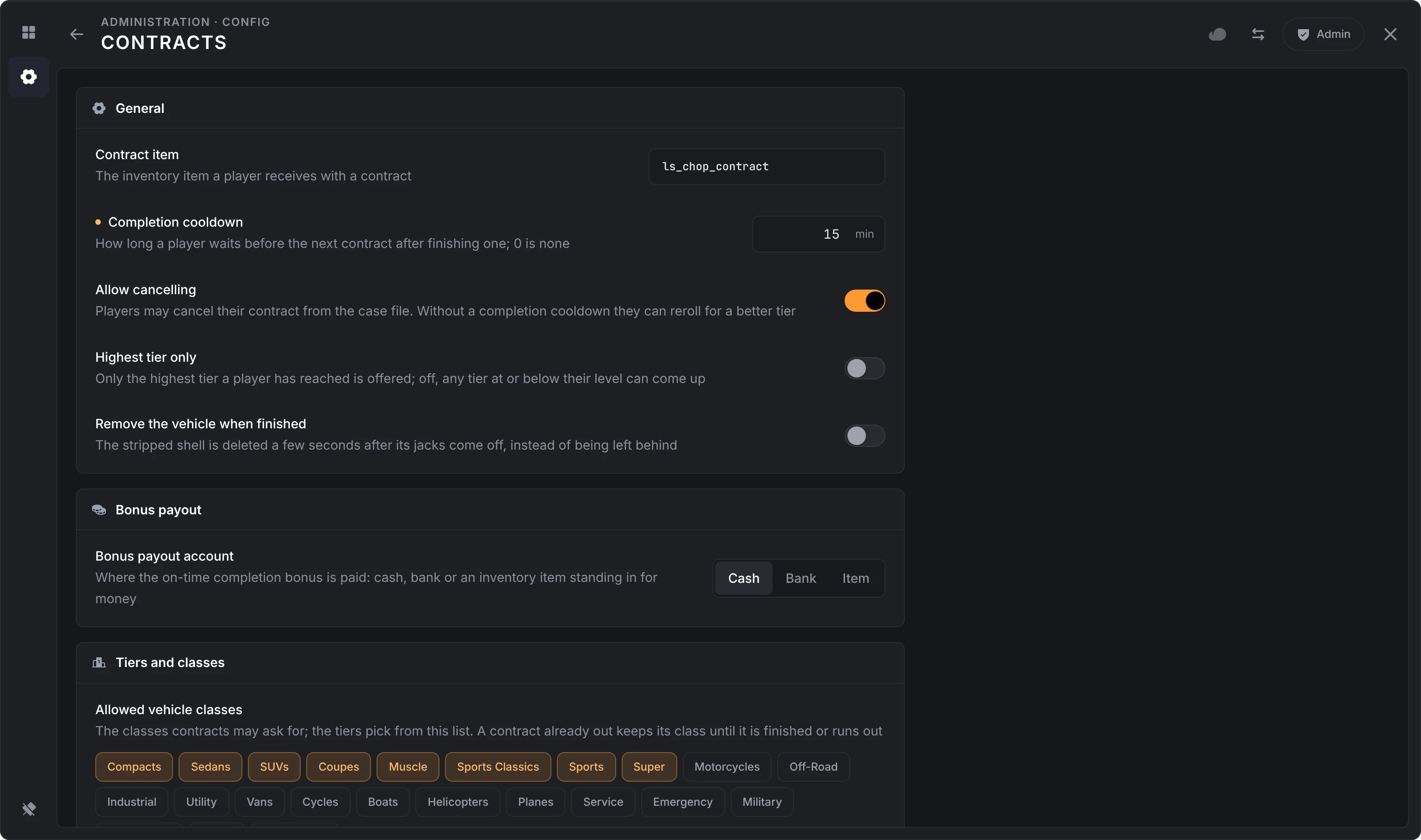
| Contract item | contracts.item | ls_chop_contract | Item handed out with each contract. Using it opens the contract. |
| Completion cooldown | contracts.completionCooldown | 0 min | 0 to 1440. Minutes a player waits for a new contract after finishing or cancelling one. 0 turns it off. Lowering it shortens the waits already running. |
| Allow cancelling | contracts.allowCancel | On | A Cancel contract button on the contract. Without a cooldown, players can cancel to reroll for a better tier. |
| Highest tier only | contracts.highestTierOnly | Off | On, contracts only come from the highest tier the player has reached. Off, any tier at or below their level can come up. |
| Remove the vehicle when finished | contracts.despawnVehicle | Off | Deletes the stripped shell 3 seconds after its jack stands come off, unless someone is sitting in it. Off, the shell is left behind. |
| Bonus payout account | contracts.account | Cash (cash) | Cash, Bank or Item. With an item name, the bonus is paid as that many of the item. |
| Allowed vehicle classes | contracts.allowedClasses | 0 to 7 | The classes contracts can ask for. Tiers pick their classes from this list. A contract already out keeps its class until it is finished or runs out. |
| Contract tiers | contracts.tiers | Five, below | Up to 20, each on a page of its own. |
Tiers
Each tier is one kind of contract. When a player asks for a contract, the script finds every tier with a minimum level at or below theirs that still has an allowed class, picks one at random with equal odds, then picks one of its classes at random.
| Field | Key | Notes |
|---|---|---|
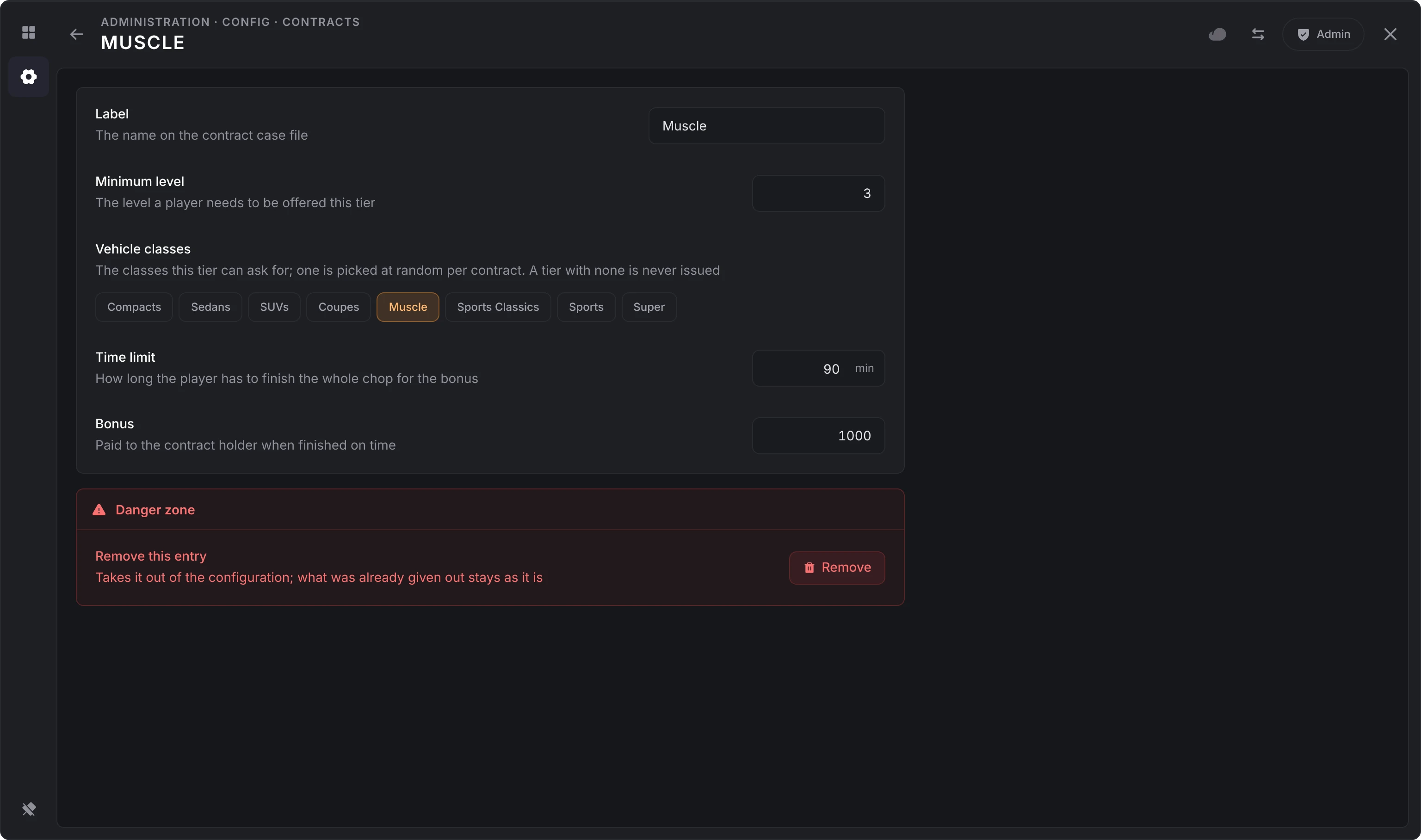
| Label | label | The name on the contract. Up to 40 characters. |
| Minimum level | minLevel | 1 to 100. The level needed to be offered this tier. |
| Vehicle classes | vehicleClasses | Picked from the allowed classes. A tier with none of them is never issued. |
| Time limit | durationSeconds | Time to finish the whole car for the bonus. The panel sets it in minutes, 1 to 1440. |
| Bonus | cashBonus | 0 to 10,000,000. Paid in the payout account when the car is finished in time. |
Tiers are stored under contracts.tiers.<key>. Add asks for the key: lowercase letters, digits, underscores and dashes. The defaults:
| Key | Label | Min level | Classes | Time limit | Bonus |
|---|---|---|---|---|---|
street | Street | 1 | Compacts, Sedans, Coupes | 60 min | 500 |
suv | SUV | 2 | SUVs | 75 min | 750 |
muscle | Muscle | 3 | Muscle | 90 min | 1,000 |
sports | Sports | 4 | Sports Classics, Sports | 105 min | 1,500 |
super | Super | 5 | Super | 120 min | 2,500 |
Vehicle class ids
These are GTA's vehicle classes, used in allowedClasses and vehicleClasses.
| Id | Class | Id | Class |
|---|---|---|---|
| 0 | Compacts | 12 | Vans |
| 1 | Sedans | 13 | Cycles |
| 2 | SUVs | 14 | Boats |
| 3 | Coupes | 15 | Helicopters |
| 4 | Muscle | 16 | Planes |
| 5 | Sports Classics | 17 | Service |
| 6 | Sports | 18 | Emergency |
| 7 | Super | 19 | Military |
| 8 | Motorcycles | 20 | Commercial |
| 9 | Off-Road | 21 | Trains |
| 10 | Industrial | 22 | Open Wheel |
| 11 | Utility |
Locations
By default players can chop anywhere. Turn on the restriction to limit chopping to set areas. Two cards: Zones and Map blips.
| Option | Key | Default | Notes |
|---|---|---|---|
| Restrict chop locations | locations.enabled | Off | On, starting a chop, placing or removing stands and removing parts only work within the chop radius of a listed point. |
| Chop radius | locations.radius | 25 m | 1 to 500. Greyed out until the restriction is on. |
| Chop locations | locations.coords | None | The points, as x, y, z. Up to 50. Greyed out until the restriction is on. |
| Map blip | locations.blips.enable | Off | A blip at each point. |
| Blip sprite | locations.blips.sprite | 225 | 1 to 957. |
| Blip color | locations.blips.color | 1 | 0 to 85. Also the color of the drawn zone. |
| Blip scale | locations.blips.scale | 0.9 | 0.1 to 5. |
| Blip label | locations.blips.label | Chop Location | The name on the map. |
| Draw the zone | locations.blips.zone | On | The radius as a filled circle on the map, next to the pin. |
| Contract holders only | locations.blips.contractOnly | On | Only players holding a contract see these blips. |
Location blips only show while Restrict chop locations is on.
Items
Three cards: Tools, Salvaged parts, and Jack stands and drill.
| Option | Key | Default | Notes |
|---|---|---|---|
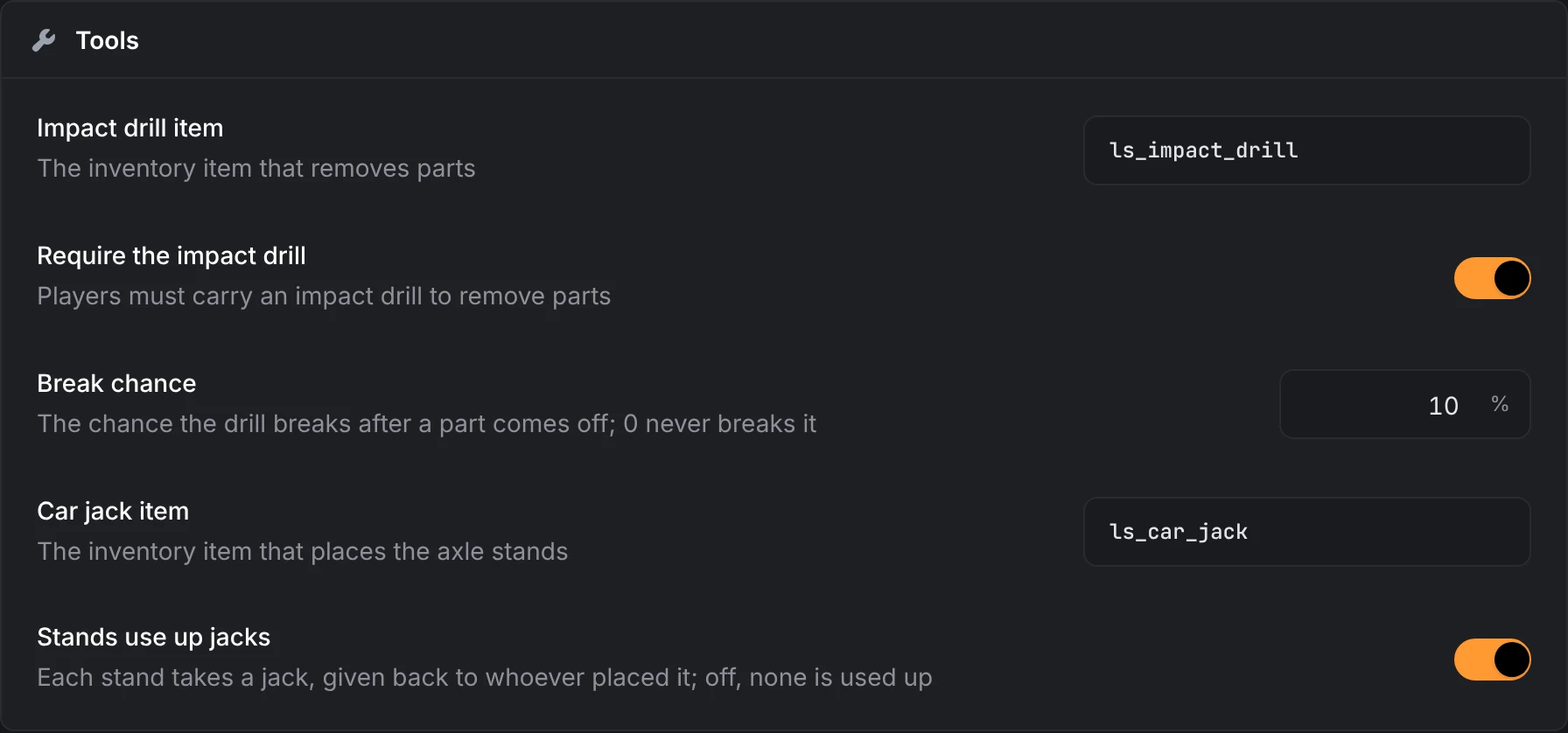
| Impact drill item | items.impact_drill.item | ls_impact_drill | Item players use to take out the drill. |
| Require the impact drill | items.impact_drill.require | On | Players must carry the drill to remove parts. |
| Break chance | items.impact_drill.break_chance | 10% | 0 to 100. The chance the drill breaks after a part comes off. A broken drill is removed from the inventory. 0 never breaks it. |
| Car jack item | items.car_jack.item | ls_car_jack | Item players use to place jack stands. |
| Stands use up jacks | items.car_jack.require | On | Each stand takes a car jack, given back to whoever placed it when the stands come off. Off, a jack in hand places every stand and none is used up. |
| Salvaged wheel | items.parts.wheel | ls_salvaged_wheel | Given for each wheel. All four wheels share it. |
| Salvaged door | items.parts.door | ls_salvaged_door | Given for each door. All four doors share it. |
| Salvaged battery | items.parts.battery | ls_salvaged_battery | Given for the battery. |
| Salvaged radiator | items.parts.radiator | ls_salvaged_radiator | Given for the radiator. |
| Salvaged alternator | items.parts.alternator | ls_salvaged_alternator | Given for the alternator. |
| Salvaged ECU | items.parts.ecu | ls_salvaged_ecu | Given for the ECU. |
| Salvaged turbocharger | items.parts.turbo | ls_salvaged_turbo | Given for the turbocharger. |
| Stand prop | items.prep.standModel | imp_prop_axel_stand_01a | Prop used for the jack stands. |
| Drill prop | items.prep.drillProp | sf_prop_impact_driver_01a | Prop for the impact drill, in the player's hand and in the wheel and door minigames. |
| Stands required | items.prep.cornersRequired | 4 | 1 to 4. Stands needed before the car goes up. |
| Stand inboard offset | items.prep.standInboardOffset | 0.38 m | 0 to 5. How far each stand sits from the wheel toward the middle of the car. |
| Stand longitudinal offset | items.prep.standLongitudinalOffset | 0.2 m | 0 to 5. How far each stand sits forward or back along the car. |
If you rename an item here, the new name works straight away and the old one stops doing anything, but the new one still has to exist in your inventory.
Minigames
Five cards: Wheels, Doors, Torque spin, Connector unclip and Rapid tap.
| Option | Key | Default | Notes |
|---|---|---|---|
| Lug nut hold | minigame.wheel.lugHoldMs | 2150 ms | 100 to 10000. How long to hold each lug nut. Every wheel has five. |
| Impact drill audio | minigame.wheel.audioEnabled | On | Plays the drill sound while holding a lug nut or hinge bolt. |
| Hinge bolts per door | minigame.door.boltCount | 4 | 1 to 8. Bolts to drill out before a door drops. |
| Hinge bolt hold | minigame.door.boltHoldMs | 2150 ms | 800 to 10000. How long to hold each hinge bolt. |
| Torque rotations | minigame.torque.rotationsRequired | 4 | 1 to 20. Full circles of the mouse to spin a bolt loose. |
| Torque decay | minigame.torque.decayPerSec | 2 | 0 to 100. Rotations of progress lost per second while not spinning. |
| Torque minimum speed | minigame.torque.minSpeed | 4 | 0 to 50. Below this spin speed the bolt slips and progress barely moves. |
| Torque full speed | minigame.torque.fullSpeed | 12 | 1 to 100. The spin speed where progress counts in full. |
| Connector flash | minigame.connector.flashMs | 450 ms | 100 to 3000. How long each clip lights up while the player memorizes the order. |
| Tap fill amount | minigame.tap.progressRequired | 100 | 10 to 1000. Progress the bar needs before the clamp or line lets go. |
| Tap decay | minigame.tap.decayPerSec | 30 | 0 to 500. Progress lost per second while not clicking fast enough. |
| Tap minimum rate | minigame.tap.minCps | 2 | 0 to 30. Clicks per second needed before progress counts. |
| Tap full rate | minigame.tap.fullCps | 4.5 | 0.5 to 60. The click rate where each click counts in full. |
The torque and tap rates take steps of 0.5. The server refuses a part claimed less than 1.5 seconds after it was started. If the number of fasteners times the hold time would come in under about 1.7 seconds, the hold time is raised automatically so honest players are never refused.
Experience
Level ladder lists the total XP needed to reach each level, up to 50 levels. XP per part is the range a player gets for each part, rolled between the least and the most for the level they are at when it comes off.
| Level | Total XP | XP per part |
|---|---|---|
| 1 | 0 | 25 to 35 |
| 2 | 5,000 | 35 to 50 |
| 3 | 10,000 | 50 to 75 |
| 4 | 25,000 | 75 to 100 |
| 5 | 75,000 | 100 to 150 |
Keys are experience.levels.<level> and experience.rewards.<level>.xp.min / .max. Level 1 is the start and stays at 0. Add a level adds one on top and Remove the top level takes the highest away, so the highest level is the number of levels. Doors pay half the rolled XP, since a car has four of them.
A change to the ladder applies to every player: those online move to the level their XP reaches (a player it lifts is told), and the stored levels the leaderboard reads are updated.
Shops
The broker has two built-in shops, in two cards: Tool shop and Swap shop. A player must be within 15 meters of an active broker to buy or swap, and an entry with a level above 0 needs at least that level.
The section opens with a short pitch for lation shops, for anything more than these two. Dismissing it folds it into a Shops chip in the panel's header, which brings it back. Neither shows on a server that has lation_shops installed.
Tool shop
| Option | Key | Default | Notes |
|---|---|---|---|
| Tool shop | shops.tool.enable | On | The Tool Shop in the broker menu. |
| Tool shop account | shops.tool.account | Cash (cash) | What tools are paid with: cash, bank or an item name used as currency. |
| Tools for sale | shops.tool.items | Two, below | Up to 50. Each has item, price (0 to 10,000,000), level (0 to 100; 0 is anyone) and icon (Font Awesome). |
| Item | Price | Level | Icon |
|---|---|---|---|
ls_impact_drill | 1,500 | 0 | screwdriver-wrench |
ls_car_jack | 750 | 0 | car |
Swap shop
Players turn salvaged parts in for cash, an item, or both.
| Option | Key | Default | Notes |
|---|---|---|---|
| Swap shop | shops.swap.enable | On | The Swap Shop in the broker menu. |
| Swap shop account | shops.swap.account | Cash (cash) | Where cash payouts go: cash, bank or an item name. |
| Swaps | shops.swap.items | Seven, below | Up to 50, each on a page of its own: item (the part turned in), amount (1 to 1000 per swap), payout (0 to 10,000,000), rewardItem and rewardAmount (0 to 1000), level (0 to 100) and icon. |
| Part | Qty | Payout | Icon |
|---|---|---|---|
ls_salvaged_wheel | 1 | 150 | life-ring |
ls_salvaged_battery | 1 | 200 | car-battery |
ls_salvaged_radiator | 1 | 180 | fan |
ls_salvaged_alternator | 1 | 220 | bolt |
ls_salvaged_ecu | 1 | 300 | microchip |
ls_salvaged_turbo | 1 | 350 | wind |
ls_salvaged_door | 1 | 100 | door-open |
Set payout to 0 for an item-only trade. A swap with no payout and no reward item is refused, so players never lose parts for nothing.
Logging
Three cards: Service, Events and Discord. The keys start with logs.
| Option | Key | Default | Notes |
|---|---|---|---|
| Logging service | logs.service | None (none) | Also fivemanage or discord. Fivemanage needs the fmsdk resource started before lation_chopshop. |
| Screenshots | logs.screenshots | Off | Attaches a screenshot of the player's screen to each log. Fivemanage only. |
| Webhook name | logs.discord.name | Chop Shop | Display name on Discord posts. |
| Webhook URL | logs.discord.link | Empty | Your Discord webhook URL. Once set, the panel never shows it again; it reads A value is set. |
| Avatar image | logs.discord.image | https://i.imgur.com/ILTkWBh.png | Profile image on Discord posts. |
| Footer image | logs.discord.footer | https://i.imgur.com/ILTkWBh.png | Footer icon on Discord posts. |
The Discord options are greyed out unless the service is Discord. Turn on the events you want under logs.events:
| Event | Default | Logged when |
|---|---|---|
contract_issued | Off | A player takes a contract. |
contract_completed | Off | A contract is finished in time. |
contract_dismissed | Off | A player throws away an expired contract or cancels one. |
chop_started | Off | A player starts chopping a car. |
vehicle_prepped | Off | A car goes up on its stands. |
part_chopped | Off | A part comes off. |
strip_completed | Off | Every part is off a car. |
tool_broke | Off | An impact drill breaks. |
item_purchased | Off | A player buys from the tool shop. |
parts_swapped | Off | A player uses the swap shop. |
level_up | Off | A player reaches a new level. |
owned_vehicle_deleted | Off | An owned vehicle is deleted after chopping. |
config_edited | On | An admin changes or imports the configuration. The changes in one section are logged together, each old value and new one, when the admin leaves it. |
The Logging section is never sent to players' game clients, so the webhook URL stays on the server. An export does hold it.
Files you can still edit
A few things are plain Lua files, read when the resource starts. Restart lation_chopshop after editing them.
| File | What's in it |
|---|---|
lua/config/icons.lua | Font Awesome icons and colors for menu entries and interaction prompts. |
lua/config/animations.lua | Progress bars for placing and removing stands, and the animations for wheels, doors, the engine bay and reading the contract. |
lua/shared/defaults.lua | The defaults on this page: what a section is seeded with on the first start, and what a reset puts back. Only the server reads it. |
Language
Every string is in locales/en.json, the only language that ships. To translate, copy it to a new file such as locales/de.json and translate the values.
The admin panel and the in-game screens (contract, minigames, engine bay) read the lation:locale convar, which every lation script reads, unless lation_chopshop:locale gives this one its own. Notifications, menus and prompts go through ox_lib's locale, which follows its own ox:locale setting.
setr lation:locale de
setr ox:locale de
If a file for the chosen language is missing, English is used.
Still stuck? Ask in our Discord: the people who write the scripts answer.
Last updated
Contracts and chopping
How players take a lation chop shop contract, jack a car up, take its wheels, doors and engine bay apart, get paid, work a car together and trade parts in.
Developers
The lation chop shop server and client exports, its events, its server and client hooks and the files that ship open, with signatures, return shapes and Lua examples.