> ## Documentation Index
> Fetch the complete documentation index at: https://lationscripts.com/docs/llms.txt
> Use this file to discover all available pages before exploring further.
# Modern UI - Skill Check
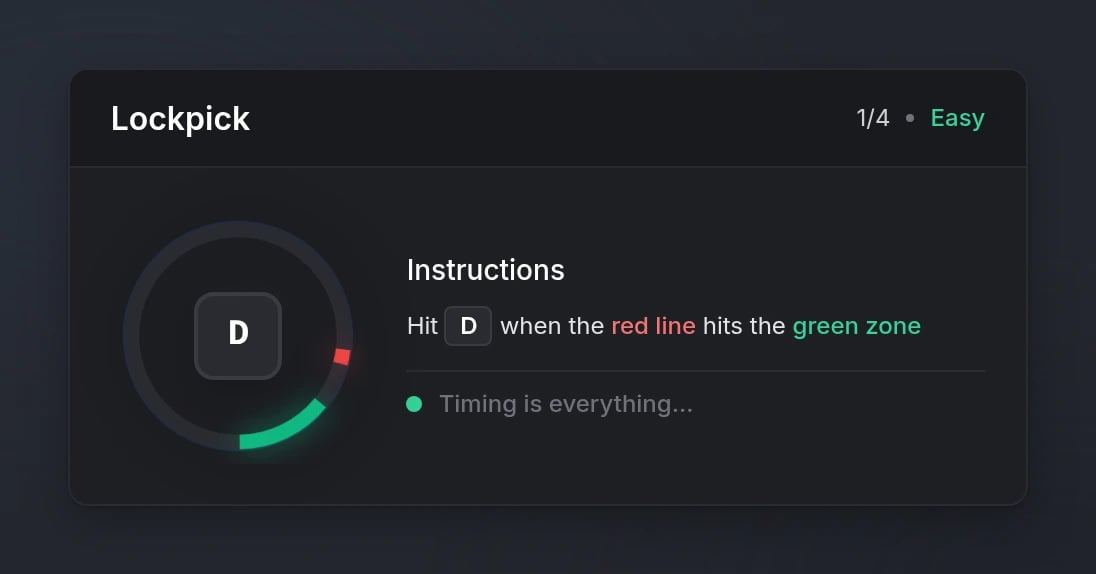
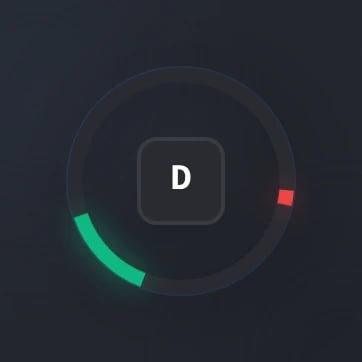
> Interactive skill check mini-game with configurable difficulty
## Quick Start
```lua theme={null}
local success = exports.lation_ui:skillCheck('Lockpick', 'easy', 'E')
if success then
print('Success')
else
print('Failed')
end
```
## Functions
Start an interactive skill check mini-game.
```lua theme={null}
local success = exports.lation_ui:skillCheck(title, difficulty, inputs, size)
```
**Parameters:**
* `title` (string, required) - Title for the skill check
* `difficulty` (string | table, required) - Difficulty level or array of difficulties (see [Difficulty Levels](#difficulty-levels))
* `inputs` (string | table, optional) - Single input key or array of input keys (default: `'E'`)
* `size` (string, optional) - Size variant: `'normal'` or `'compact'` (default: `'normal'`)
**Returns:**
* `success` (boolean) - `true` if all skill checks completed successfully, `false` if failed or cancelled
Cancel the currently active skill check.
```lua theme={null}
exports.lation_ui:cancelSkillCheck()
```
Check if a skill check is currently active.
```lua theme={null}
local isActive = exports.lation_ui:skillCheckActive()
```
**Returns:**
* `isActive` (boolean) - `true` if a skill check is active, `false` otherwise
## Configuration
### Options
Title displayed for the skill check
Difficulty level or array of difficulty levels
See [Difficulty Levels](#difficulty-levels) for available options
Single input key or array of input keys
Can be a single key (e.g., `'E'`) or multiple keys for sequential checks (e.g., `{'W', 'A', 'S', 'D'}`)
Size variant of the skill check UI
Available options:
* `'normal'` - Full UI with instructions
* `'compact'` - Minimal UI (just circle and key)
### Difficulty Levels
Use predefined difficulty levels for quick setup.
Large target area, slow speed
Medium target area, medium speed
Small target area, fast speed
**Example:**
```lua theme={null}
-- Single difficulty
local success = exports.lation_ui:skillCheck('Lockpick', 'easy', 'E')
-- Multiple difficulties (sequential)
local success = exports.lation_ui:skillCheck('Lockpick', {'easy', 'medium', 'hard'}, {'E', 'E', 'E'})
```
Create custom difficulty configurations with precise control.
Size of the target area (smaller = harder)
Speed multiplier for the indicator (higher = faster)
**Example:**
```lua theme={null}
-- Custom difficulty object
local success = exports.lation_ui:skillCheck('Lockpick', { areaSize = 20, speedMultiplier = 1.5 }, 'E')
-- Array of custom difficulties
local success = exports.lation_ui:skillCheck('Lockpick', {
{ areaSize = 30, speedMultiplier = 1.0 },
{ areaSize = 20, speedMultiplier = 1.5 },
{ areaSize = 10, speedMultiplier = 2.0 }
}, {'E', 'E', 'E'})
```
## Preview