> ## Documentation Index
> Fetch the complete documentation index at: https://lationscripts.com/docs/llms.txt
> Use this file to discover all available pages before exploring further.
# Modern UI - List Menu
> Keyboard-driven list menus with scrollable values, checkboxes, and progress bars
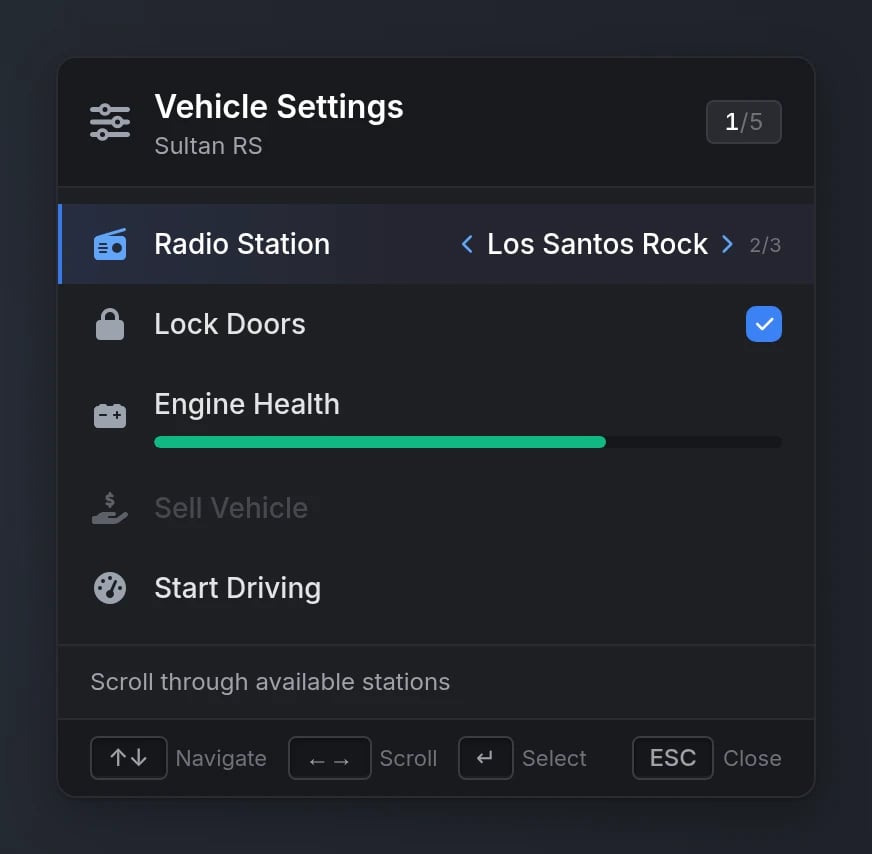
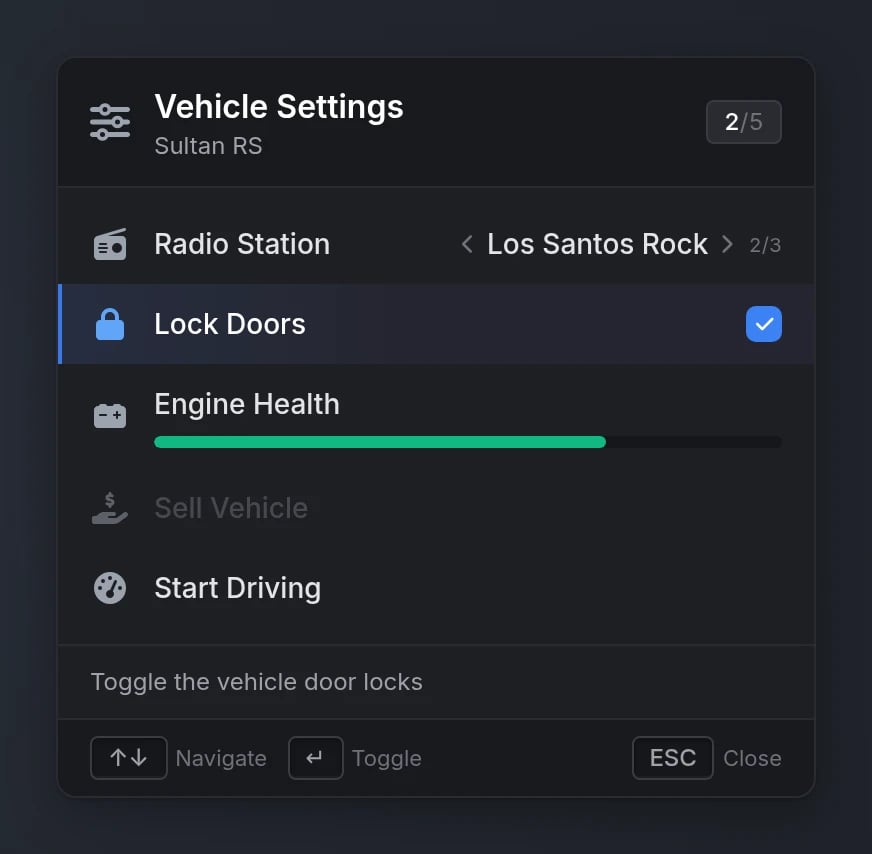
List menus are compact, keyboard-only menus navigated with the arrow keys - a modern drop-in replacement for ox\_lib's `lib.registerMenu`/`lib.showMenu` with the same callbacks, indices, and keybinds. Rows can side-scroll through values, toggle checkboxes, and display progress bars, with a built-in description panel and contextual key hints.
Looking for the mouse-driven menu with submenus and hover metadata? That's the [Menu](/docs/modern-ui/components/menu) component. The list menu is its keyboard-only sibling: flat, single-level, and driven entirely by arrow keys.
## Quick Start
```lua theme={null}
exports.lation_ui:registerListMenu({
id = 'vehicle_settings',
title = 'Vehicle Settings',
subtitle = 'Sultan RS',
icon = 'fas fa-sliders',
options = {
{
label = 'Radio Station',
icon = 'fas fa-radio',
description = 'Scroll through available stations',
values = { 'Non-Stop-Pop', 'Los Santos Rock', 'WCTR' },
defaultIndex = 2
},
{
label = 'Lock Doors',
icon = 'fas fa-lock',
description = 'Toggle the vehicle door locks',
checked = true
},
{
label = 'Start Driving',
icon = 'fas fa-gauge-high',
description = 'Head to the first waypoint',
args = { waypoint = 1 }
}
}
}, function(selected, scrollIndex, args, checked)
print('Confirmed option', selected, scrollIndex, checked)
end)
exports.lation_ui:showListMenu('vehicle_settings')
```
## Functions
Register a new list menu with the specified configuration.
```lua theme={null}
exports.lation_ui:registerListMenu(menuData, cb)
```
**Parameters:**
* `menuData` (table) - Menu configuration object (see [Registration Options](#registration-options))
* `cb` (function, optional) - Called when an option is confirmed with Enter: `cb(selected, scrollIndex, args, checked)`
Display a previously registered list menu.
```lua theme={null}
exports.lation_ui:showListMenu(menuId, startIndex)
```
**Parameters:**
* `menuId` (string) - Unique identifier of the menu to display
* `startIndex` (number, optional) - 1-based option to highlight on open
Hide the currently displayed list menu.
```lua theme={null}
exports.lation_ui:hideListMenu(onExit)
```
**Parameters:**
* `onExit` (boolean, optional) - `true` also fires the menu's `onClose` callback
Replace a registered menu's options - a single option (with `index`) or all of them.
```lua theme={null}
exports.lation_ui:setListMenuOptions(menuId, options, index)
```
**Parameters:**
* `menuId` (string) - Unique identifier of the menu to update
* `options` (table) - A single option (when `index` is given) or an array of options
* `index` (number, optional) - 1-based option index to replace
If the menu is currently open, the change applies **live** - no re-register or re-open needed. The player's selection is kept.
Get the ID of the currently open list menu.
```lua theme={null}
local menuId = exports.lation_ui:getOpenListMenu()
```
**Returns:**
* `menuId` (string | nil) - The ID of the currently open list menu, or nil if none is open
## Keyboard Controls
| Key | Action |
| ------------------- | ----------------------------------------------------------------- |
| `↑` / `↓` | Move the selection (wraps around, skips disabled options) |
| `←` / `→` | Scroll through an option's `values` (wraps around) |
| `Enter` | Confirm the selected option, or toggle a checkbox option in place |
| `Home` / `End` | Jump to the first / last option |
| `ESC` / `Backspace` | Close the menu (blocked when `canClose = false`) |
While a list menu is open the cursor stays hidden and the player keeps game input (walking, driving) unless `disableInput = true`. Firing, the weapon wheel, and melee are always disabled.
## Configuration
### Registration Options
Unique menu identifier
Menu title (supports markdown)
Menu subtitle (supports markdown)
FontAwesome icon class or image URL
Supported image formats: `.png`, `.webp`, `.jpg`, `.jpeg`, `.gif`, `.svg`
Icon color (hex or [CSS color name](https://htmlcolorcodes.com/color-names/))
Icon animation: `'spin'`, `'spinPulse'`, `'spinReverse'`, `'pulse'`, `'beat'`, `'fade'`, `'beatFade'`, `'bounce'`, `'shake'`
Menu position. Available options: `'top-left'`, `'top-right'`, `'bottom-left'`, `'bottom-right'`
Whether the menu can be closed with ESC/Backspace
`true` freezes game input while the menu is open (by default the player keeps moving control)
Called when the menu is closed by the player: `onClose(keyPressed)` where `keyPressed` is `'Escape'`, `'Backspace'`, or nil when closed via `hideListMenu(true)`
Called when the highlighted option changes: `onSelected(selected, secondary, args)`
`secondary` is the 1-based scroll index on a `values` option, or the checked state on a checkbox option
Called when a `values` option is scrolled: `onSideScroll(selected, scrollIndex, args)`
Called when a checkbox option is toggled: `onCheck(selected, checked, args)`
Array of menu options (see [Option Properties](#option-properties))
### Option Properties
Option display text (supports markdown)
FontAwesome icon class or image URL
Supported image formats: `.png`, `.webp`, `.jpg`, `.jpeg`, `.gif`, `.svg`
Icon color (hex or [CSS color name](https://htmlcolorcodes.com/color-names/))
Icon animation type
Available options: `'spin'`, `'spinPulse'`, `'spinReverse'`, `'pulse'`, `'beat'`, `'fade'`, `'beatFade'`, `'bounce'`, `'shake'`
Shown in the description panel below the list while this option is selected (supports markdown)
Makes the option side-scrollable with `←`/`→` (see [Values](#values))
1-based initial scroll index for a `values` option
Makes the option a checkbox toggled in place with Enter. Set `true` or `false` for the initial state - the presence of the field is what creates the checkbox
Progress bar value (0-100) rendered under the label
Progress bar color (hex or [CSS color name](https://htmlcolorcodes.com/color-names/))
Can also use `colorScheme` as an alias
Rendered dimmed and skipped by keyboard navigation
Whether confirming this option closes the menu (`false` keeps it open)
Arguments passed to the confirm callback and events
Callback executed when the option is confirmed: `onSelect(selected, scrollIndex, args)`
Client event to trigger when the option is confirmed
Server event to trigger when the option is confirmed
### Values
Each entry in `values` is either a plain string or an object with its own description, which replaces the option's `description` while that value is selected:
```lua theme={null}
values = {
'Non-Stop-Pop',
'Los Santos Rock',
{ label = 'WCTR', description = 'Talk radio - West Coast Talk Radio' }
}
```
## Behavior Notes
* **Live updates** - `setListMenuOptions` applies to an open menu immediately, keeping the player's selection.
* **State persistence** - scroll positions and checkbox states are remembered when a menu is closed and re-shown. Re-register the menu to reset them.
* **Switching menus** - calling `showListMenu` while another list menu is open switches directly without firing the first menu's `onClose`.
## Migrating from ox\_lib
The API is deliberately signature-compatible with ox\_lib's list menu - same 1-based indices, same callbacks, same keybinds:
| ox\_lib | lation\_ui |
| ---------------------------------------- | ---------------------------------------------------------- |
| `lib.registerMenu(data, cb)` | `exports.lation_ui:registerListMenu(data, cb)` |
| `lib.showMenu(id, startIndex)` | `exports.lation_ui:showListMenu(id, startIndex)` |
| `lib.hideMenu(onExit)` | `exports.lation_ui:hideListMenu(onExit)` |
| `lib.setMenuOptions(id, options, index)` | `exports.lation_ui:setListMenuOptions(id, options, index)` |
| `lib.getOpenMenu()` | `exports.lation_ui:getOpenListMenu()` |
Using our [ox\_lib fork](https://github.com/IamLation/ox_lib/releases/latest)? `lib.registerMenu` and friends forward to the list menu automatically while lation\_ui is running - existing scripts need **no changes at all**.
## Preview